
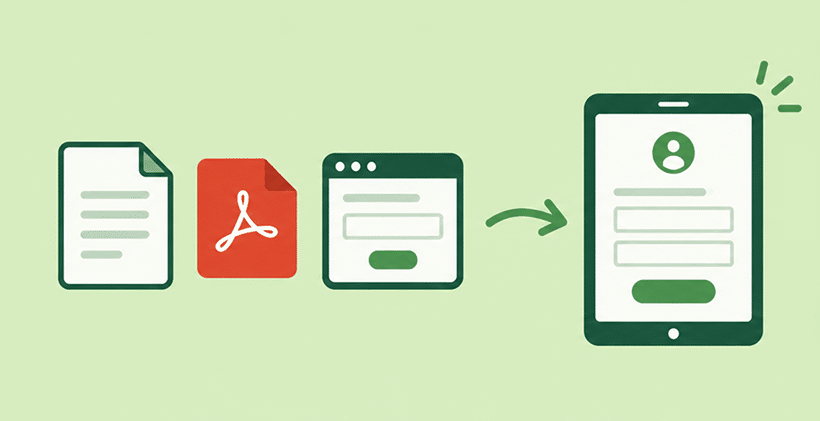
You can bring patient forms online without changing your clinic’s routine. Turn your paper, PDF or website forms into secure online forms, let patients complete them on a phone or tablet, and keep the printable PDF forms your team uses for the charts. Start with one form and expand when you’re ready.
Why Clinics Keep Paper Forms
Paper works because everyone knows the routine. The front desk hands over a clipboard, the patient signs, and the doctor gets a familiar page to read. PDFs are similar: patients print them, fill them in and bring them to the visit.
It’s understandable to hesitate before changing a process your team knows well. You may worry about retraining staff, losing the familiar printout or making things harder for patients who don’t use email.
The good news: you can make the forms easier for patients to complete while keeping much of your existing workflow.
Your Workflow, Step by Step, With Online Forms
Here’s what changes, and what doesn’t when you use online forms:
| YOUR ROUTINE TODAY | WITH HIPAA-COMPLIANT ONLINE FORMS | WHAT STAYS THE SAME |
|---|---|---|
| Hand the patient a clipboard, or email a PDF to print | Send a link by email or text, put the form on your website, or show a QR code at the front desk | The patient fills in the same questions before or at the visit |
| Patient signs at the bottom of the page | Patient draws a signature with a finger, mouse or stylus (you can switch off typed signatures) | A signature on every page that needs one |
| “For office use only” box on the form | Internal Use Only fields staff fill in after submission; patients never see them | Staff notes live on the same record as the patient’s answers |
| Patient photocopies or hands over an insurance card | Patient uploads a photo of the card in the form | The card image stays with the submission |
| Front desk checks the stack of new forms | Staff get a notification email with a secure link, and every submission waits in the inbox | One place to look for new forms |
| Doctor reads the printed page | Download or print the submission as a PDF, in your original paper layout if you want it | The same page the doctor already knows |
| Scan the paper into the chart | Attach the PDF to the chart, or send it automatically to supported EMRs such as Open Dental | The chart still holds the signed form |
| Returning patient updates last year’s form | Return the previous submission prefilled, by email or a QR code on the office tablet | Patients only change what changed |
| Spanish-speaking patients get the Spanish paper version | A Spanish version of the same online form | Each patient gets the language they read |
The biggest difference is that answers arrive typed and readable. Your team spends less time chasing paperwork or deciphering handwriting.
Keeping the Paper Printout Your Doctors Already Read
Does your doctor prefer the same printed form they’ve used for years? You can keep it. HIPAAtizer can place online answers into your original PDF layout. Or you can use a clean PDF generated from the online form.
| CUSTOM PRINTABLE TEMPLATE | PDF GENERATED FROM THE ONLINE FORM | |
|---|---|---|
| What the printout looks like | Your original paper form, with the patient’s answers filled into the right boxes | A clean, compact layout based on the online form |
| Best when | The doctor, an insurer or a regulator expects a specific layout | You want short, readable printouts and plan to edit the form over time |
| When you change the wording of the form | Update the template too, or ask support to remap it, so the printout matches | The PDF updates automatically |
Patients see a mobile-friendly form that matches your practice’s style. Your team gets the printout it prefers. If you update the questions later, remember to update a custom print template too, how a custom printable template works.
Patients Without Email, Smartphones or Time
Not every patient wants to complete paperwork at home. That’s fine. You can offer a few simple options:
At the front desk, hand patients a tablet with the form open. They don’t need an email address or an account.
For returning patients, staff can use Return to Patient for Edits so patients review and update their previous answers.
For longer forms, Save and Continue Later lets patients finish another time.
Keep a paper copy available for anyone who prefers it.
The goal is to give patients a choice, not force everyone into the same process. Best Ways to Collect Patient Information Online.
How to Switch One Paper Form at a Time
You don’t need to switch everything at once. Start with one form and see how it works for your team.
- Choose a form you’d most like to improve, often that’s a new-patient intake or medical history form.
- Convert your PDF, Word or existing website form with HIPAAtizer’s AI converter, or ask the support team for help, how conversion works.
- Choose whether the completed PDF should match your original form or use a simpler layout.
- Set up the essentials: required questions, signatures, notifications and any staff-only fields.
- Share the form on your website, by link or QR code, or on a tablet at reception. You can also share the link through your social media channels.
- Test it on a phone and tablet. Submit a sample, check the notification and review the PDF.
- Use paper alongside the online form until your team feels comfortable.
- When you’re ready, move to the next form. You can also group related forms into one intake packet.
You can update questions later without changing the form’s link or embed code, send a list of changes.
When Your Clinic May Need More Than a Form Swap
A separate form tool isn’t always necessary. Before deciding, check these situations:
Your EMR already has forms. If they’re easy for patients to complete and look good on your website, they may be enough. If not, a dedicated form tool may help, EMR patient forms vs. a separate form solution.
You need answers entered directly into your EMR. Check what’s supported. Some systems, including Open Dental, have integration options; other workflows use a completed PDF in the chart, see HIPAAtizer’s integrations list.
You’re redesigning your website. It’s a good time to update old PDFs and contact forms, too.
Choose the setup that fits your practice. There’s no need to replace tools that already work.
You Can Keep Your Workflow and Change Only the Forms
Going digital doesn’t mean starting over. Patients can complete forms before the visit or at reception. Staff still review the answers, and doctors can keep the PDF layout they know.
With HIPAAtizer, you can convert your existing paper, PDF or website forms, customize how they look, and add them to any website or share them by link, QR code or social media. Start with one form, or book a demo to talk through your current process.
Frequently Asked Questions About Replacing Paper Forms
Usually, yes. Your team will need to learn where submissions arrive, but the main steps, collect, review and file, can stay familiar.
Still have questions? Contact us