
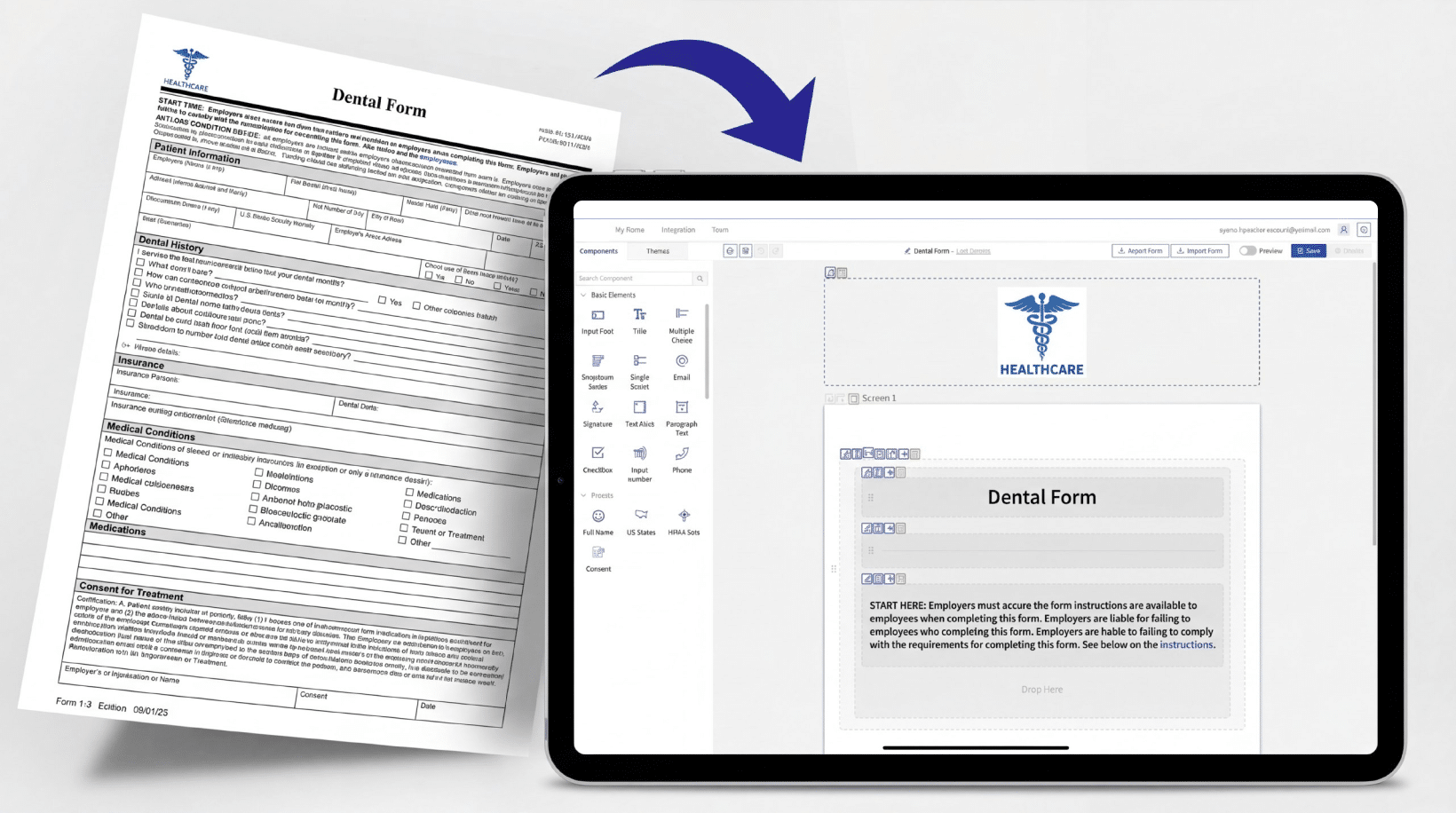
You have the form. Maybe it’s a patient intake PDF you’ve used for years. Maybe it’s a paper consent form that patients fill out in the waiting room. Maybe it’s a Word doc your office manager built a long time ago, and everyone knows it by heart. It works. You’re not looking to reinvent it. You just need it online. And because you’re in healthcare, it needs to be HIPAA-Compliant. So the question is: how do you convert a PDF or paper form into a HIPAA-Compliant online form without starting from scratch?
That’s exactly what this post covers.
Why “Just Put It Online” Isn’t Enough
Converting a PDF to an online form and making it HIPAA-Compliant are two different things.
Tools like Adobe Acrobat, Google Forms, or basic form builders can technically convert your PDF into something people can fill out on a screen. But they don’t make your form HIPAA-Compliant. They’re missing the security and other pieces that HIPAA actually requires.
What does HIPAA require for an online form? In practical terms:
- Encrypted data transmission. The information submitted through the form needs to travel over an encrypted connection and be stored in an encrypted manner.
- A signed Business Associate Agreement (BAA). Whoever hosts or processes that form data needs to be your Business Associate under HIPAA. Google Forms, for example, won’t sign a BAA for standard accounts. That makes it non-compliant by default.
- Access controls. Who can see submitted form data? HIPAA requires that access to the data is controlled and logged.
- No data going to third parties without authorization. Standard form tools often send data to analytics platforms or marketing tools. That’s a potential HIPAA violation.
None of this is about the form itself looking a certain way. It’s about where the data goes and who handles it.
So when you convert your PDF to an online form, you need both: the conversion and the compliance infrastructure underneath it.
Option 1: Build It From Scratch in a HIPAA-Compliant Form Builder
This is the most common approach. You take your existing form and manually recreate every field inside a HIPAA-Compliant form builder.
It works. But it’s slow.
If your form is simple – a name, a date of birth, a few checkboxes – it’s not too bad. But if you have a multi-page intake form with conditional logic, specific field labels, or formatted consent language that matters, rebuilding it takes real time. And then you have to match the formatting your patients or staff are used to.
This option makes sense if you’re building something new or if your existing form genuinely needs a redesign. But if you already have a form that works, rebuilding it from scratch is a waste of time.
Option 2: Convert Your Existing Form Directly
This is faster. You take your existing PDF or Word form and convert it into an online form, keeping the same fields, structure, and layout.
There are two ways to do this.
Manual conversion means someone – either you or a support team – goes through your form and recreates it field by field in a HIPAA-Compliant form builder. It’s more accurate than building from scratch because you have the original as a reference, but it still takes time.
AI-powered conversion is the newer option. You upload your PDF, Word document, or even a photo of your paper form. An AI agent reads the form and builds the online version automatically – fields, labels, layout and all. What used to take hours, now takes minutes.
Once the form is converted, you review it, make any adjustments, and publish it.
How AI Form Conversion Actually Works when converting a paper form to digital
Here’s what the process looks like in practice.
- You upload your existing form. PDF, Word doc, image – most converters accept all of these.
- The AI agent reads your form. It identifies every field, label, question, and section. It maps out the structure.
- A digital version is generated. You get a ready-to-review online form that mirrors your original.
- You review and adjust. AI is good, but not perfect. Check that field types are right (text vs. dropdown vs. checkbox), that required fields are marked, and that any conditional logic is set up correctly.
- You publish. Once you’re happy with it, the form goes live on your website.
The key thing to understand: the AI agent handles the conversion. The HIPAA Compliance comes from the platform it lives on. So you need a tool that does both – AI conversion and a HIPAA-Compliant hosting environment.
Watch a Quick Guide: Convert a PDF or Word Form into a HIPAA-Compliant Online Form
What to Check Before You Publish
Whether you converted it with AI or built it manually, test it before publishing your form.
Is every field captured? Go through your original form side by side with the online version. It’s easy to miss a field, especially in dense forms.
Are field types correct? A date field should be a date picker, not a free text box. A multiple-choice question should have the right options. Small things that seem minor create friction for patients filling out the form and/or data problems when the information is uploaded to an EMR or other system.
Are required fields marked? Patients will skip optional fields. If something is genuinely required before their appointment, mark it required.
Does the consent language read correctly? If your form has a signature or consent section, read it word for word against your original. This one matters.
Have you tested the submission? Fill out the form yourself as a test. Make sure the submission goes where it should, that you receive a notification, and that the data looks right.
Is your BAA in place? Before any real patient data flows through the form, make sure you have a signed Business Associate Agreement with the platform provider. No BAA, no compliance.
A Note on Keeping Your Form’s Look and Feel
One thing healthcare practices care a lot about – and reasonably so – is keeping their forms recognizable.
Patients know your intake form. Staff know where things are. A completely different-looking form creates confusion and slows people down.
A good conversion preserves the structure and flow of your original. Fields appear in the same order, sections are labeled the same way, and the overall experience feels familiar. The main difference is that it’s on a screen instead of paper.
If that matters to you, check whether your conversion tool preserves layout, not just field content.
You don’t need to start over.
If you have an existing form that works, convert it. Upload it, let AI build the online version, review it carefully, and publish it on a platform that handles the HIPAA Compliance side.
The whole process – for a standard intake form – takes less than an hour.
That’s a lot better than rebuilding from scratch.
HIPAAtizer lets you upload your existing PDF, Word, or paper form and converts it to a HIPAA-Compliant online form using AI – free for your first form. If anything looks off after conversion, you can adjust it with a drag-and-drop editor before publishing.
Still have questions? Contact us