
You’ve just signed a new healthcare client. Or perhaps your agency already manages websites and marketing campaigns for several clinics.
The website is ready, the campaigns are ready to run, and now your client needs a contact form, an appointment request, or a patient intake form. They may want it embedded directly into their website, shared through a link, or used in their social media campaigns.
Sounds straightforward. But when those forms collect patient information, a few questions come up:
Can you use the website tools you normally work with? Who signs the Business Associate Agreement (BAA)? Can your agency manage the forms without seeing patients’ private information? How do you track leads and campaign results without sending Protected Health Information (PHI) to marketing tools? And how do you keep everything organized when you have several healthcare clients?
At HIPAAtizer, we’ve worked with developers, web designers, and marketing agencies managing healthcare clients for years. Many have come to us with exactly these questions. This guide shares practical approaches we’ve learned from those conversations, from adding HIPAA-Compliant forms to existing websites to managing client accounts, billing, and conversion tracking.
Quick answer: You can build, customize, and manage HIPAA-Compliant forms for healthcare clients without necessarily handling patient data yourself. Each clinic can have its own secure form account and BAA with the provider, while your agency continues managing the website and campaigns. The right setup depends on who accesses submissions, how information flows through your tools, and who handles billing.
What Changes When Your Website Forms Collect Patient Information?
Your agency owns the website and the campaign results. Your client owns the patient data. A healthcare contact form sits exactly between the two.
As soon as a form asks for a name together with a reason for the visit, a symptom, an insurance detail or a date of birth, the submission can be PHI. The standard website form, the form plugin on the CMS and the email inbox it sends to were not built to hold that data. Most popular website platforms are not HIPAA Compliant by default and do not sign a BAA, but you can still put a compliant form on them with the right form solution. The form loads from a HIPAA-Compliant service, the patient’s answers go directly to that service, and the website only displays the form.
That design is what lets an agency keep doing its job (build the page, run the campaign, report the results) without becoming the place where patient data lives.
Who Signs the BAA When an Agency Builds the Form?
The clinic signs the BAA, not the agency, in most agency setups. In HIPAAtizer, each client is set up as a Covered Entity account and accepts the Business Associate Agreement during signup or account activation. The BAA is already executed on HIPAAtizer’s side, so nothing has to be printed, signed and sent back.
Your agency’s role decides whether you need a BAA of your own:
YOU BUILD AND EMBED FORMS BUT NEVER OPEN SUBMISSIONS.
No BAA is needed for your agency. A Developer role in HIPAAtizer can create, edit, style and publish forms but has no access to submissions or PHI by design. Submitted data goes from the patient’s browser to HIPAAtizer’s HIPAA-Compliant storage and never passes through your website hosting.
YOUR TEAM WILL VIEW OR MANAGE SUBMISSIONS FOR THE CLINIC.
Then your agency is acting as a business associate. You sign a BAA with HIPAAtizer, and you sign a BAA with each client. On the agency dashboard, HIPAAtizer adds a ready-made BAA form your clients can sign online.
THE CLINIC WANTS YOU INSIDE ITS ACCOUNT.
The clinic can invite you to its team with a role that includes submission access (Security Officer or Assistant). In that case you work under the clinic’s BAA as part of its workforce, so treat that access accordingly.
A practical tip: keep the agency in the no-PHI role unless the client truly needs you to handle submissions. It is the simplest way to limit your exposure. For questions about liability in a specific contract, talk to your own legal counsel; the setup above describes how the data flows, not legal advice.
Three Ways to Set Up HIPAA Forms for Your Clients
Agencies usually choose between letting each clinic pay for its own account and paying for all clients centrally. HIPAAtizer supports both, plus a commission-based partner option.
| DEVELOPER OR PARTNER ACCOUNT (CLINIC PAYS) | AGENCY DASHBOARD (AGENCY PAYS) | |
|---|---|---|
| Cost to the agency | Free Developer (sandbox) account | The agency account itself is free; you pay a discounted license for each client you add, 15% to 60% below retail pricing |
| Who pays HIPAAtizer | Each clinic, on its own plan | Your agency, in one invoice; you bill your clients as part of your retainer |
| Who accepts the HIPAAtizer BAA | Each clinic | Each clinic, when it activates its account; your agency signs its own BAA only if you will handle PHI |
| Can the agency see submissions? | No | Only if you set it up to, with a BAA in place |
| Agency earnings | 20% commission on every payment each client makes, through the Partnership Program | Your own margin between the discounted license and what you charge the client |
| White label | No | Optional; additional setup fee for fewer than 10 clients |
| Best for | Agencies with a few clients that prefer clinics to own billing | Agencies offering website, marketing or other services to healthcare clients that want to manage forms and billing centrally |
OPTION 1: DEVELOPER ACCOUNT, THE CLINIC PAYS
Create a free Developer account, build the form, then invite the clinic as a Covered Entity from Team > Covered Entities > Invite User and attach the form. The clinic chooses a plan, accepts the BAA and receives the form in its dashboard. You switch into the clinic’s account from your login whenever you need to edit the form. The clinic owns the account, billing and data from day one. Details are in the guide to inviting a Covered Entity.
OPTION 2: PARTNERSHIP PROGRAM, THE CLINIC PAYS AND YOU EARN COMMISSION
Same setup as Option 1, but you apply to the Partnership Program first, and you earn a 20% commission on every payment each of those clients makes to HIPAAtizer. Apply before you invite the client. Commissions are linked automatically when your account sends the invitation, and the link cannot be added after the fact.
OPTION 3: AGENCY DASHBOARD, YOUR AGENCY PAYS FOR EVERY CLIENT
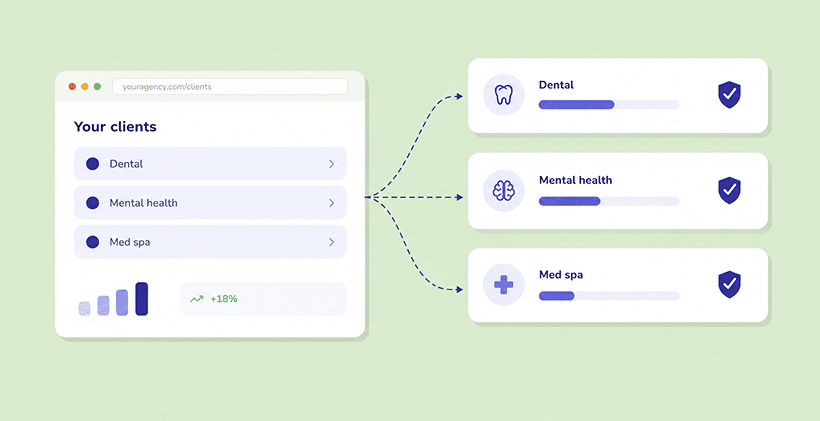
The agency dashboard is for agencies that want to manage forms and billing as part of the services they already provide to healthcare clients. Each clinic has its own account, forms, BAA and submissions, while your agency can manage client accounts from one place and receive one invoice. It can work just as well for a handful of clients as for a larger portfolio. Agency pricing depends on the plans you choose.
White labeling is optional. You can use your own branding on the agency dashboard, form links and notifications if you want to offer the service under your agency’s name. It is included for agencies managing 10 or more clients; an additional setup fee applies for fewer than 10.
How to Track Leads and Conversions Without Seeing PHI
Your agency can track form submissions and campaign conversions without seeing patients’ answers. HIPAAtizer supports conversion tracking and reporting approaches that share non-PHI signals with analytics tools while keeping clinical details in the clinic’s secure account. Our team can help you choose the right setup for your campaigns.
One Form, Many Clinics: Building Once and Rolling Out
BUILD ONCE AND REUSE.
Create a form in your agency library and share a copy with each client. Customize the questions and design as needed.
MATCH THE CLINIC’S WEBSITE.
Update the logo, colors and styling so patients have a familiar experience.
USE EXISTING FORMS
Use existing forms. Convert a clinic’s PDF, Word or web form with the AI Form Converter, then review and customize it rather than starting from scratch.
Mistakes Agencies Make When Setting Up Client Forms
A few practical details are worth checking before you launch:
Choose the right client account. If your agency handles billing, set up the clinic as a Managed Account rather than an independently billed Covered Entity account.
Keep live forms in the clinic’s account so its team receives submissions and controls patient information.
Join the Partnership Program before inviting a referred client if you want the referral commission.
Always test forms before they go live. Submit a test form and check that it reaches the right clinic account, notifications work, and the form displays correctly on the website.
Keep PHI out of analytics. Track completed forms and campaign performance without sending patient answers to advertising tools.
Frequently Asked Questions About HIPAA Forms For Healthcare Marketing Agencies
No, if the agency only builds, styles and embeds forms and never views submissions. Each clinic accepts a BAA with HIPAAtizer. If your agency will access or manage submissions and PHI, you are acting as a business associate and will need a BAA with your clients.

Keep Your Websites. Add HIPAA-Compliant Forms.
Your clients hired you to bring in patients, not to become HIPAA experts. With HIPAAtizer, you keep building on the platforms you already use, your clients keep their patient data in their own secure accounts, and you keep the reporting your campaigns depend on. See how the agency setup works for marketing agencies, create a free Developer account, or book a demo and we will walk through the right structure for your client list.
Still have questions? Contact us