
Pull Data Automatically from Your HIPAA-Compliant Forms to DrChrono
Eliminate manual data entry. Patient intake forms, consent documents, and
insurance information flow directly from HIPAAtizer into your DrChrono EHR.

Why Connect HIPAAtizer to DrChrono?
HIPAAtizer allows you to automatically push data from intake and other forms directly into the patient’s DrChrono patient record. No copy-pasting. No scanning paper. No data-entry errors.
DrChrono’s built-in forms don’t work with most website builders. HIPAAtizer forms can be embedded on any website Squarespace, WordPress, Wix, Shopify, or custom-built – and styled to match your brand, while still syncing data to DrChrono.
HIPAAtizer eliminates the need for the manual transfer of data, making the overall process more efficient and more secure.

How to Connect HIPAAtizer to DrChrono
Step 1
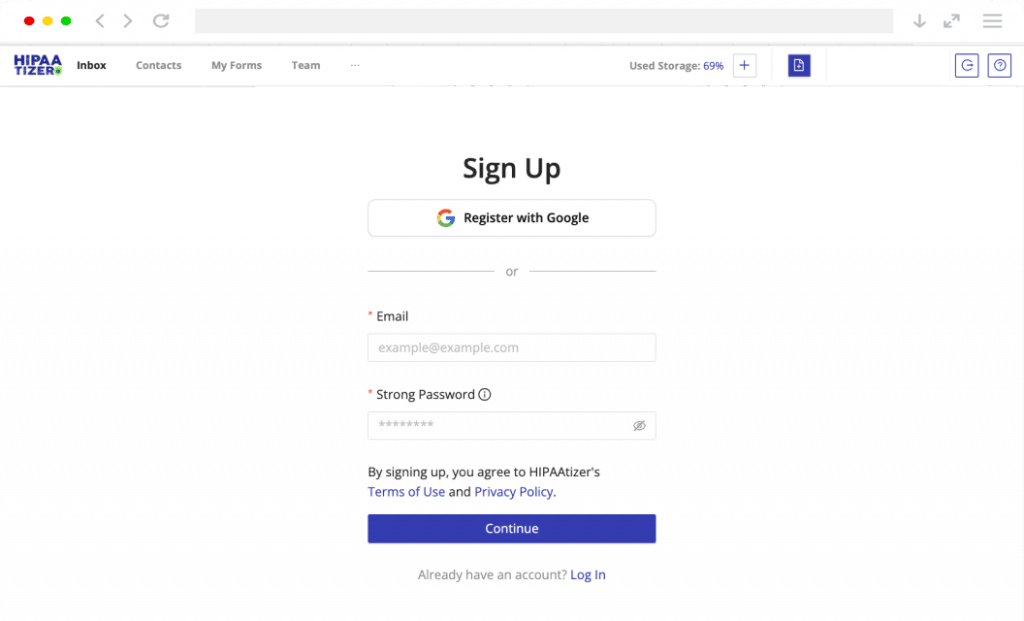
Sign Up for HIPAAtizer
Create your free Developer Sandbox or a Covered Entity account. Use our drag-and-drop HIPAA-Compliant form builder to design your form or convert existing PDF or Word forms with our AI conversion.
Step 2
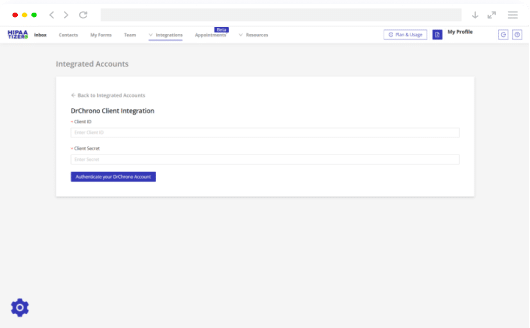
Integrate a HIPAAtizer account with DrChrono
Go to your DrChrono account, navigate to the API Management page, and copy your Client ID and Client Secret. In your HIPAAtizer account, paste the credentials to authorize and connect your DrChrono account.
Step 3
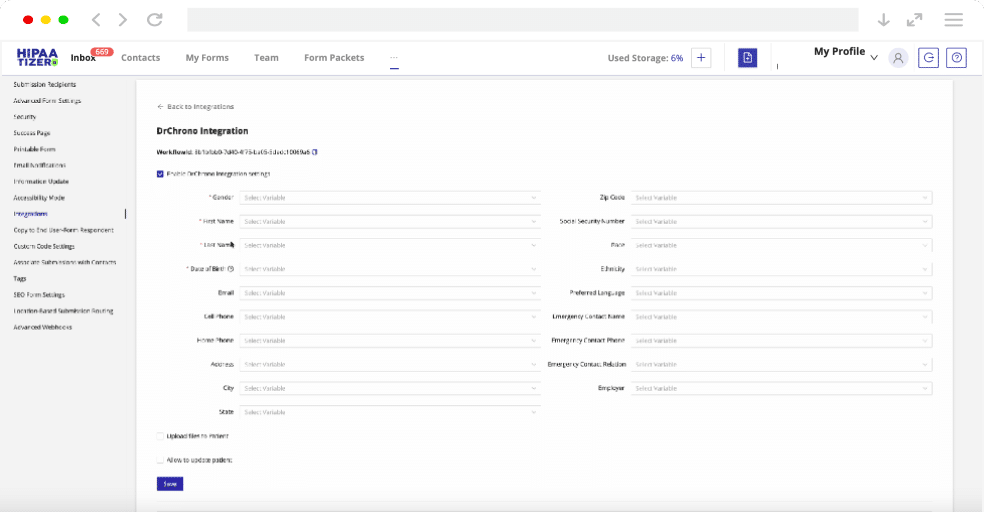
Manage Your Intake Workflow
Once you set up all the fields and variables, you can use your HIPAA-Compliant online forms as a part of DrChrono® intake workflow.
What Data Syncs to DrChrono?
When patients complete a HIPAAtizer form, the following data can be automatically mapped to their DrChrono record:
Patient Demographics
Name, date of birth, contact details, address, and preferred pharmacy
Insurance Information
Primary and secondary insurance, policy numbers, group IDs, and subscriber details
Medical History
Past conditions, current medications, allergies, surgical history, and family history
Consent & E-Signatures
Signed consent forms, HIPAA acknowledgments, and treatment authorizations stored as documents
Document Uploads
Photo IDs, insurance cards, referral letters, and any files patients attach to their forms
Custom Fields
Map any HIPAAtizer form field to a custom field in DrChrono for specialty-specific data
Built for the Specialties That Use DrChrono
DrChrono is used by solo practitioners and small group practices across many medical specialties. HIPAAtizer works with all of them. Whether you run a dermatology clinic or a behavioral health practice, your patients can complete intake forms online and the data flows straight into DrChrono.
Primary Care & Family Medicine
Dermatology
Mental & Behavioral Health
Podiatry
Orthopedics
Pain Management
Plastic Surgery & MedSpa
Urgent Care
Chiropractic
Don’t see your specialty? HIPAAtizer forms are fully customizable and work with any DrChrono account. Contact us to discuss your workflow.
Security & Compliance
HIPAAtizer is built for healthcare from the ground up. Every form, every submission, and every integration is HIPAA Compliant by default.
- Business Associate Agreement (BAA) provided
- Third-party HIPAA compliance certificate (Compliancy Group)
- 256-bit AES encryption at rest, TLS in transit
- Access controls and audit logging
- DrChrono Marketplace Partner (when applicable)

Ready to Automate Your Patient Intake?
Sign up free and connect your DrChrono account in minutes.
Frequently Asked Questions
HIPAAtizer connects to DrChrono through its API. When a patient submits a HIPAAtizer form, the data is automatically mapped and pushed to the corresponding fields in DrChrono. This includes patient demographics, insurance details, medical history, uploaded documents, and signed consent forms. No manual re-entry is needed.

Try HIPAAtizer + DrChrono Today
Start with a free account. Connect to DrChrono in minutes.
Already have forms? Convert them to HIPAA-Compliant online forms with our AI converter. Manual support for complex forms is still available.
DrChrono® is a registered trademark of DrChrono Inc. HIPAAtizer is not affiliated with, endorsed by, or sponsored by DrChrono Inc. The use of the DrChrono name and trademark on this page is solely for descriptive purposes to identify compatibility and integration with DrChrono EHR.