

Once you have finished creating your custom PDF form with Adobe Acrobat, you can easily add it to your online form in HIPAAtizer and start receiving submissions in your preferred paper form layout. To do this, simply follow these steps:
Adding a Custom Printable PDF Template
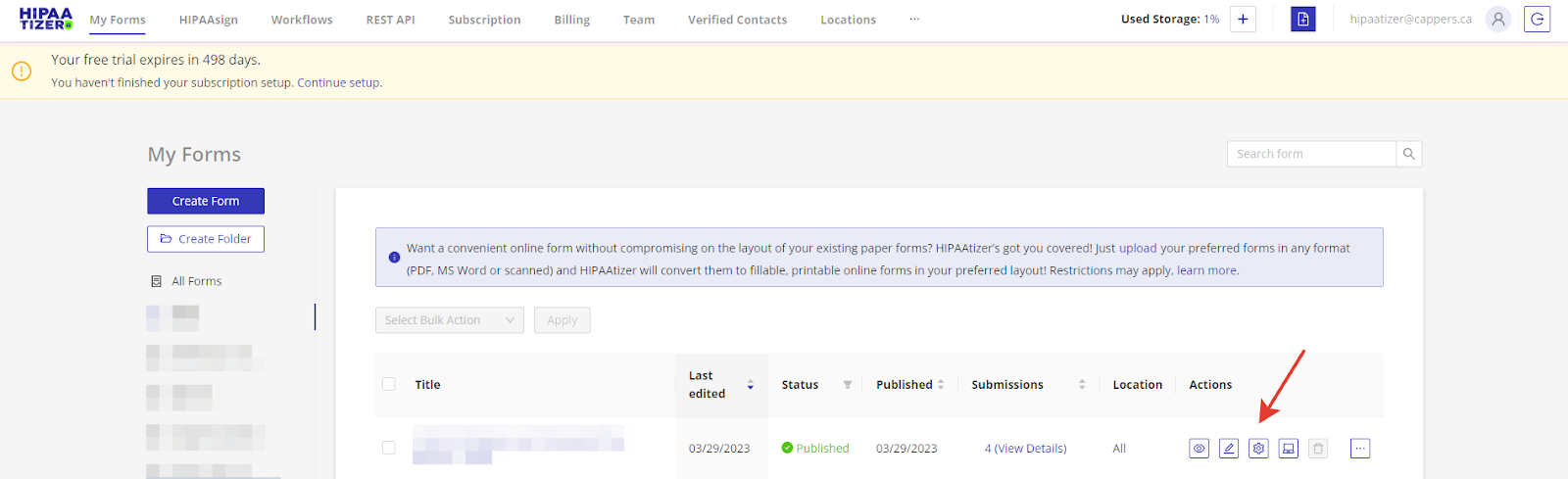
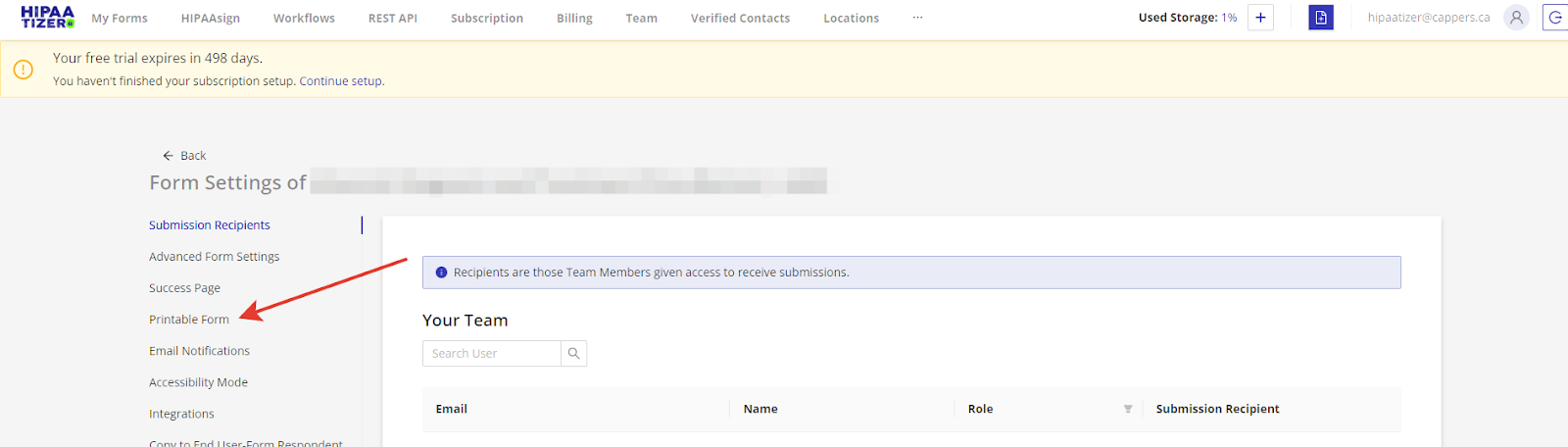
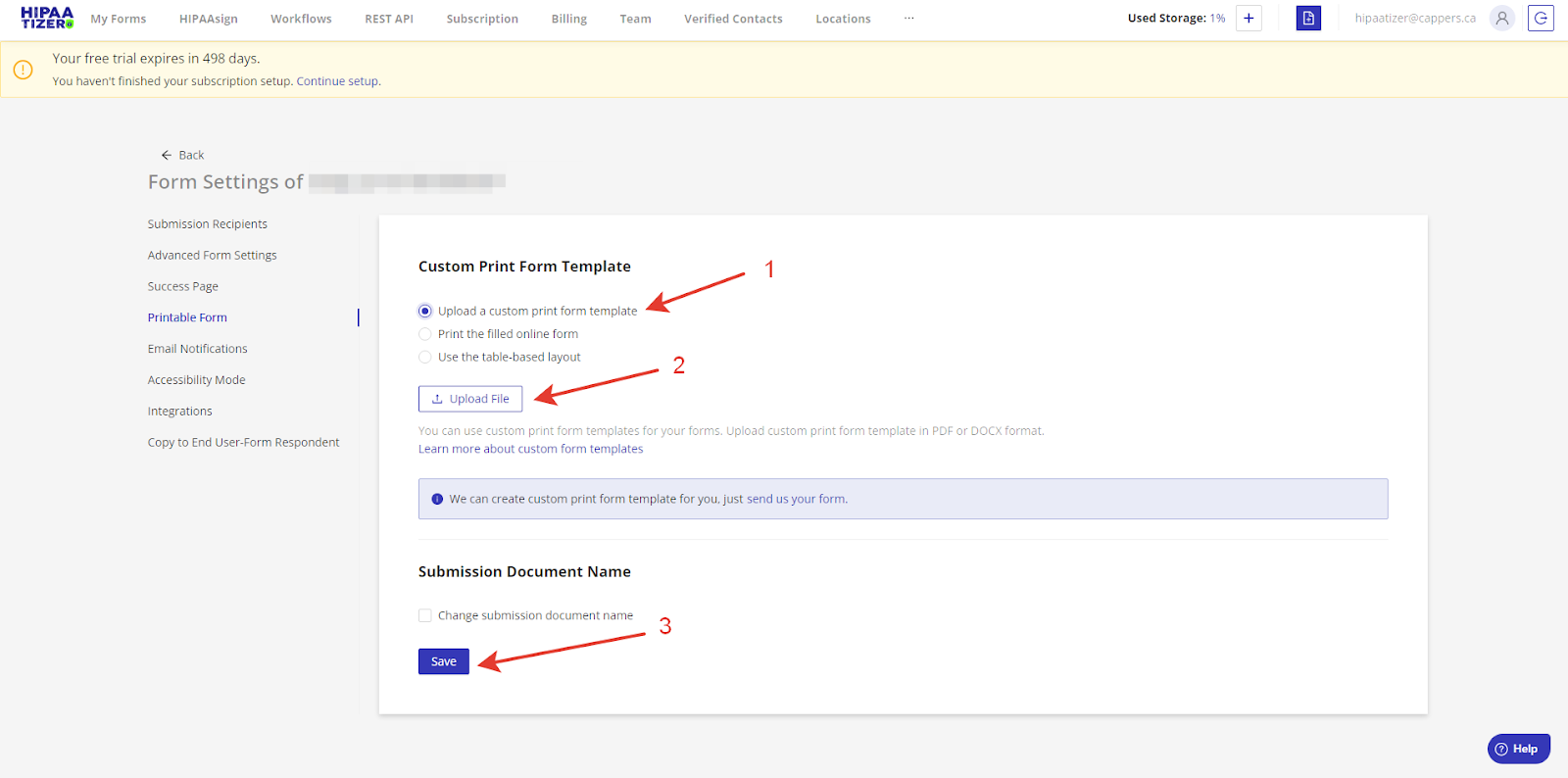
Select the form in question and click "Go To Form Settings". From here, click on the "Printable Form" tab and select the 'Upload a custom print form template' option under Custom Print Form Template. Upload your PDF file and save the changes.
Your custom PDF form has now been added to your online form and is ready to use.
Exporting JSON Files
If you updated the webform in the web builder and you need help updating the PDF form template, just send us the relevant form's JSON file and we'll do the rest. Send your JSON files to support@hipaatizer.com.
Navigate to the "My Forms" tab, select the form in question and click "Edit", then click on the "Download JSON" button.