

Submission Recipients
The Submission Recipients tab allows you to manage which team members receive email notifications when a form is submitted. Each form in HIPAAtizer has its own recipient list, so you can customize notifications per form.
This page covers notifications to your team. To email a confirmation to the person who submitted the form, see Send Copy to Respondent.
Managing Recipients
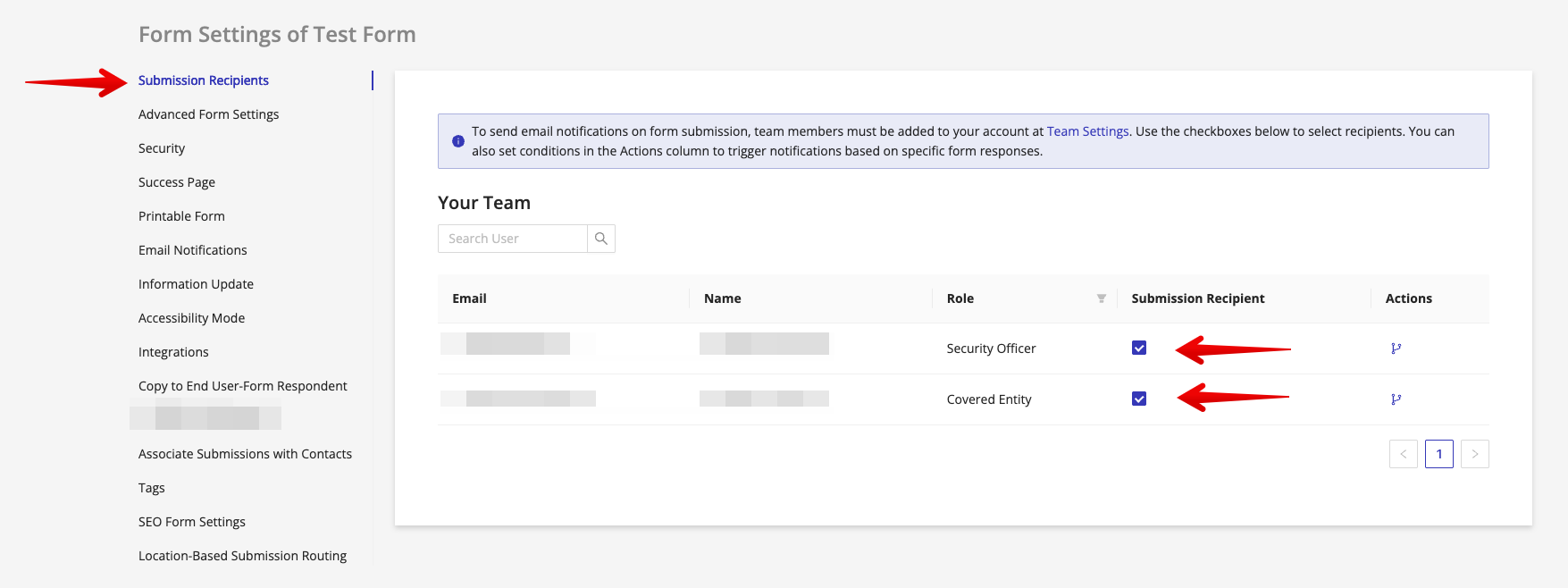
Your team members are listed on this screen.
- To add or remove a recipient, check or uncheck the box under the "Submission Recipient" column.
- Team members with this option enabled will receive email notifications each time a submission is received for this form.
Conditional Notification Logic
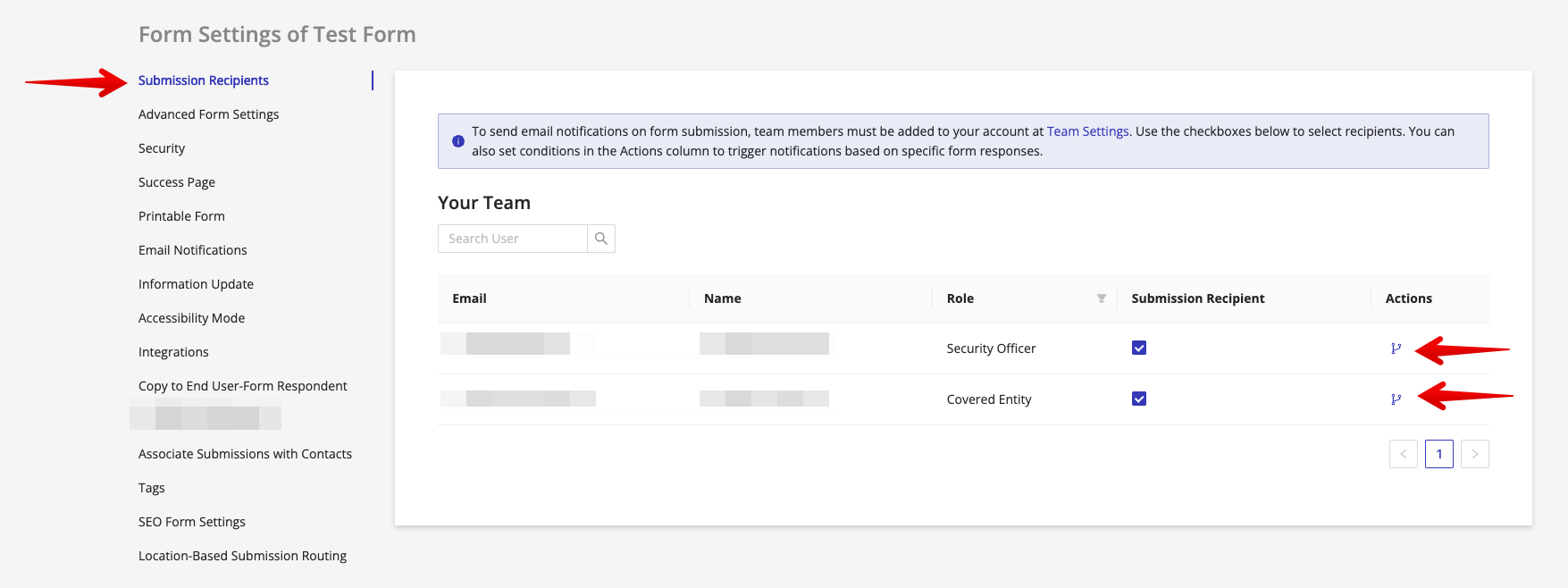
You can set up conditions to control when each team member receives notifications based on the values submitted in the form.
To configure conditional logic:
- Find the team member in the list.
- In the Actions column, click the Conditions button.
- Set up rules that determine whether this team member will receive or skip notifications.
This tab is per form: it sets every team member's notifications for this one form. To do the reverse, and set one team member's notifications across many forms at once, use the Submission Recipient column on the Team page.