
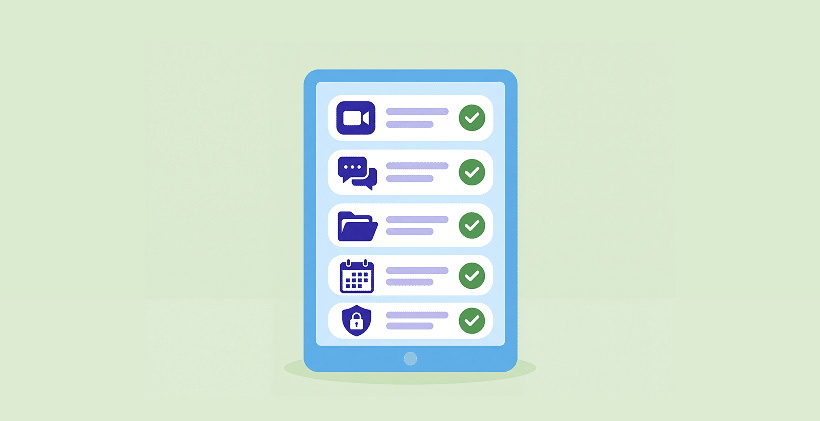
Quick answer:
- A reliable way to book visits;
- Efficiently collect consents and intake information;
- Meet patients by video;
- Collect payments; and
- Store Clinical Records
An all-in-one telehealth platform may cover everything. Or you can use tools you already know, such as Zoom or Google Meet, alongside secure online forms. Whichever route you choose, check how each service handles patient information, whether a Business Associate Agreement (BAA) is required, and which settings you need. See the HHS guidance on HIPAA rules for telehealth technology.
Why Telehealth Is More Than a HIPAA-Compliant Video Call
Thinking about offering virtual appointments? You may already have a video tool in mind. Zoom, Google Meet, and Teams are familiar, and getting a call started seems like the easy part. The bigger question is what happens before your patient joins that call.
Someone needs to book the visit, complete the intake questions, and sign the telehealth consent. Those are small steps, but they matter. A video app may not handle them, and even a dedicated telehealth platform may offer only some of them. It’s worth checking what you already have before paying for anything new.
The 5 Steps of a HIPAA-Compliant Telehealth Setup
| STEP | WHAT IT COVERS | HIPAA CHECK |
|---|---|---|
| 1. Booking | Choosing a time, reminders, rescheduling | If booking collects PHI, check the service’s BAA and privacy settings |
| 2. Consent and intake | Telehealth informed consent, new patient forms, medical history, ID and insurance uploads | Use a secure form service with appropriate agreements, access controls, and signing options; check your consent requirements |
| 3. The video visit | The live session, sometimes screen sharing or group sessions | Needs a BAA and secure settings (waiting room, passcode, recording off unless needed) |
| 4. Payment | Copays, deposits, cash-pay sessions | Keep clinical details out of payment fields; use a properly configured payment service |
| 5. The record | Session notes, prescriptions, follow-up, secure messaging | Typically handled in your EHR or practice management system, with appropriate safeguards and agreements |
Different telehealth tools cover different parts of this process. Some handle everything in one place; others focus on the video visit. Neither approach is automatically better – it comes down to what your practice needs.
Is Your Video Tool HIPAA Compliant?
Here’s a practical starting point for the video tools many practices already use. These details reflect the information available in October 2026; check your exact plan, BAA terms, and settings with the provider before using it for patient care.
| VIDEO TOOL | WILL IT SIGN A BAA? | WHAT TO WATCH |
|---|---|---|
| Zoom | Yes, on Zoom Workplace Business and higher plans, Zoom Workplace Enterprise, and Zoom for Healthcare | Turn on the waiting room and passcodes, and keep cloud recording and AI features off unless your BAA covers them |
| Google Meet | Yes, as part of a paid Google Workspace account with Google’s BAA accepted | A free personal Gmail account is never covered |
| Microsoft Teams | Yes, under Microsoft’s BAA for business and enterprise Microsoft 365 plans | Personal Microsoft accounts are not covered |
| FaceTime and consumer messaging apps | No BAA | During COVID-19, HHS allowed these temporarily. That flexibility ended on August 9, 2023 |
| Telehealth-specific video platforms | Most offer one | Check which plan includes the BAA, and whether consent and intake forms are included or extra |
A secure video call is important, but it doesn’t automatically take care of the forms patients complete before the visit. If those forms are handled by another service, check that service separately.
All-in-One Telehealth Platform vs. Building Your Own Setup
If most of your appointments are virtual, an all-in-one platform can make life easier. Scheduling, forms, video, notes, billing, and messaging may all be available in one place. And if your current platform already does these things well, there’s no reason to add another tool just for the sake of it.
A smaller, mix-and-match setup may be a better fit when:
YOU OFFER VIRTUAL VISITS OCCASIONALLY.
If you only see a few patients online each month, you may prefer to use a video service with the appropriate BAA and a secure way to collect consent and intake forms rather than move everything to a new platform.
YOU’RE STILL EXPLORING WHETHER TELEHEALTH WORKS FOR YOUR SERVICE.
Some appointments work well online; others need an in-person visit. A simple setup gives you room to try it without making a big commitment. Check the rules that apply to your specialty, license, state, and payers first.
YOU SEE PATIENTS BOTH IN PERSON AND ONLINE.
You may already have intake forms you like. Rather than create a second set from scratch, you can use the same forms for both types of visits and add telehealth consent when needed.
YOU’RE JUST GETTING STARTED.
You may not need a full patient portal or a larger telehealth system on day one. Start with the pieces you need, then reconsider as your virtual practice grows.
The point isn’t that one approach is better for everyone. It’s that you can choose the setup that fits your practice today, and keep the tools that are already working.
The Steps Before a Telehealth Visit That Video Apps May Not Cover
Before the first video call, think through the information your patient needs to provide. Depending on your practice, that might include:
TELEHEALTH CONSENT.
Give patients a straightforward way to review and sign your consent form before their visit. Requirements vary by state and payer, so check which consent and documentation rules apply to you. You can use our telehealth consent form or bring your own.
INTAKE AND MEDICAL HISTORY.
Let patients complete the information you need online, with questions that adjust based on their answers when appropriate.
SCREENING QUESTIONNAIRES.
For practices that use tools such as PHQ-9 or GAD-7, automatic scoring can save staff from calculating results by hand.
ID AND INSURANCE CARD UPLOADS.
Collect documents through a secure form instead of asking patients to send them in a regular email.
EMERGENCY CONTACT AND PATIENT LOCATION.
For virtual visits, it’s helpful to know where a patient is and whom to contact if an emergency comes up.
Try the whole process on your phone as if you were a new patient. Can you open the form from a link, understand what to do, and come back later if you get interrupted? Small details like these make a difference when there’s no front desk to help the forms you need to start a telehealth practice.
How HIPAAtizer Fits Into a Telehealth Practice
HIPAAtizer isn’t a video calling platform, and it doesn’t need to replace one. It’s designed to help with the steps leading up to the visit: online consent, intake, appointment booking, and payments. You can keep the video service and clinical system you already use.
BRING YOUR EXISTING FORMS ONLINE.
Have a consent form or intake packet in PDF or Word? Upload it to HIPAAtizer and use the AI converter to create an online version you can review and customize. Add signatures, uploads, conditional questions, or scoring, and send several forms together as one packet.
LET PATIENTS BOOK FROM THE FORM.
With HIPAAtizer’s Appointment component, patients can choose an available time. If you connect Google Calendar, you can also create an event and automatically include a Google Meet link and invitation. For patient visits on Meet, use an eligible Google Workspace account with Google’s BAA accepted.
TAKE PAYMENT WHEN IT MAKES SENSE.
You can connect supported payment providers such as Stripe, PayPal, or Square for deposits or session fees, while keeping clinical answers in HIPAAtizer. Configure payment fields so clinical information isn’t passed to the processor.
SHARE FORMS IN THE WAY THAT WORKS FOR YOUR PATIENTS.
Embed them on your website or send a secure form link by email or text. You can also share a link or QR code through your usual channels. Patients don’t need a HIPAAtizer account to start.
MAKE IT EASIER TO FINISH.
Patients can save a longer form and return to it later. When someone needs to update an earlier submission, Return to Patient for Edits can help you send it back for review. Save and Continue Later Return to Patient for Edits.
Prefer Zoom or Teams? Keep using it. You can share the meeting details through your usual appointment communications. HIPAAtizer provides a BAA for Covered Entity accounts.
How to Choose Your Telehealth Tools
- START WITH WHAT YOU ALREADY USE.
Which tools currently handle booking, forms, video, payments, and records? - CHECK THE PRIVACY REQUIREMENTS FOR EACH ONE.
Look at BAAs and settings for any service that handles PHI, not just the video platform. - TEST THE EXPERIENCE ON YOUR PHONE.
Could a new patient book, complete intake, and sign consent without calling your office for help? - THINK ABOUT HOW OFTEN YOU’LL USE TELEHEALTH.
Occasional visits may call for a simpler setup than a practice that works almost entirely online. - DON’T REPLACE WHAT ALREADY WORKS.
If one tool covers a step well, keep it and add something new only where there’s a real gap.
If consent and intake are the missing pieces, our 2026 guide to HIPAA-Compliant form builders walks through the options, including HIPAAtizer.
Frequently Asked Questions About HIPAA-Compliant Telehealth
Yes, on the plans where Zoom signs a BAA: Zoom Workplace Business and higher plans, Zoom Workplace Enterprise, and Zoom for Healthcare. Turn on the secure settings, such as the waiting room and passcodes.
You don’t need to rebuild your whole practice to offer telehealth.
If you’re missing a simple way to collect consent and intake online, try HIPAAtizer with the forms you already use, or schedule a demo to see how forms, booking, and a Google Meet link can work together.
Still have questions? Contact us