

How to Manage Submissions as a Covered Entity
As a Covered Entity, you are able to control your form submissions and manage them by inviting team members, assigning roles for team members who have access to submissions, disclosing PHI and more.
Signing Up
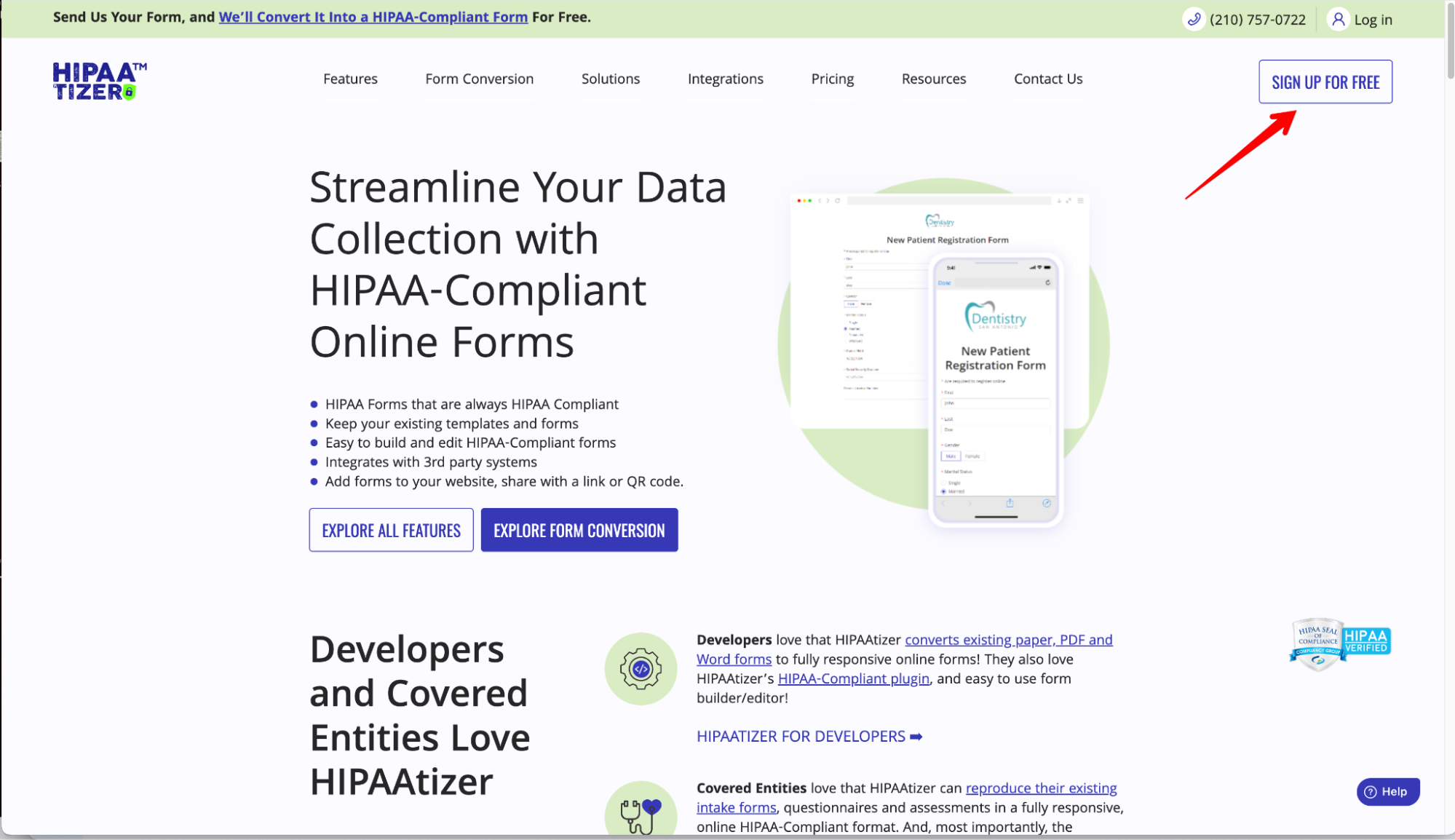
Sign up as a Covered Entity account at HIPAAtizer.com.

Creating Forms
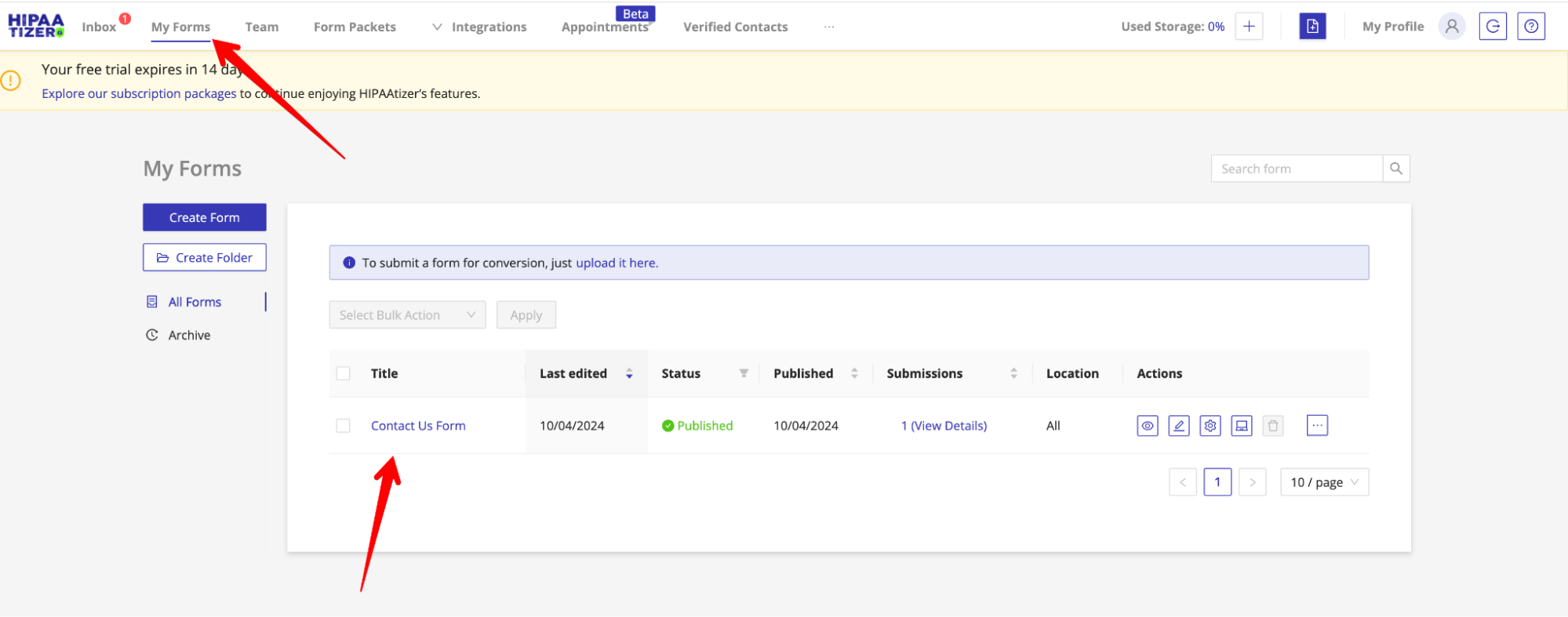
Once you have a newly created account, a Contact Us Form will be included. You can also create, upload or select from several form templates such as Intake Forms in the Select From Template or Existing Forms section.
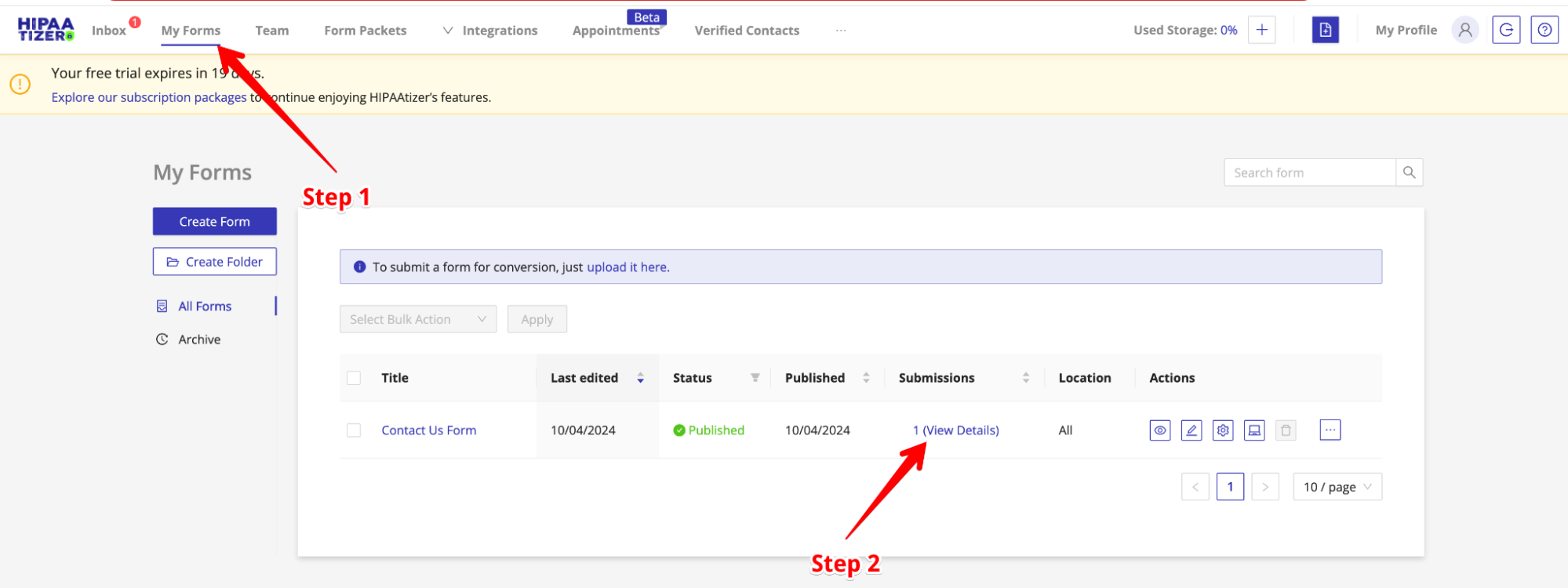
Once you have created your form, you can find it in the My Forms section on your dashboard.

Adding Team Members
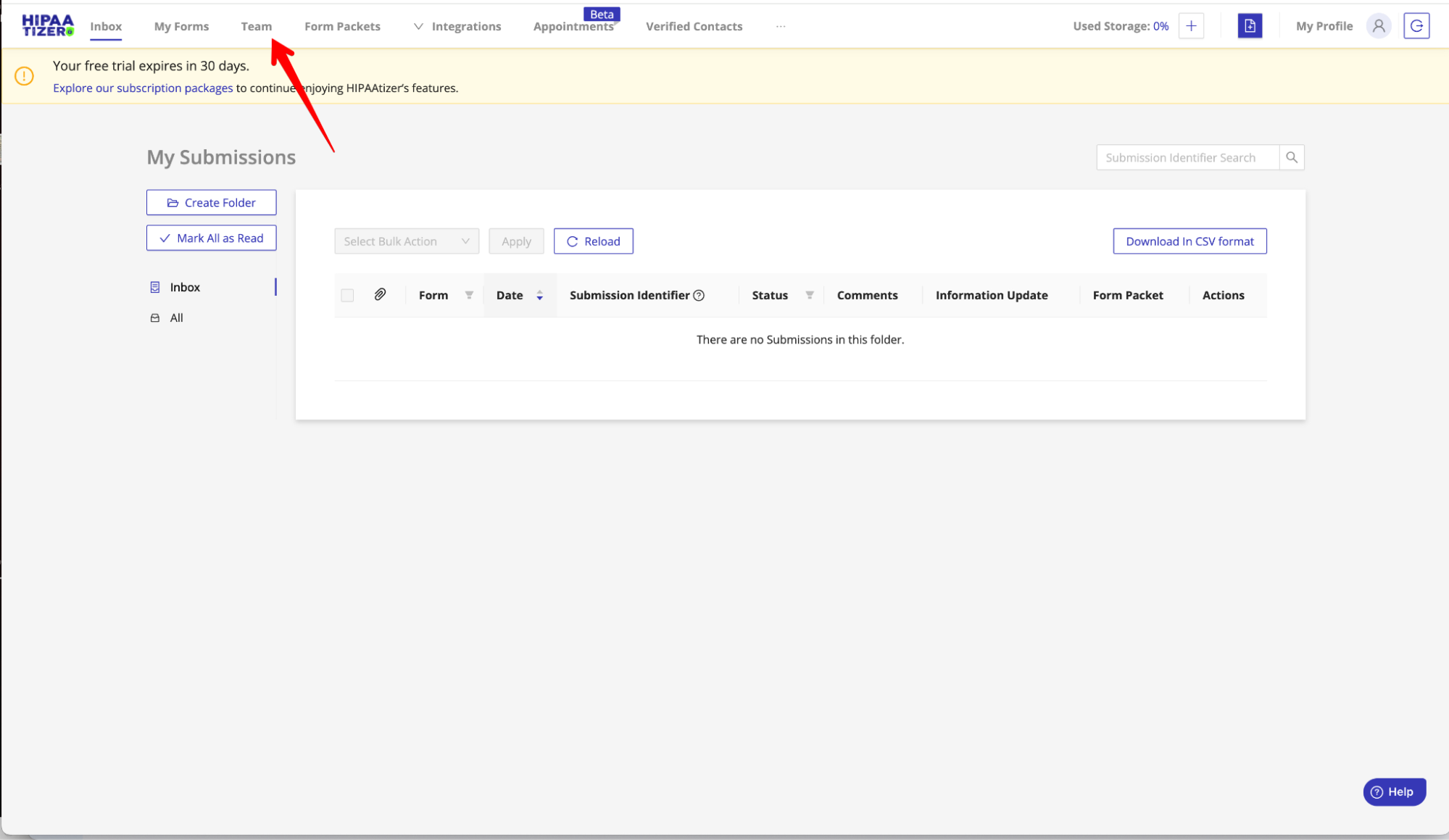
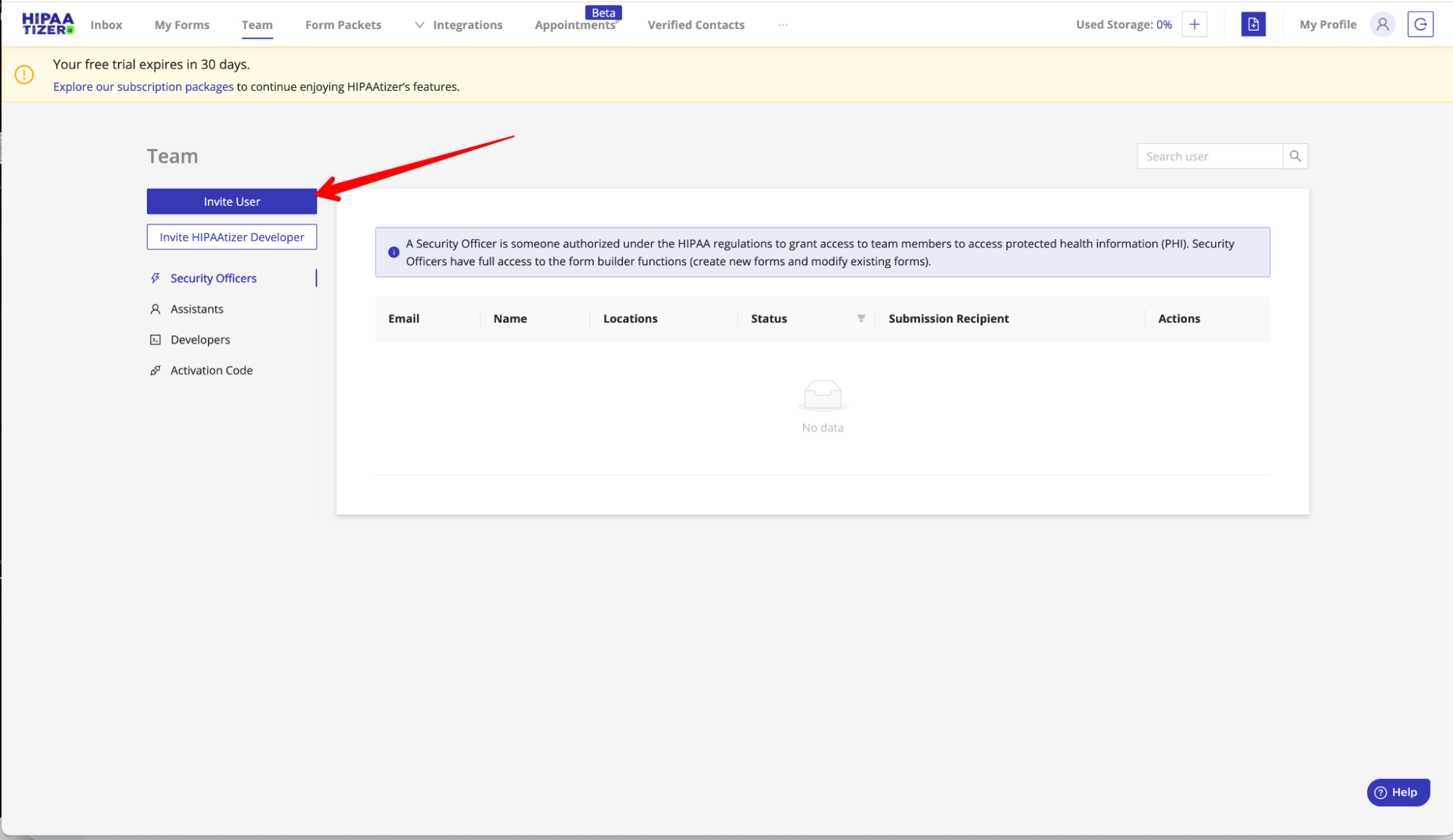
Navigate to the Team Section on the dashboard. Select Invite User and fill out the information requested. Make sure to select as Assistant or Security Officer in order for this member to receive email notifications.
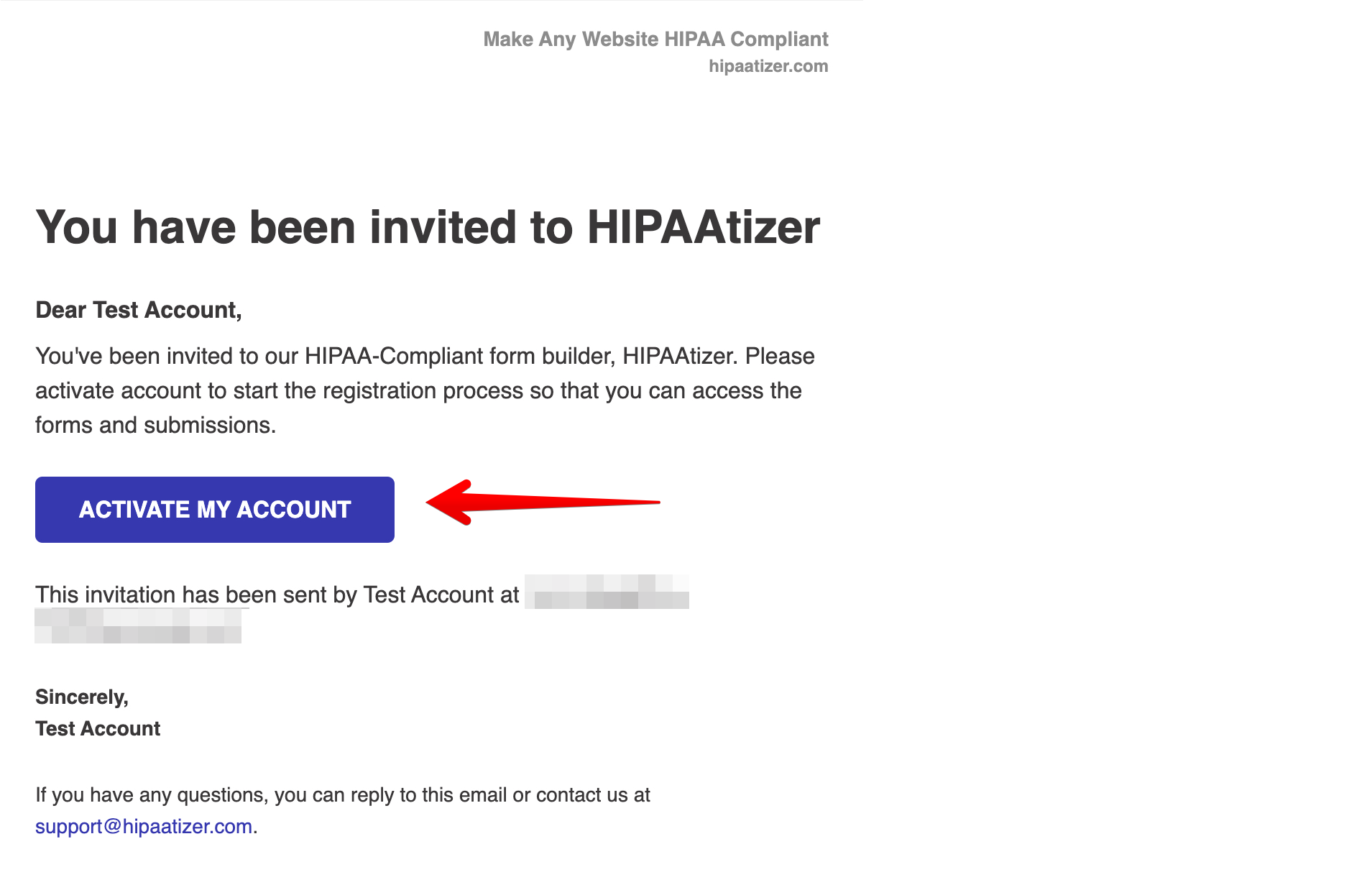
Once the invitation has been sent, the team member will receive an email and can proceed with activating their account.
Setting Team Member Permissions
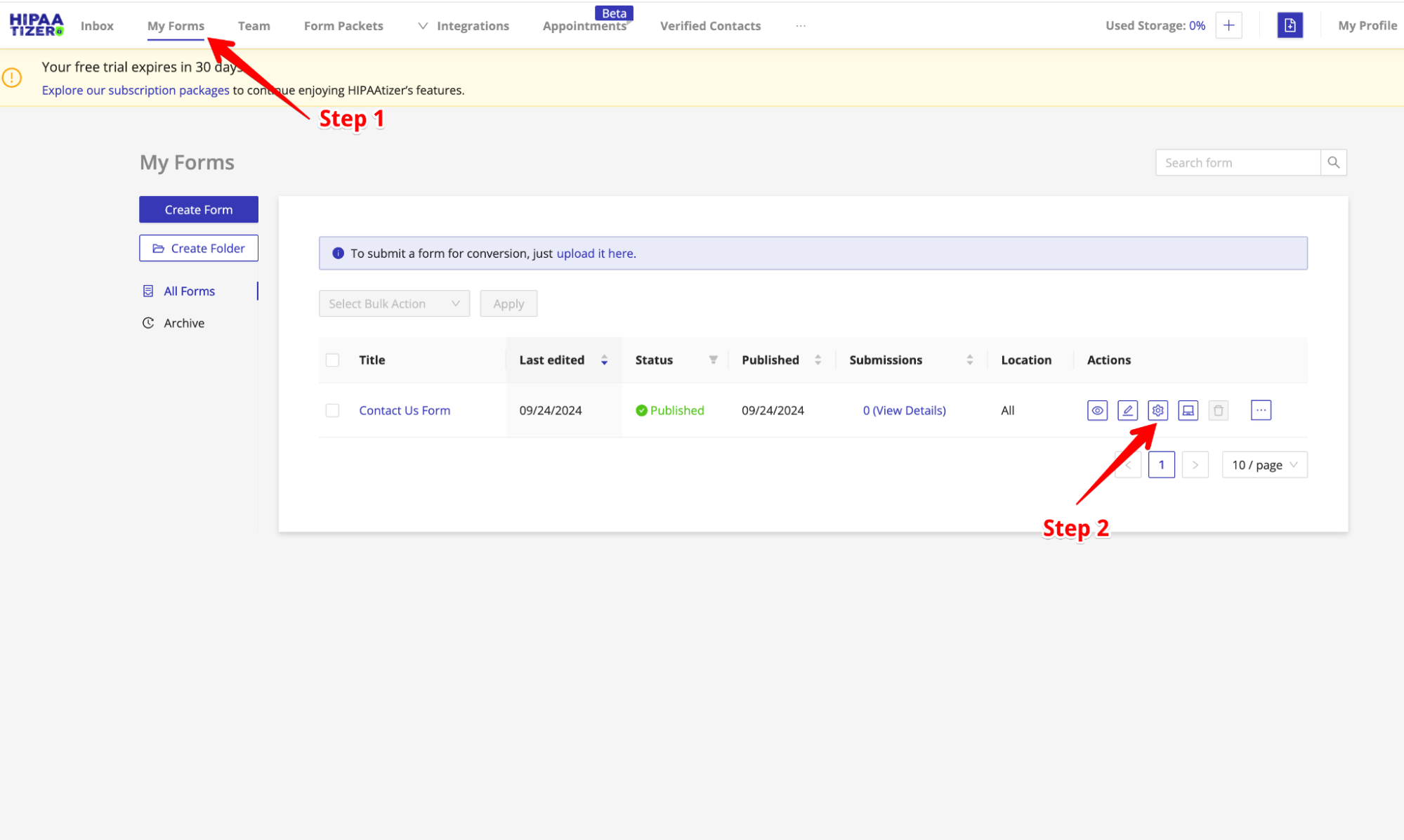
Allow the team member to access specific form submissions by going to the My Forms section (Step 1), and then select the Setting Icon on the specific form you would like to grant access to (Step 2).
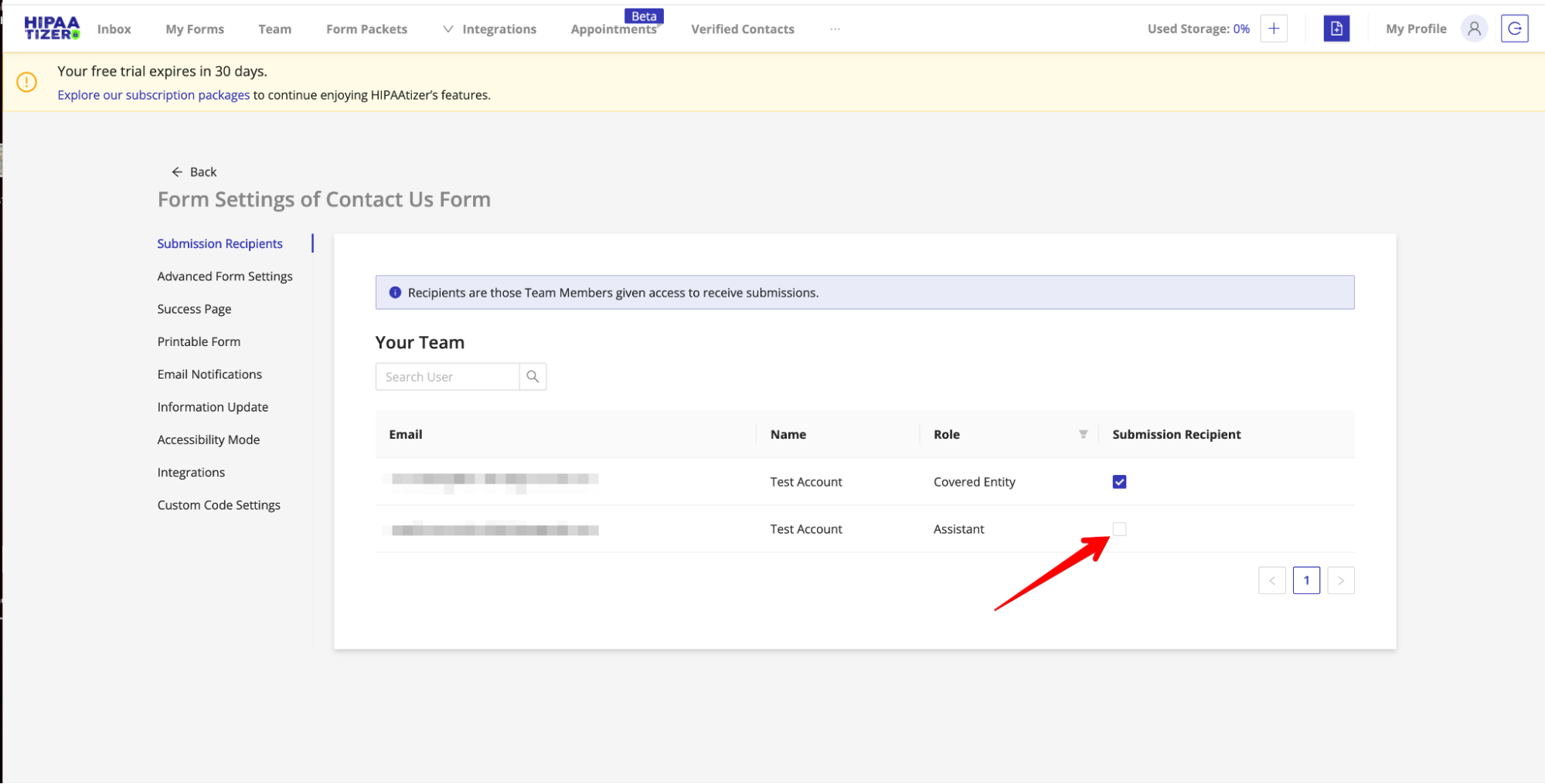
In the form settings, you will be able to select which team members can be granted access in the Submission Recipients tab.
If the team member needs to be notified about many forms, going form by form is slow. Use the Submission Recipient column on the Team page instead, which lists every form in the account for that one member.
Deleting Submissions
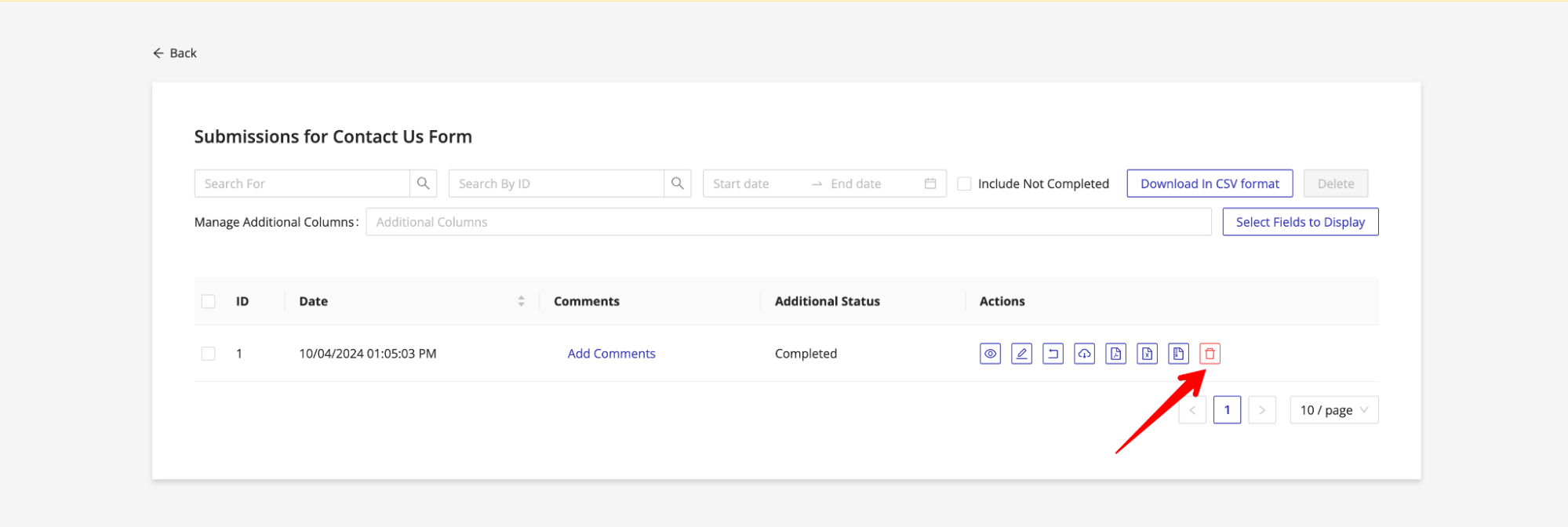
To delete submissions, click on the Delete icon in the Actions column. It is important to note that once a submission is deleted it cannot be recovered.
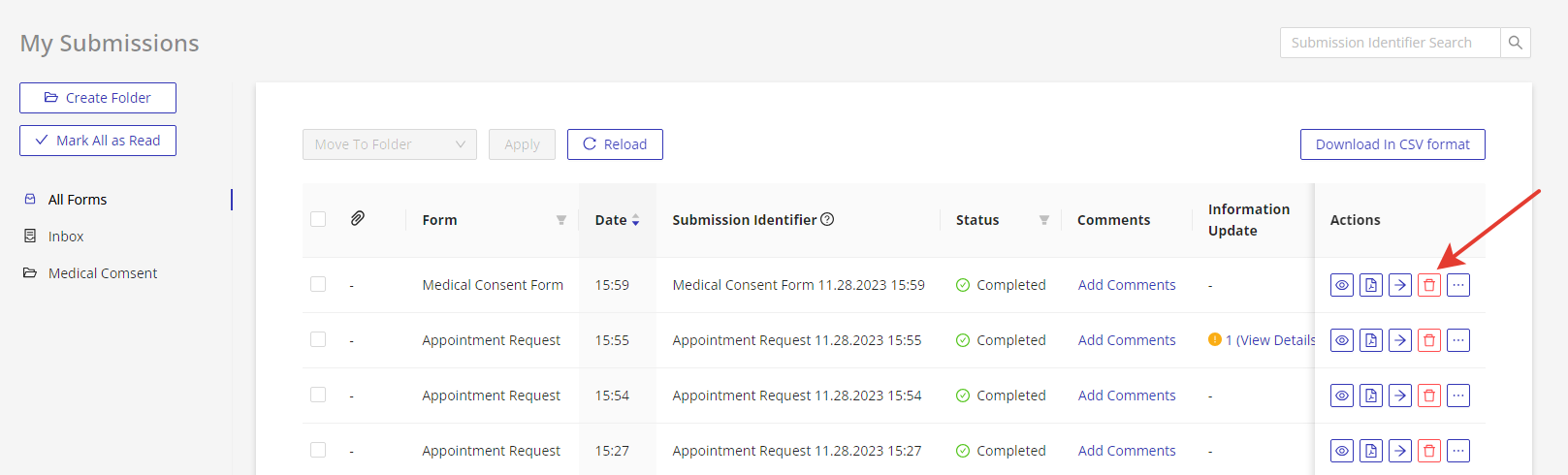
The second way to delete submissions is by going to the My Form page and then going to Forms Submissions by clicking on the specific form, then selecting the delete icon.
There are several other features for managing your submissions, such as setting up email notification templates , managing internal use only fields and more. Check out our detailed instructions on these other components for managing submissions.