Points & Scoring
Calculating Points from Customer Submissions
Follow the instructions below to learn how to set up point calculation in HIPAAtizer forms:
Setting Categories
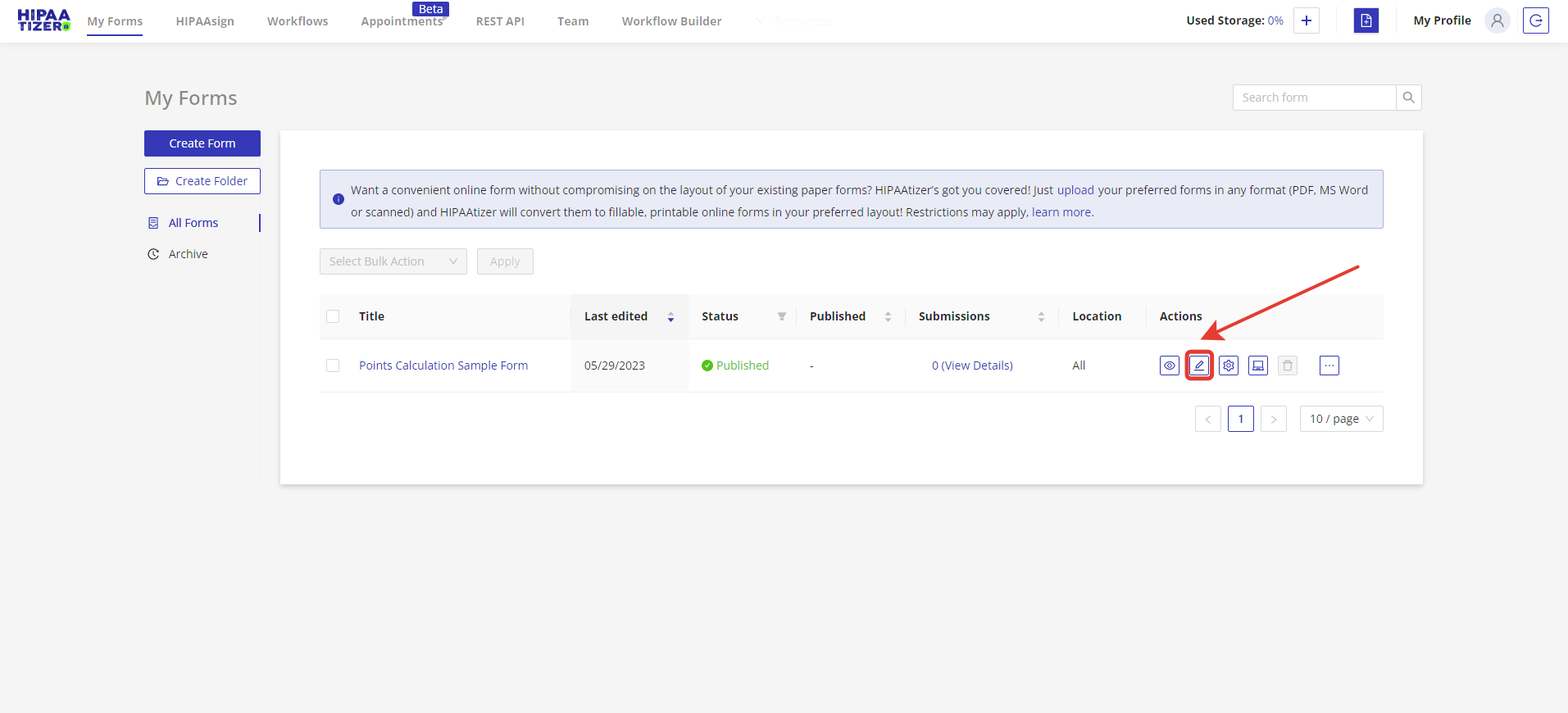
- Navigate to the HIPAAtizer dashboard and identify the form you wish to customize. Click on the 'Edit' icon to launch the 'Form Builder', the space where you will tailor your form.
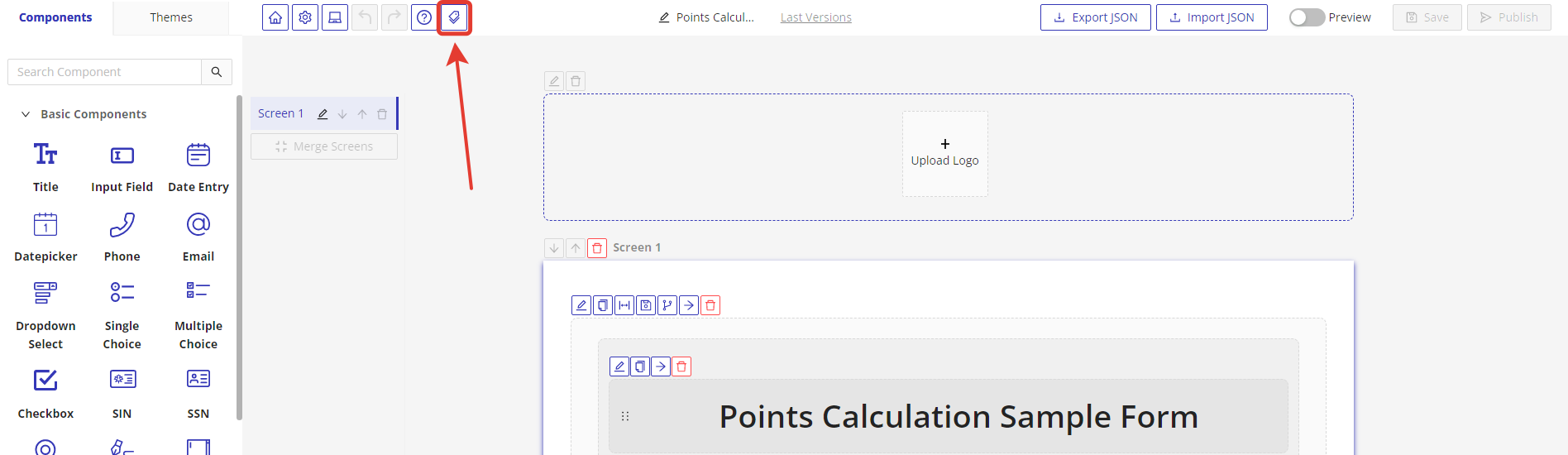
- In the 'Form Builder' section, locate the 'Specify Categories' button on the top menu. Clicking on this button will initiate the process of creating categories.
After clicking on 'Specify Categories', an input box will appear where you can define your categories. For the purpose of this tutorial, let's designate 'category-1' and 'category-2'.

Linking Components to Categories
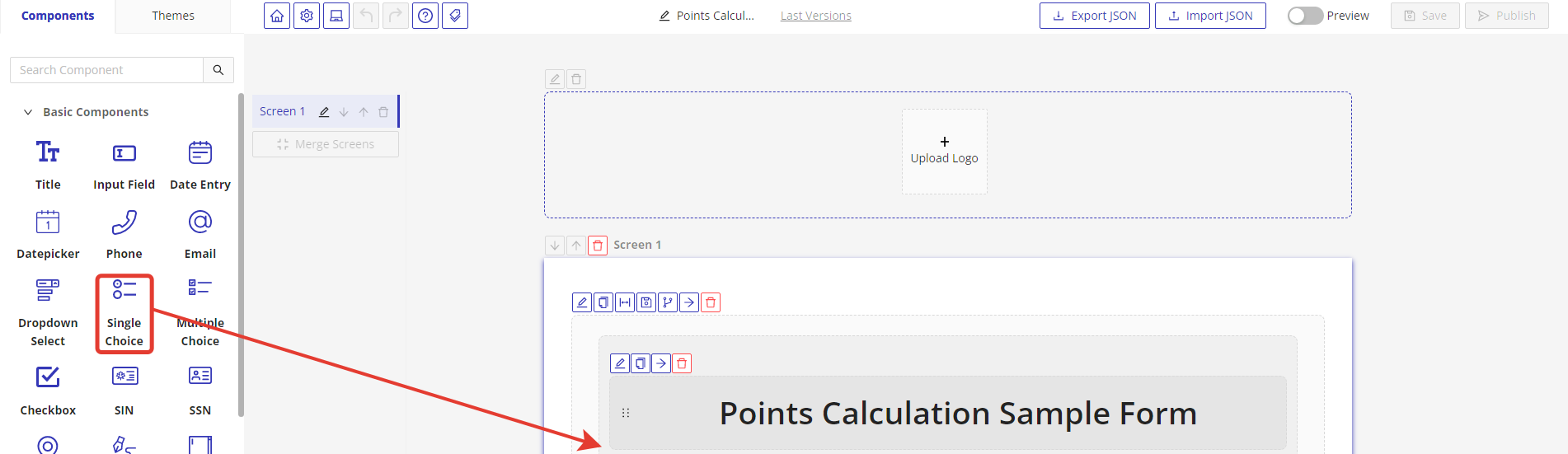
- With your categories set, it's time to incorporate a single choice component into your form. To do so, drag and drop the 'Single Choice' component from the Components collection onto your form.
- Once you have added the single choice component, it's important to assign it to the appropriate category. To do this, click on the 'Edit' button, and a drawer menu will appear on the right side. From this menu, select 'Categories' and assign the component to the relevant category.
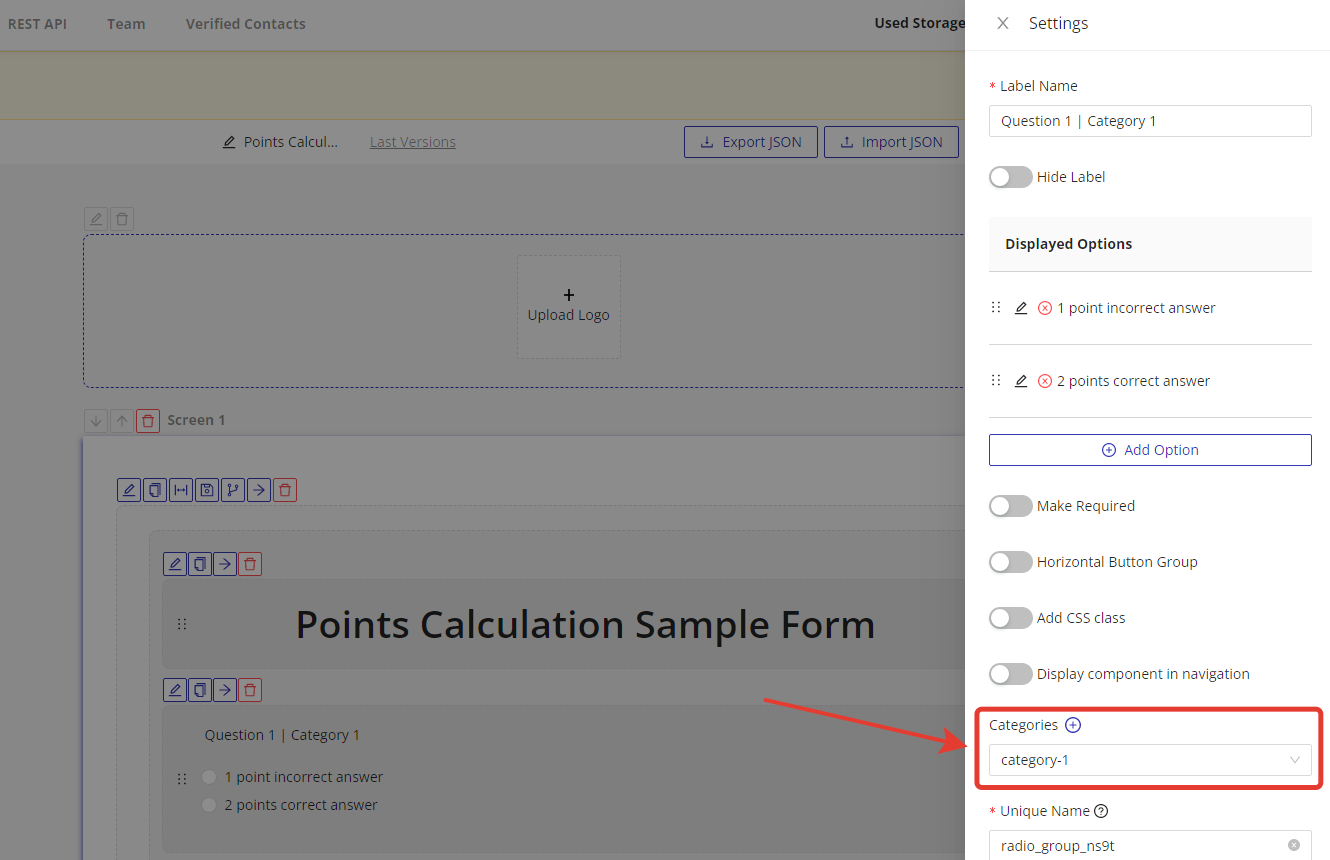
- Once a component is linked to a category, a 'Points Input' field will appear for each option within the single choice component. In this field, you can specify the number of points assigned to each selection.

- Repeat the steps above in 'Linking Components to Categories' to incorporate and allocate all the single choice components required in your form.
Retrieving Points Data
When a user submits a completed form, HIPAAtizer automatically calculates the total points accumulated for each category and the form as a whole.
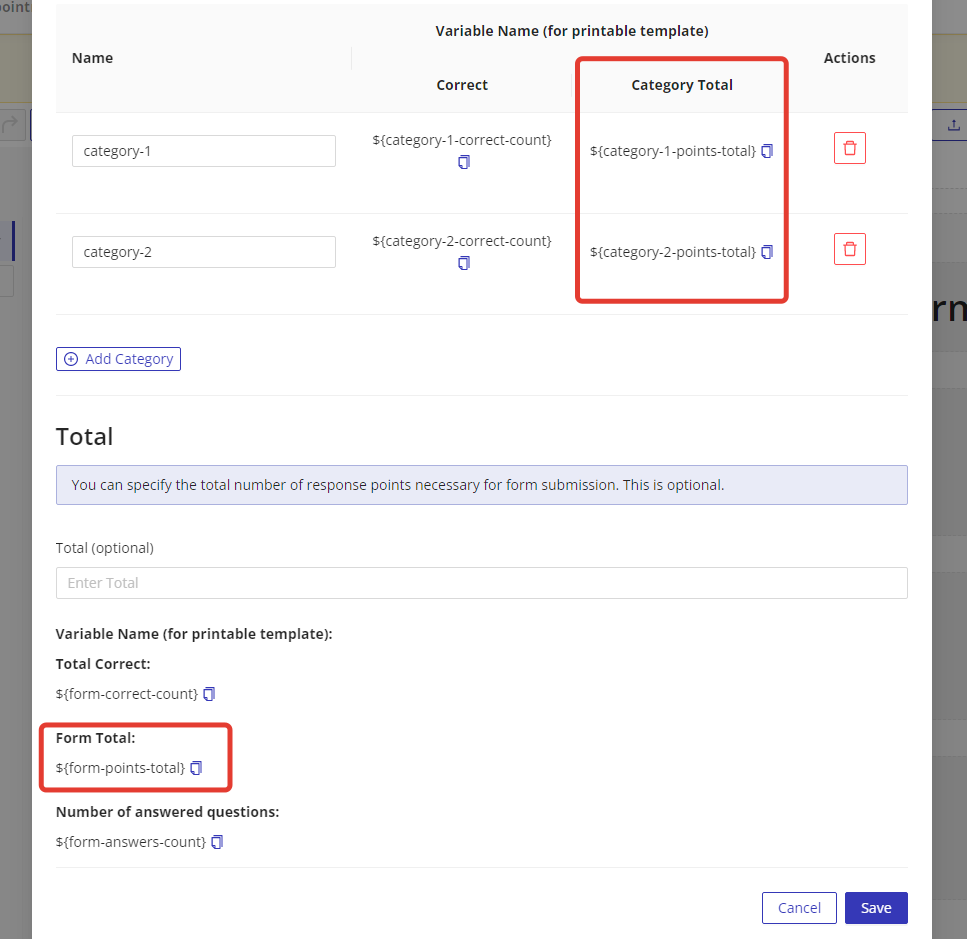
To retrieve the points data, you can use the following placeholders:
- Use to retrieve the collective points across the entire form.
- Use to retrieve the points for a specific category. Replace 'categoryName' with your intended category's name.
These placeholders can be used in various aspects of HIPAAtizer integrations, such as printable form templates, notification emails, web hooks, and more. By incorporating these placeholders, you can dynamically include the points data in the desired output or communication mediums to provide comprehensive information to users and stakeholders.