

Account Access After Trial Period
Account Type
This article applies to Covered Entity (CE) accounts.
Learn how to continue using your HIPAAtizer Covered Entity Account once your 30-day trial ends.
Add a Payment Method
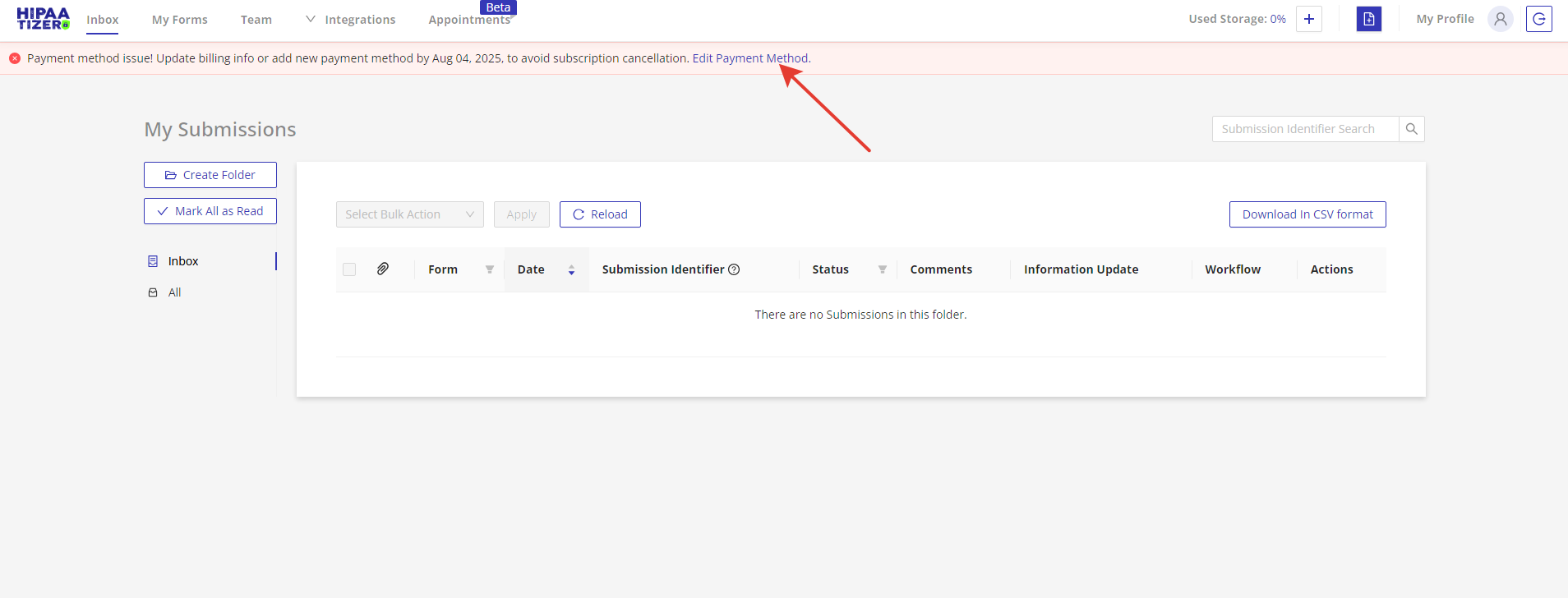
After your trial period expires, you'll see a red banner at the top of your dashboard.
- Click the Edit Payment Method button.
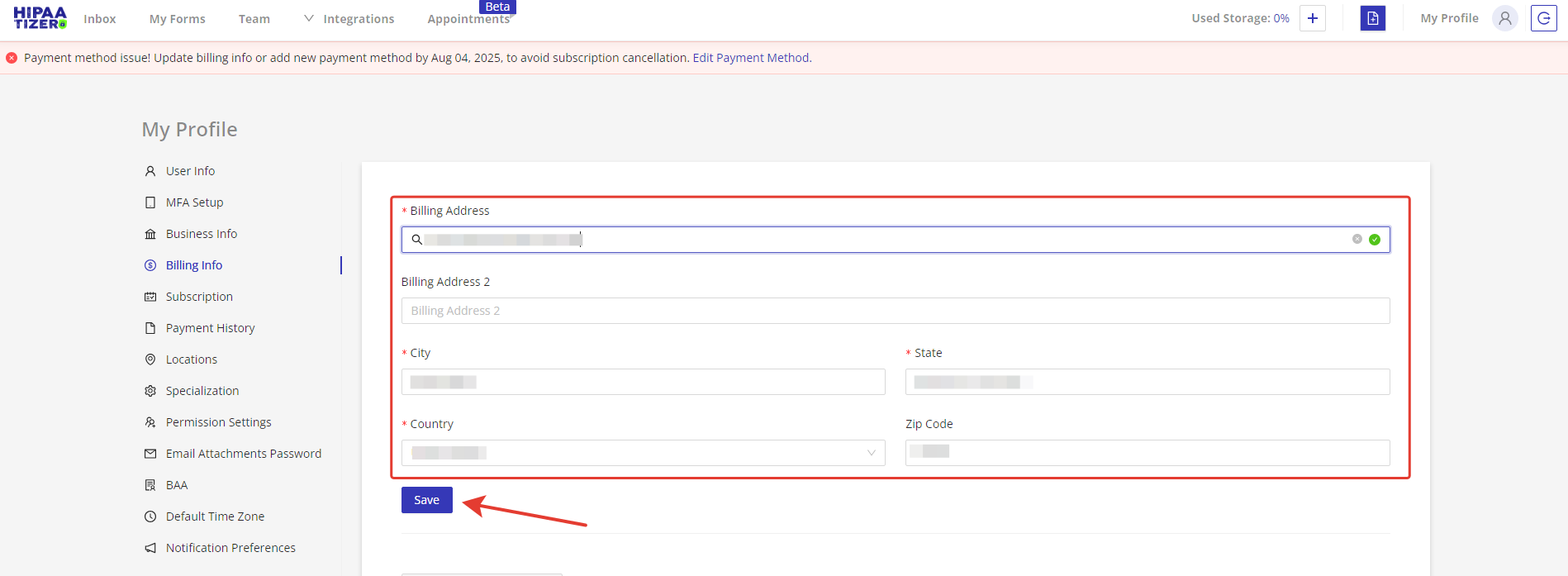
- On the Billing Info page, fill in your billing address and click Save.
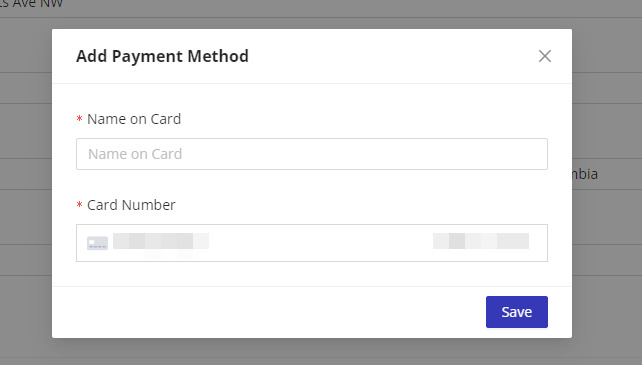
- A Stripe-secured pop-up will appear.
- Enter your credit card details and click Save to complete the setup.
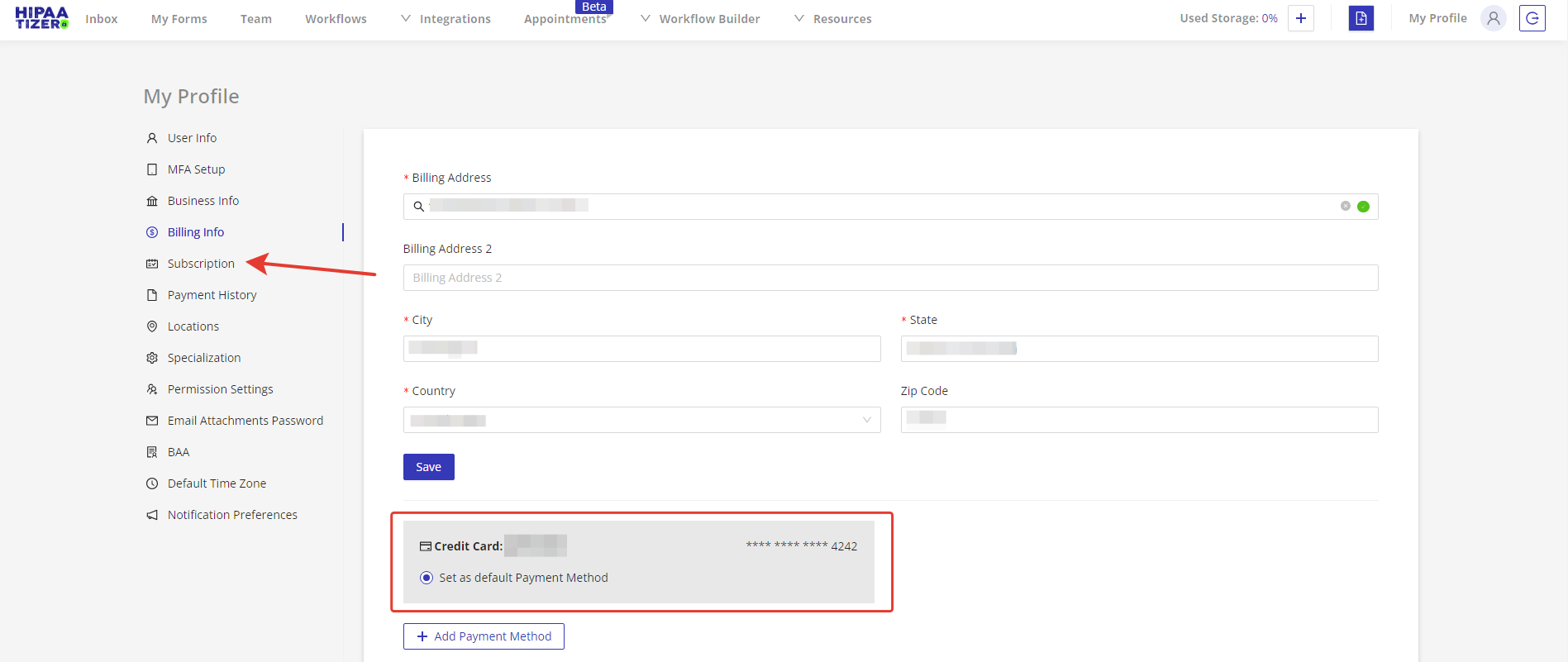
Once saved, your payment method will be securely linked to your account.
Choose a Subscription Package
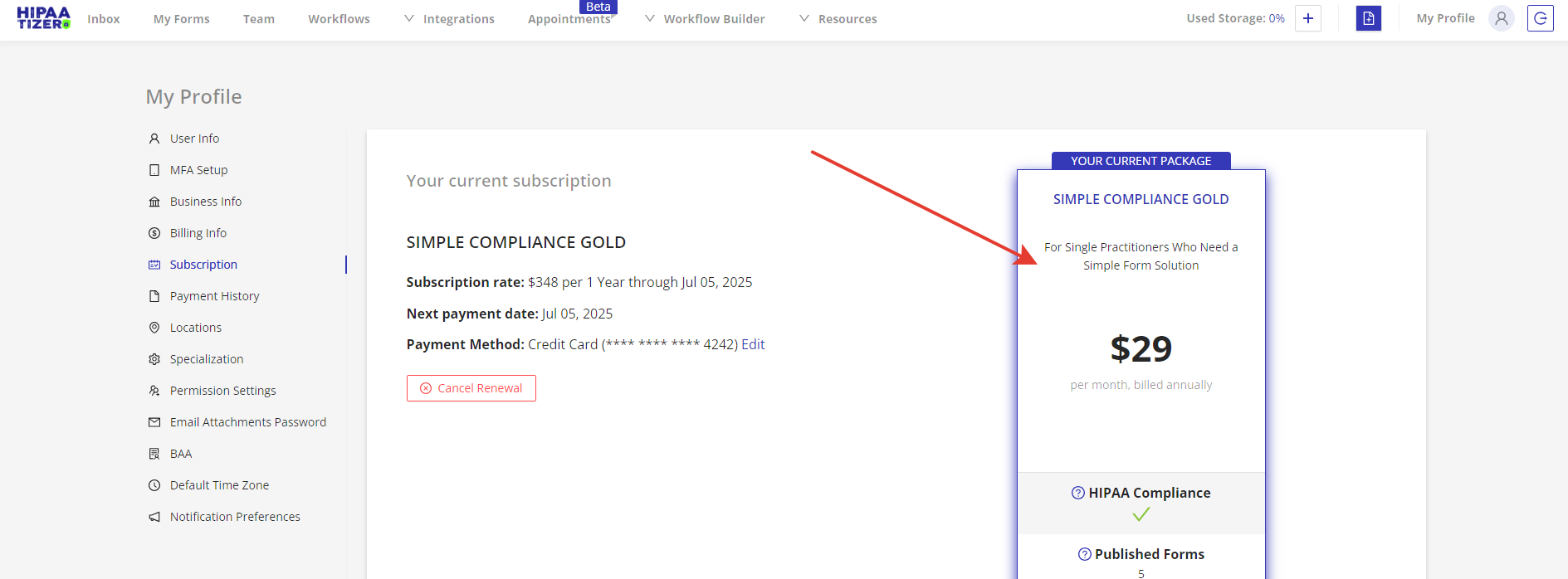
- Go to the Subscription tab in the left menu.
- You'll see details about your current package.
- To change or activate a subscription, click Change Package.
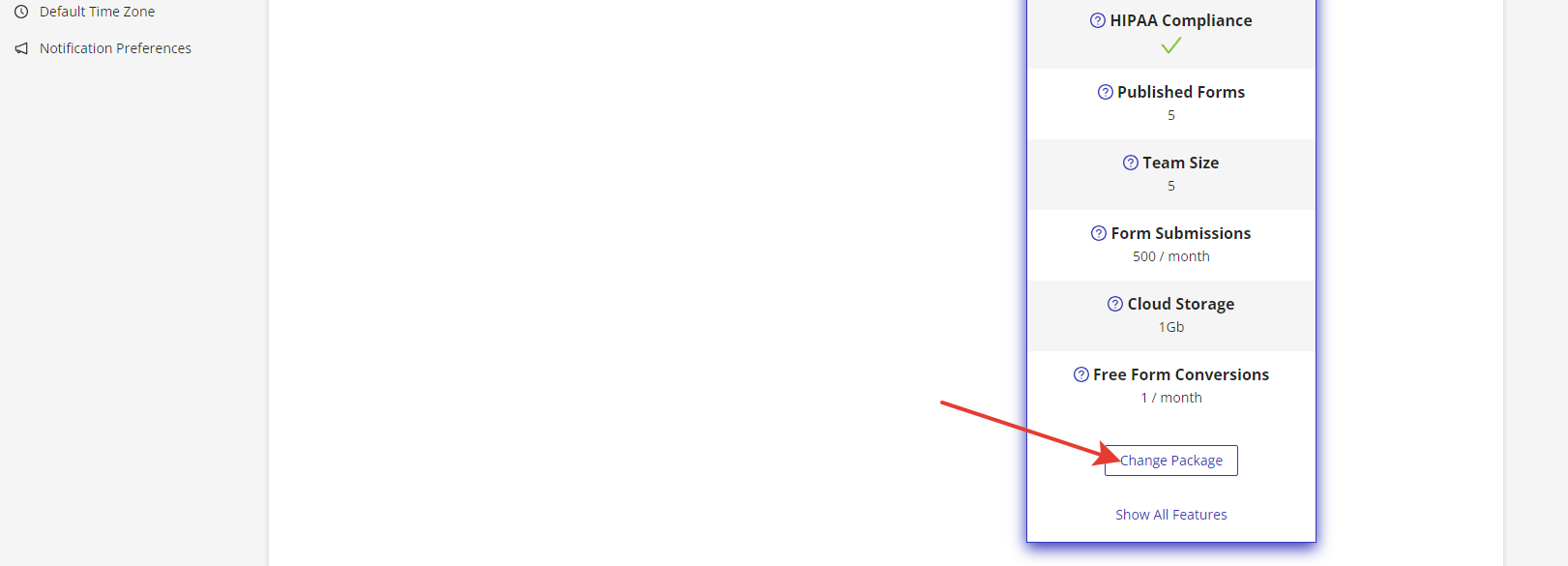
✅ After selecting a package, your account will be active with full access according to your subscription tier.