
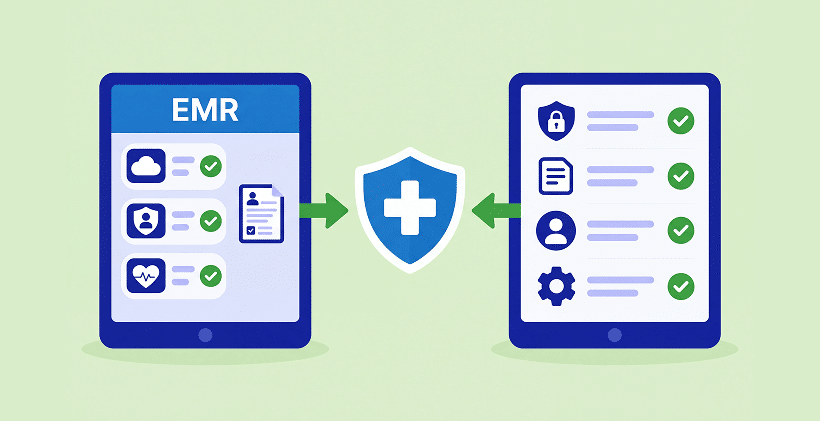
Quick answer: No, if your EMR or EHR already gives patients easy-to-use online forms that look good on your website, work well on phones, and handle the questions and signatures you need, you may not need another tool. Keep what works.
But if your forms are hard to access, difficult to customize, or not mobile friendly, a separate HIPAA-Compliant patient form solution can help without replacing your EMR. Remember, any vendor handling Protected Health Information on your behalf must provide you with a Business Associate Agreement (BAA).
Your EMR or EHR probably has a forms feature. That is a good place to start. But have you tried opening one of those forms on your phone, as a new patient would? Does it look like part of your website? Is it easy to complete without zooming, scrolling sideways, or calling the front desk? Those questions matter just as much as where the answers end up. Here is a practical way to decide whether the forms you already have are enough.
What EMR and EHR Forms Do Well
Let’s start with what built-in forms do well. There are good reasons to use them.
THE INFORMATION IS ALREADY IN THE CHART.
When a patient completes a form inside your EMR, the answers can go straight into the patient record. No extra importing or copying. That is a real advantage.
ONE FAMILIAR SYSTEM.
Your team may already know the login, permissions, and workflow. There is no extra subscription or separate tool to manage.
A NATURAL PLACE FOR EXISTING PATIENTS.
If patients already use your portal for messages and appointments, completing a form there can be convenient too.
If your forms are straightforward, your patients can easily complete them, and they look and work the way you want, your EMR’s forms may be all you need.
The 7-Question Test for Your EMR Forms
Try these seven questions with a real form, ideally on your phone as well as your computer. Think about what a first-time patient sees, not only what staff see in the form editor. Focus on what matters most to your practice.
| QUESTION | YOUR EMR FORMS ARE ENOUGH IF… | YOU MAY NEED A SEPARATE FORM SOLUTION IF… |
|---|---|---|
| 1. Can someone with no account fill it out? | You get a public link you can put on your website, in a social media post, in a text, or on a QR code | Forms only open after the patient is created in the EMR or logs in to the portal |
| 2. Does it look good and work well on a phone? | Easy to read and complete on mobile; layout, wording, and branding suit your practice | Small text, awkward scrolling, or a generic layout that feels disconnected from your website |
| 3. Can it branch and score? | Conditional logic, required fields, automatic scoring (for example PHQ-9 or GAD-7) and specialty fields like a pain diagram | Every patient sees every question, and scores are added up by hand |
| 4. Can it send a full packet? | Several forms, signatures and file uploads (ID, insurance card) go out as one link | Patients get three separate emails, or uploads come in by regular email |
| 5. Can you use it on your website? | Embed or share it easily, with a patient-friendly design that fits your website | Patients are sent to a separate portal with a different look and feel |
| 6. Does it fit your locations? | Submissions route to the right clinic and the right staff | One inbox for every location, sorted by hand |
| 7. Will your forms survive an EMR change? | You can export or rebuild them easily | Your forms live only inside this EMR and would be lost with it |
For new patient intake forms, start with question 1: can someone who isn’t in your system yet open the form? Then look closely at questions 2 and 5. A form can collect the right information and still feel frustrating on a small screen or out of place on your website. For more on the portal question, see our HIPAA-Compliant Intake Form Solutions guide.
When Your Practice May Need More Than EMR Forms
New patients find you before they have a portal account. Someone clicking through from Google, your website, or a social post should be able to open a form without waiting for your staff to create a record. A secure link or embedded form makes that first step easier.
Your forms need to feel like your practice. EMRs are built first and foremost to manage clinical information, so website design and responsive form layouts may not be their main focus. That isn’t a criticism of the EMR. It simply means you should check how much control you have over the form’s appearance, mobile layout, wording, and patient experience. Can you match your branding? Is the form comfortable to complete on a phone? And can it handle specialty needs, such as a dental history, a chiropractic body diagram, or PHQ-9/GAD-7 scoring? If not, a dedicated form builder may give you more flexibility.
You work across locations or systems. If your group has several clinics, perhaps with different EMRs, it helps to give patients a consistent form experience while directing submissions to the right team.
Not every form belongs in a patient portal. Referrals, medical records requests, and release-of-information forms may be completed by people who don’t have a portal account. They still need an appropriate, secure way to submit information.
You might change EMRs someday. Switching systems is a big project. Keeping your patient-facing forms in a separate solution can make it easier to preserve the experience patients already know.
None of this means your EMR is doing a poor job. Managing patient records and making beautiful, responsive website forms are different jobs. Some systems handle both very well; others focus on the clinical side.
EMR Built-In Forms vs. a HIPAA-Compliant Patient Form Solution
| EMR/EHR BUILT-IN FORMS | SEPARATE HIPAA-COMPLIANT PATIENT FORM SOLUTION | |
|---|---|---|
| Where the data lands | Directly in the patient chart | In encrypted storage with an inbox, then sent to the EMR by integration, API or PDF |
| Who can fill it out | Usually patients already in the system | Anyone with the link: website visitors, new callers, referring providers |
| How you share it | Portal, or a link the EMR sends | Website embed, link by email or text, QR code, social media |
| Customization | Varies by EMR; some offer flexible design, others use standard templates | More control over branding, responsive mobile layout, conditional logic, signatures, and uploads |
| BAA | Covered by your EMR agreement | Needs its own BAA (HIPAAtizer: comes with every Covered Entity account) |
| Extra cost and work | None | Another subscription and one more system for staff |
| Best fit | Practices happy with their existing forms and patient experience | Practices needing better website forms, mobile experience, or specialty intake |
How Form Data Gets Back Into Your EMR
Before choosing a separate form solution, think about what happens after someone clicks Submit. Your EMR has a natural advantage here: the information may already be in the patient chart. With another form tool, the next step depends on the EMR and the integrations available.
- Direct integration. For example, HIPAAtizer has an Open Dental integration that can create a patient record and attach a submission PDF.
- API or webhooks. Some EMRs can receive form data automatically. Others offer limited or read-only APIs. Ask your EMR provider what it supports before assuming an automatic connection is possible.
- Prefilled forms. Where the systems support it, information from your EMR can also be used to prepare a form for the patient to review, complete, or sign.
- PDF copies. Another practical option is to attach a completed form PDF to the patient chart. Many practices are comfortable with that workflow.
The current list is on our integrations page.
You Can Keep Your EMR and Change Only the Forms
You don’t have to change your EMR to improve the forms patients see. Keep the system your staff relies on, and use a dedicated form solution for the part patients interact with on your website, on their phones, or before their first visit.
With HIPAAtizer, you can start with the PDF or Word forms you already use. Our AI form converter helps turn them into editable online forms. You can adjust the layout and wording, add conditional questions, signatures, uploads, and scoring, or group several forms into one packet with a single link.
Then choose how to share them: embed forms on your website, send a secure form link by email or text, or use a QR code at reception. Patients can complete them without needing an account. HIPAAtizer provides a BAA for Covered Entity accounts.
Which Option Fits Your Practice
Keep your EMR forms if they work well for your patients and your team. There is no reason to add another subscription just to duplicate what you already have.
Consider a separate form solution if new patients struggle to access your forms, if the mobile experience is awkward, if the design doesn’t fit your website, or if your staff still sends PDFs because the built-in editor cannot create the forms you need. Our HIPAA form builder buyer’s guide can help you compare options.
Use both if that is the simplest answer. Your EMR can continue managing patient records and familiar portal workflows, while a dedicated form solution handles new-patient intake, specialty questionnaires, referrals, or the forms embedded on your website. You can also explore our intake form guide for help deciding what to ask patients.
Frequently Asked Questions About EMR and EHR Patient Forms
EHR forms can be part of a HIPAA-Compliant workflow when the appropriate safeguards and agreements are in place. A BAA with your EHR vendor is an important part of that, but a BAA alone does not guarantee compliance.
Still have questions? Contact us