
Short answer
To create a HIPAA-Compliant patient intake form, use a form builder from a company that will sign a Business Associate Agreement (BAA) and encrypts patient data in transit and at rest. Start with the form you already use, rebuild it as a secure online form (or have it converted for you), collect only the information you actually need, add consent and an e-signature, make it easy to complete on a phone, and embed it on your existing website. Most practices can be live in under a day, without rebuilding their site or switching to a new platform.
If your practice still hands patients a clipboard, or emails a PDF and hopes it comes back, you already know the cost: illegible handwriting, missing fields, and staff re-typing the same information into your system. Moving intake online fixes all of that. The catch is that the moment a form collects a name, a symptom, a medication, or an insurance number, it is handling Protected Health Information (PHI), and it falls under HIPAA. A generic web form is not enough. This guide walks through exactly how to build an intake form that is compliant, easy for patients to use, and quick to set up.
What makes an intake form “HIPAA Compliant”?
A form is HIPAA Compliant when the tool behind it protects PHI the way the HIPAA Privacy and Security Rules require. In practice, that comes down to three things:
- A signed BAA. The vendor that stores or processes your patients’ data must sign a Business Associate Agreement. No BAA means the tool cannot legally hold PHI, no matter how secure it looks.
- Encryption and access controls. Data must be encrypted in transit (HTTPS/TLS) and at rest, viewable only by authorized staff with unique logins, and ideally protected by multi-factor authentication and audit logs.
- Secure delivery and storage. Submissions should never land in a plain-text inbox or an open spreadsheet. They belong in an access-controlled dashboard or routed directly into your EHR.
A form is not compliant just because it is password protected, lives on an SSL site, or comes from a well-known brand. What matters is the BAA and how PHI is handled. This is why most website forms are not HIPAA Compliant out of the box, including the native forms on Squarespace, Wix, Webflow, and WordPress.
How to create a HIPAA-Compliant intake form, step by step
Step 1: Start with the form you already use
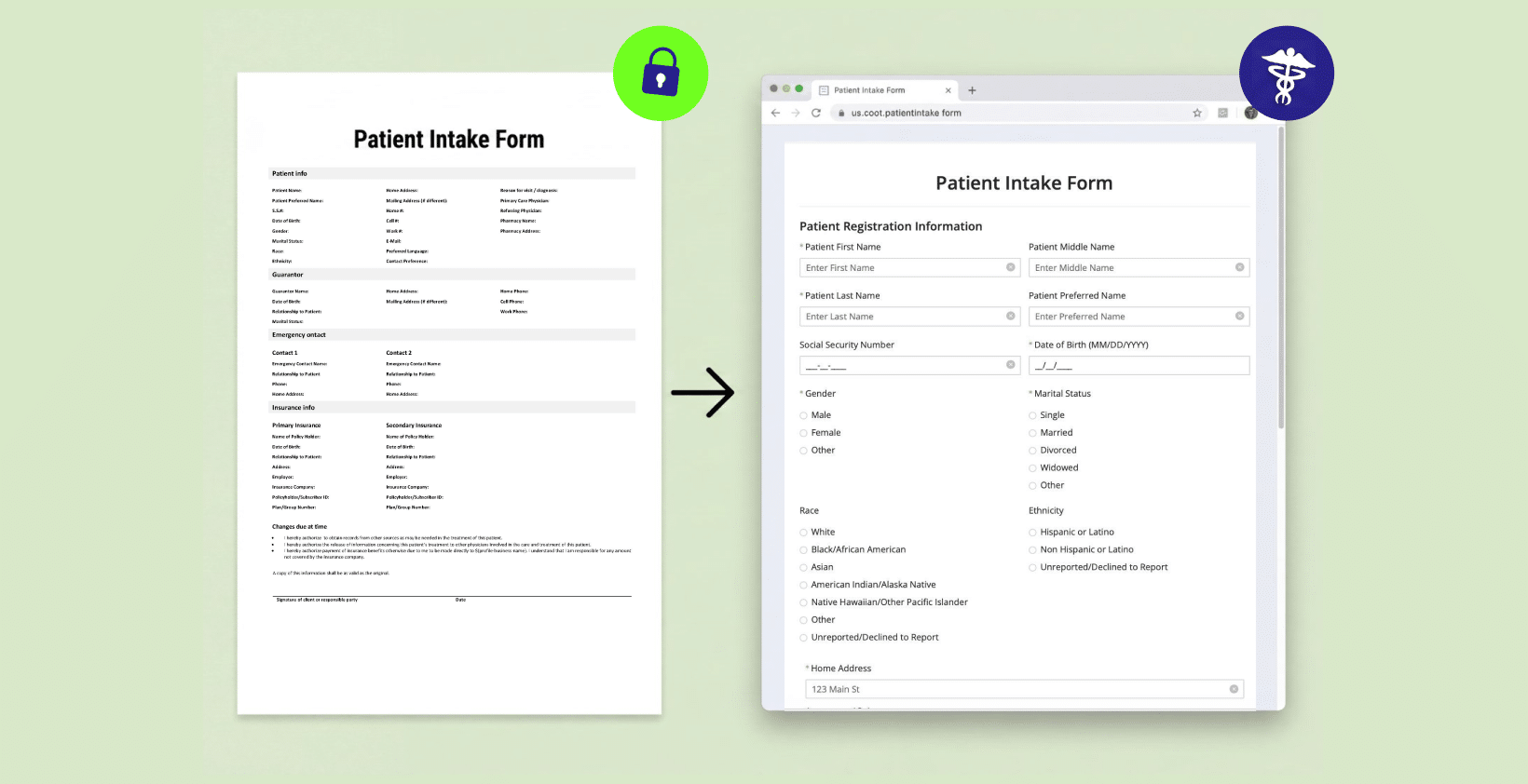
You do not need to redesign anything. Your current paper or PDF intake form already reflects how your practice works and what your providers need to see. Keep the same questions and order. Patients and staff are used to it, and changing the layout tends to cause more problems than it solves. If you want the online version to match your printed form field-for-field, that is a reasonable goal to set from the start.
Step 2: Choose a form builder that will sign a BAA
This is the single most important decision. Before anything else, confirm the platform will sign a BAA and provide HIPAA-Compliant hosting, access controls, and audit trails. Consumer tools like Google Forms and standard Typeform or JotForm plans generally will not cover PHI under a BAA. A dedicated HIPAA-Compliant form builder is built for exactly this.
Step 3: Collect only what you need (the minimum necessary)
HIPAA’s “minimum necessary” principle is also good design: every extra field lowers your completion rate and raises your risk. Include what your providers genuinely use, and nothing more. A typical patient intake form includes:
- Demographics and contact details
- Insurance information
- Medical and medication history
- Reason for visit / chief complaint
- Emergency contact
- Consent and HIPAA-acknowledgment signature
If you would rather not build from a blank page, start from a free HIPAA-Compliant intake form template and adjust the fields to your specialty.
Step 4: Add Internal-Use-Only fields for staff
Some fields aren’t meant for the patient at all: a nurse logging vitals, staff verifying insurance, a provider flagging the chart before the visit. Mark these fields “Not Visible to External Clients” in the online form, and they stay hidden from the patient while staff complete them after submission, keeping that follow-up on the same record instead of a separate spreadsheet.
Step 5: Add consent and e-signatures
Consent, HIPAA acknowledgment, and financial-policy documents need a legally valid, time-stamped signature. Capturing it inside the same form removes the print-sign-scan loop entirely. Built-in HIPAA-Compliant e-signatures let a patient read and sign a consent at the same moment they submit the rest of their information, which matters most for consent-heavy specialties like dental, dermatology, and med spas.
Step 6: Make it easy to complete on a phone
Most patients fill out intake forms on their phone, often the night before a visit. A form that is hard to tap through, or that loses progress, simply will not get completed. Use a responsive layout, keep questions short, and choose a builder that supports save-and-continue later, so patients can finish on their own time. Then test it on a real phone, not just a desktop preview.
Step 7: Embed it on the website you already have
You do not have to move to a new platform to collect an intake form safely. A HIPAA-Compliant form layer embeds directly into your existing Squarespace, Webflow, WordPress, or Wix site, so patients stay on your domain and your branding stays intact, while the PHI is collected and stored securely behind the BAA. Keeping the form on your own site also builds more patient trust than sending people to an unfamiliar third-party portal.
Step 8: Route submissions somewhere secure
Decide where completed forms go before you launch. Submissions should flow into an access-controlled dashboard or directly into your EHR, never into a shared email inbox or a general-purpose CRM used for marketing. Keep patient-data forms and marketing tools completely separate, so analytics, retargeting, and newsletter tools never touch PHI.
Step 9: Test the whole workflow before you go live
Submit a real test entry and confirm three things: the patient experience is smooth on mobile, the form displays correctly once embedded on your live page, and the submission arrives exactly how your staff expects it (PDF copy, secure dashboard, or EHR record). Testing the delivery, not just the form, is the step practices most often skip.
Pre-launch checklist
- The form builder has signed a BAA with your practice
- PHI is encrypted in transit and at rest
- Only authorized staff can view submissions (unique logins, MFA)
- The form matches your existing intake questions
- Internal-use fields are set up for any staff follow-up needed
- Consent and e-signature are captured in the form
- It works and looks right on a phone
- It is embedded and tested on your live website
- Submissions route to a secure destination, not plain email
Common mistakes to avoid
The fastest way to end up with a non-compliant form is to use a tool that will not sign a BAA, email PHI in plain text, or pipe intake data into the same CRM you use for marketing. Over-editing a working form and skipping the live embed test are the other two we see most often. For a deeper checklist, see 10 tips for moving patient intake online.
Want a shortcut?
Upload your current PDF or Word intake form to HIPAAtizer and we will convert it into a HIPAA-Compliant online form for free, with a signed BAA, a mobile-friendly layout, e-signatures, and embedding on your existing website. See how it adds secure intake forms to the site you already have.
Frequently Asked Questions
Choose a form builder that signs a BAA and offers HIPAA-Compliant hosting, rebuild your existing form as a secure online form, collect only the information you need, add consent and an e-signature, hide the fields that are intended only for staff or internal use, make it mobile-friendly, and embed it on your website so PHI is never exposed to non-compliant tools.
This article is for general informational purposes and does not constitute legal or compliance advice. Consult a qualified professional about your specific HIPAA obligations.
Still have questions? Contact us