
Send HIPAA-Compliant Form Contacts to Constant Contact
Already using Constant Contact for your clinic’s newsletters and email campaigns? You can keep it. Add HIPAAtizer forms to your website, or share them by link or QR code, and let people choose whether to join your email list. Their patient-form answers stay in HIPAAtizer; only the contact information you select is sent to Constant Contact. No manual exports, Zapier or API keys needed.

Is Constant Contact HIPAA Compliant? What Healthcare Teams Should Know
Constant Contact can be a useful part of your clinic’s marketing workflow. But an email marketing list isn’t the place for symptoms, medical history or other clinical answers. Constant Contact offers a standard Business Associate Agreement (BAA) on request, with restrictions on what information you can put in the account. With the HIPAAtizer-Constant Contact integration, HIPAAtizer collects the patient form responses and sends only the permitted contact fields you choose to Constant Contact, when the person has opted in. Because even contact details may be Protected Health Information (PHI) in a healthcare setting, make sure the appropriate BAA and consent arrangements are in place before connecting patient contacts. See our setup guide for details.
With HIPAAtizer and Constant Contact, You Can:
BUILD YOUR LIST FROM THE FORMS YOU ALREADY USE
Whether someone opens an intake, contact or appointment-request form on your website, through a link or by scanning a QR code, they can choose to join your email list at the same time.
LET PEOPLE CHOOSE
A contact is sent only when someone checks your email-consent box. If your form doesn’t have one yet, you can add it and adjust the wording for your practice.
HONOR UNSUBSCRIBES
If someone has unsubscribed in Constant Contact, the integration won’t simply add them back to your list. Constant Contact handles any resubscription process.
SEND CONTACTS TO THE RIGHT LIST
Choose the Constant Contact list for each form, then map the permitted contact fields you need, such as name and email. Review any custom fields carefully so clinical answers don’t get sent by mistake.
KEEP PATIENT ANSWERS SEPARATE
Medical history, symptoms, signatures and uploaded files remain in HIPAAtizer rather than going into your marketing list.
How to Connect HIPAAtizer to Constant Contact
Step 1
Create your account
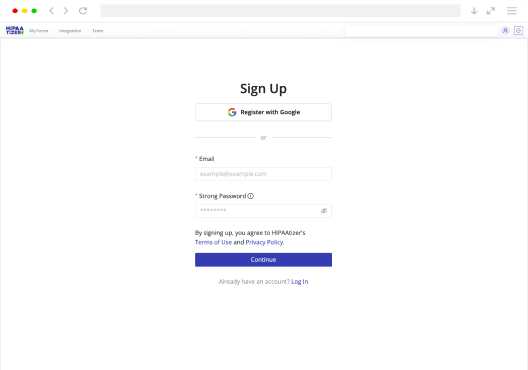
If you’re setting up forms for your own practice, start with a Covered Entity account. Building forms for a healthcare client? You can start with a free Developer account. Covered Entity accounts include a BAA.
Step 2
Connect Constant Contact
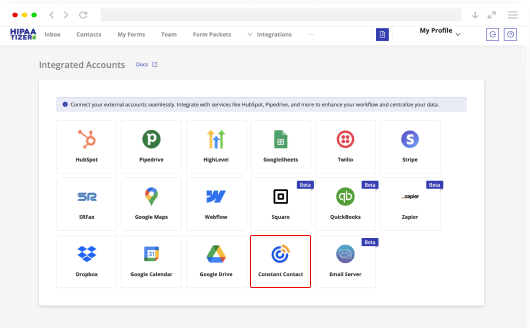
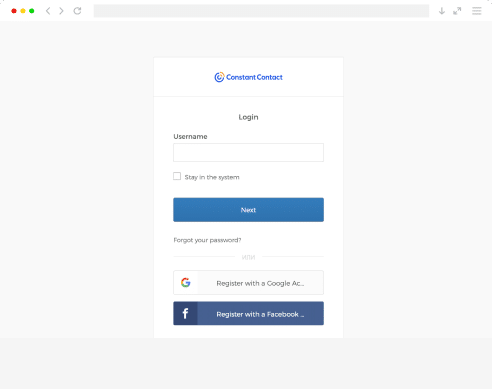
In HIPAAtizer, open Integrations > Integrated Accounts > Constant Contact, select Authorize with Constant Contact and sign in. You only need to connect the account once; there’s no API key to copy.
Step 3
Choose what to send
Open your form’s Constant Contact integration settings, select the destination list and the email-consent checkbox, then map the contact fields. Save your settings and send a test contact to make sure everything goes to the right place.
If you’d rather have someone walk you through it, our support team is happy to help support team

What Goes to Constant Contact and What Stays in HIPAAtizer
To Constant Contact: selected contact details, such as name and email, for people who have opted in, subject to your BAA, consent and marketing requirements.
In HIPAAtizer: patient answers, symptoms, medications, reasons for visiting, insurance information, signatures and uploaded documents.
BUILT FOR AGENCIES WITH HEALTHCARE CLIENTS
This integration actually started with a request from a marketing agency working with healthcare clients. They wanted to keep using Constant Contact for campaigns without copying patient intake answers into an email-marketing tool. Now agencies and clinics can connect each client’s Constant Contact account, choose the lists and contact fields, and manage the connection themselves.
KEEP CONSTANT CONTACT. ADD HIPAA-COMPLIANT FORMS
There’s no need to change the email marketing system your team already knows. Keep Constant Contact for your campaigns, and use HIPAAtizer when your website or intake forms need to collect patient information. Explore our other integrations to see how the two can fit into your existing workflow full list of integrations.
Frequently Asked Questions
Constant Contact offers a standard BAA on request, but that does not mean you should store clinical answers or other restricted health information there. Its permitted use and data restrictions still apply. HIPAAtizer keeps patient-form answers separate and sends only the contact fields you configure. Confirm the current BAA terms and your consent requirements before using patient contacts for marketing.