
Send HIPAA-Compliant Form Data to Airtable
Need a HIPAA Compliant way to send form data to Airtable?
With the Airtable + HIPAAtizer integration, send form submission data collected on your intake and other HIPAA-Compliant forms straight into Airtable records – without upgrading to Airtable’s Enterprise plan.
Important: Airtable supports HIPAA Compliance only on its Enterprise plan with a signed Business Associate Agreement (BAA). If you’re on Airtable’s Free, Team, or Business plan, do not store Protected Health Information (PHI) directly in Airtable. Keep PHI securely stored in HIPAAtizer and export only non-PHI information to Airtable.

Is Airtable HIPAA Compliant?
Airtable can support HIPAA Compliance, but only on its Enterprise plan. Enterprise includes a signed BAA, advanced admin controls, and audit logs.
For small practices, agencies, and development teams, Enterprise isn’t always the right fit – it requires custom pricing and is built for larger organizations. If you’re not on that plan, keep PHI in HIPAAtizer and send only non-PHI data to Airtable.
So you use Airtable and handle patient data.
Now what?
Airtable is popular with agencies, healthcare startups, and operations teams. If you manage referrals, patient intake, or client workflows, you probably already have bases set up for tracking that work.
But HIPAA Compliance? Airtable’s HIPAA-Compliant tier is priced for large enterprises not for a small behavioral health practices. Not for a dev firm building intake systems for healthcare clients.
HIPAAtizer keeps the compliance layer separate from your database. You collect patient data through HIPAA-Compliant forms. PHI stays inside HIPAAtizer. The fields your team needs in Airtable – case type, referral source, appointment status, submission links – those get pushed over via webhooks. Nothing else.
Your Airtable base stays the same. Your automations stay the same.

How teams actually use this
Create records from patient form submissions
A patient fills out a referral intake form. HIPAAtizer sends a webhook to the Airtable API and creates a new record in the table you specify. The record has the referral source, service category, urgency level, and a link back to the full submission in HIPAAtizer. No PHI is stored in Airtable.
Healthcare agencies and behavioral health organizations use this for referral management. The clinical team reviews the full submission in HIPAAtizer. The operations team tracks the case in Airtable.
Build a patient intake pipeline
Use Airtable views to track where each intake stands: new submission, under review, scheduled, completed. Your admin team sees the full pipeline in Airtable. The medical details stay in HIPAAtizer, accessible only to authorized clinical staff.
Multi-location practices and IT service providers building intake workflows for healthcare clients use this setup.
Trigger forms from Airtable automations
Use Airtable automations or scripting (scripts????) to call the HIPAAtizer API and trigger form submissions with prefilled values. For example, an ophthalmology practice creates a patient record in Airtable, and an automation sends a medical clearance form to the patient with their name and procedure date already filled in.
Development firms building custom healthcare workflows use this to let Airtable orchestrate the process while HIPAAtizer handles the compliant form collection.
Route submission data with pseudonymized records
Send tokenized or pseudonymized data to Airtable – case IDs, submission timestamps, status labels, PDF download links – while keeping all PHI locked in HIPAAtizer. Your Airtable records link back to the original submission without containing any protected health information.
This is how teams handle compliance when Airtable doesn’t have a BAA. The database becomes your operational layer. HIPAAtizer is your PHI storage layer.
How the integration works
Step 1
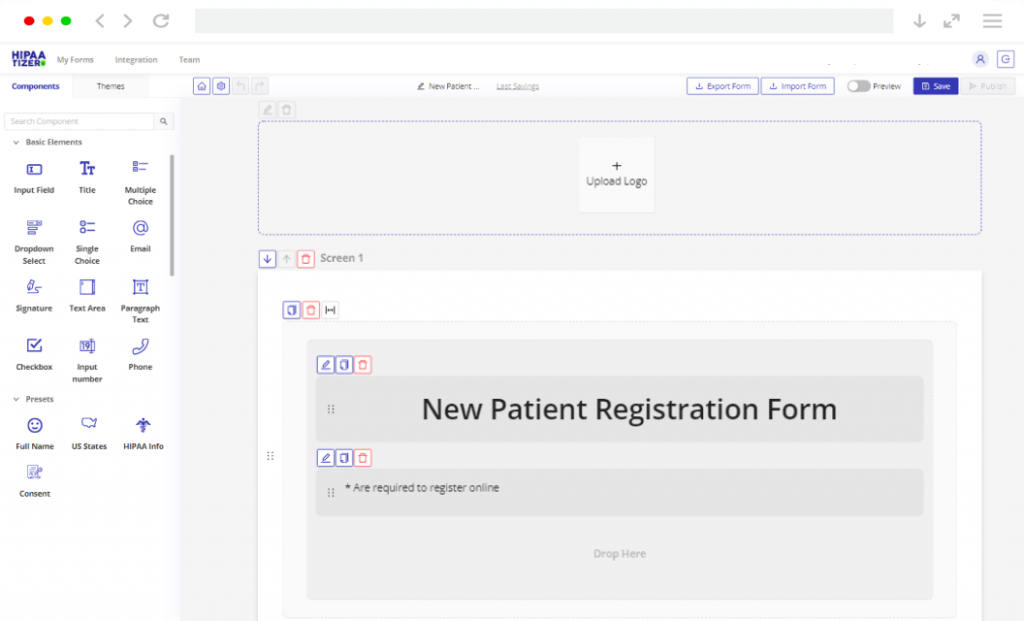
Create your HIPAA-Compliant form
Use HIPAAtizer’s drag-and-drop form builder or convert an existing PDF/Word form with our AI converter into a secure online version.
Step 2
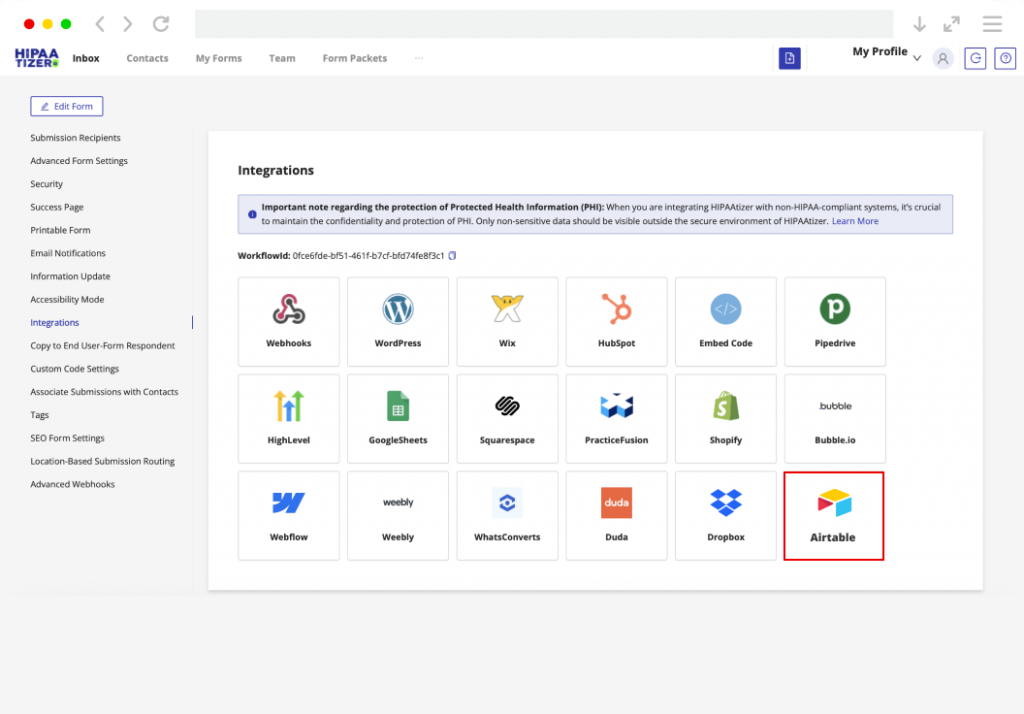
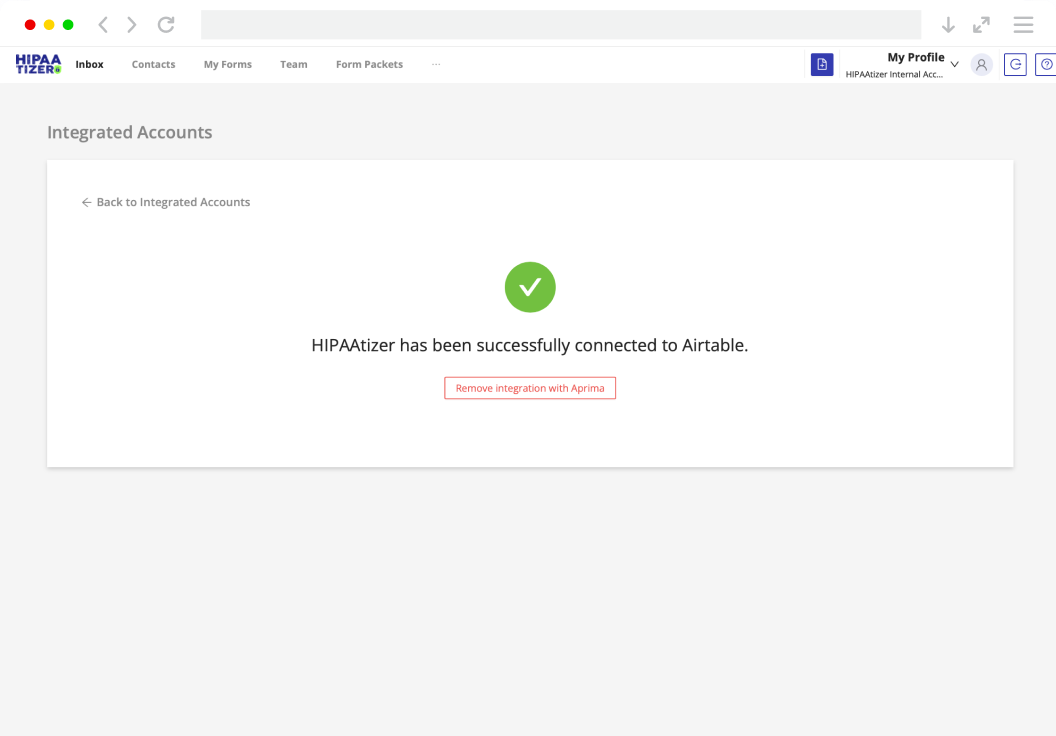
Connect Airtable to your HIPAAtizer account
- Go to your form’s Settings, open the Integrations tab, and select Webhooks.
- Choose the Airtable – Create Record template. It pre-fills the URL format, HTTP method, and Authorization header.
- Add your Airtable Base ID, table name, and Personal Access Token.
- Map your form fields to Airtable columns using HIPAAtizer’s form variables.
Need help? Contact our support team and we’ll guide you through the best setup: support@hipaatizer.com
Step 3
Control access
Even after integration, HIPAA compliance depends on proper access control.
Make sure:
- Only authorized staff can access form submissions in HIPAAtizer
- Airtable base permissions match your team’s roles
- PHI is stored only with a BAA in place
- You review what data flows between systems regularly
Perfect for agencies, dev firms, and healthcare teams
Airtable + HIPAAtizer is a good fit for:
- Marketing and healthcare agencies managing intake for multiple clients
- Development firms building HIPAA-Compliant workflows on Airtable
- Behavioral health organizations tracking referrals across providers
- Small and mid-size clinics using Airtable for operations
- Multi-location practices that need a shared intake pipeline
- IT service providers supporting healthcare clients
You keep your workflow stable:
- Your database and automations in Airtable
- Secure intake forms and PHI storage in HIPAAtizer

Ready to get started with Airtable + HIPAAtizer?
Sign up for a HIPAAtizer account
Build your form with HIPAAtizer AI or request a free conversion
Connect Airtable and start creating records from form submissions
Airtable® is a registered trademark of Formagrid, Inc. (d/b/a Airtable). HIPAAtizer is an independent software provider and is not affiliated with, endorsed by, or sponsored by Formagrid, Inc. The integration between HIPAAtizer and Airtable is provided solely for user convenience. All product names, logos, and brands are the property of their respective owners.
Frequently Asked Questions
Airtable supports HIPAA Compliance only on its Enterprise plan, which includes a signed BAA, advanced admin controls, and audit logs. The Enterprise plan requires custom pricing and is designed for large organizations. Free, Team, and Business plans do not include HIPAA support.