
Short answer (for practices)
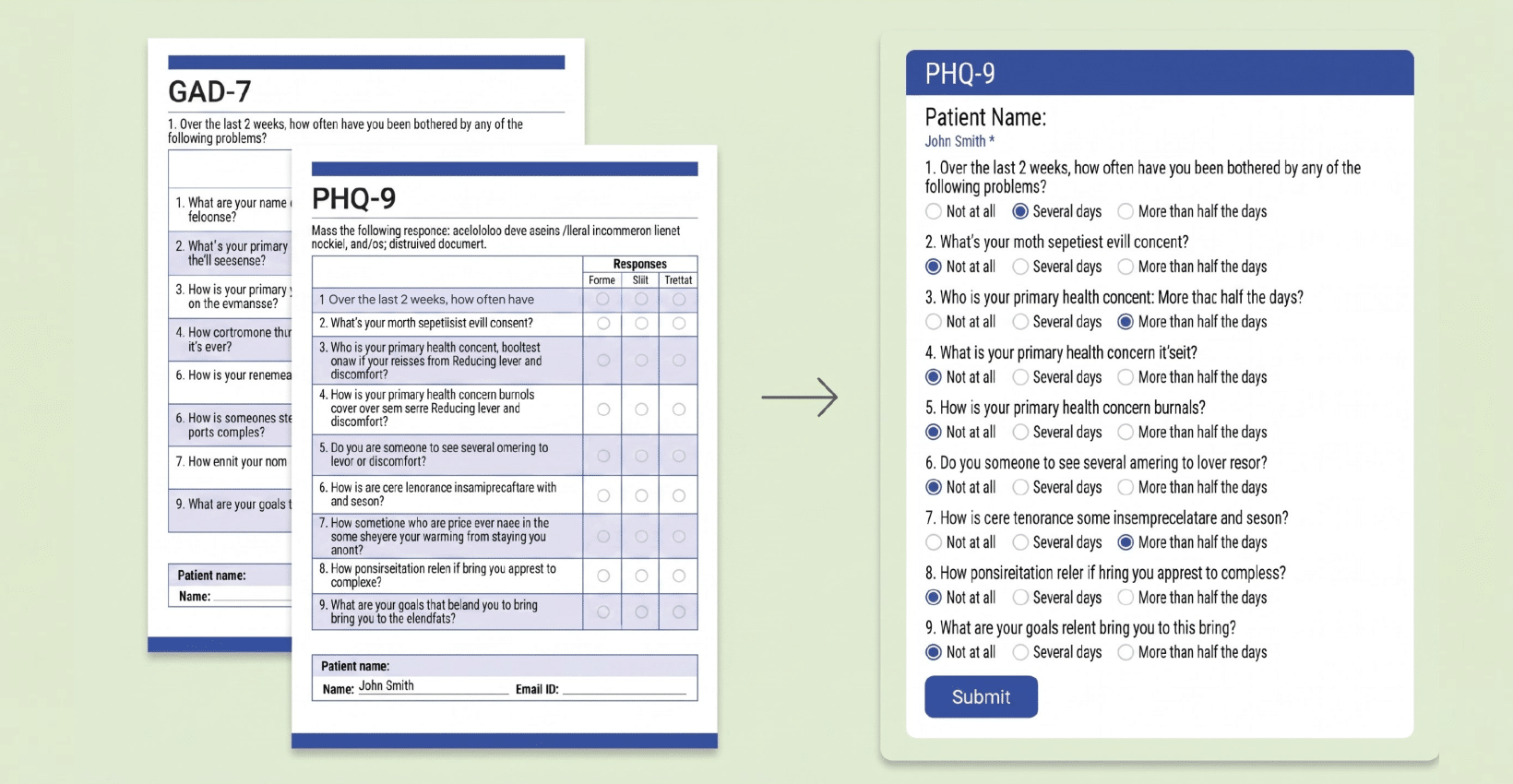
Digitizing screening questionnaires means moving standardized assessments like the PHQ-9 and GAD-7 from paper to secure online forms that auto-score and store results as Protected Health Information. To stay HIPAA-Compliant, the tool you use must encrypt the data, restrict who can see it, and be covered by a signed Business Associate Agreement (BAA). The instruments themselves are free to use; the compliance work is in how you collect and store the responses.
At a glance for providers
- What you’re digitizing: standardized screeners (PHQ-9, GAD-7, PHQ-15, AUDIT, ORT) – all public domain and free to administer
- What makes it HIPAA Compliant: a signed BAA + encryption + access controls on the responses (which are PHI)
- What you gain: automatic scoring, no manual transcription, completion before the visit, results in one secure place
- Setup time: several minutes per form with an AI PDF-to-form converter
- Cost: HIPAA-Compliant hosting starts around $29/month; the questionnaires are free
Why practices are moving screeners online
Paper screeners create three recurring costs: staff hand-score every form, someone transcribes the result into the record (a common source of error), and the paper has to be stored and eventually destroyed securely. Digitizing removes all three. Patients complete the questionnaire on any device, often before the appointment – and the score is calculated the moment they submit.
The catch is that a completed PHQ-9 or GAD-7 links a person to their mental-health symptoms, which makes every response Protected Health Information (PHI) under HIPAA. So the convenience only counts if the collection method is compliant.
What “HIPAA Compliant” actually requires for these forms
If you are a covered entity or a business associate, any tool that collects, transmits, or stores screening responses has to meet the HIPAA Security Rule’s safeguards, and the vendor must sign a Business Associate Agreement (BAA) with you. In practice, a compliant setup means the form:
- Encrypts data in transit and at rest
- Is covered by a signed BAA from the vendor
- Restricts access to authorized staff and logs who views each submission
- Auto-scores so no one re-keys PHI into a second, non-compliant system
- Routes results securely to your EHR, dashboard, or team – never to a general inbox or spreadsheet
For the underlying rules, see the U.S. Department of Health and Human Services guidance on the HIPAA Security Rule and Business Associate Agreements at hhs.gov.
How to digitize PHQ-9, GAD-7 & Other Screening Questionnaries
These standardized instruments are in the public domain – Pfizer released the PHQ and GAD-7 with no copyright restriction and at no charge – so you can administer them without a license. What you’re paying for is compliant collection, not the questionnaire.
| SCREENER | SCREENS FOR | ITEMS | SCORE RANGE |
|---|---|---|---|
| PHQ-9 | Depression | 9 | 0-27 |
| GAD-7 | Generalized anxiety | 7 | 0-21 |
| PHQ-15 | Somatic symptoms | 15 | 0-30 |
| AUDIT | Alcohol use | 10 | 0-40 |
| ORT | Opioid risk | – | risk category |
Most practices digitize the PHQ-9 and GAD-7 first, since they’re often administered together at intake, then add the others as needed. (Link each screener to its page: /phq-9/, /gad-7/, /audit/, /phq-15/, /ort/.)
How to digitize a screening questionnaire in 5 steps
Using HIPAAtizer, a HIPAA-Compliant form builder ($29/mo, BAA included), the workflow is:
- Upload the questionnaire. Drop in the PDF and let the AI conversion turn it into an online form, or start from the pre-built PHQ-9 / GAD-7 template.
- Add auto-scoring and logic. Configure scoring so the total and severity band are calculated on submission; use conditional logic to branch (for example, follow-up questions on a positive self-harm item).
- Embed or share it securely. Place the form on your website – WordPress, Squarespace, Wix, Webflow, and more – or send a secure link for pre-visit completion.
- Route results to the right place. Send scored submissions to your secure dashboard or EHR, with encryption, access controls, and a BAA covering the data.
- Keep a printable record. Generate a PDF of the completed, scored form in your preferred layout for the chart.
The result: patients self-complete, scores are calculated automatically, and every response stays inside a HIPAA-Compliant system.
Common compliance mistakes when digitizing screeners
- Using a free form or survey tool that won’t sign a BAA. No BAA means you’re out of compliance the moment PHI is collected, regardless of settings.
- Emailing completed PDFs back and forth in plain text.
- Dumping responses into a general spreadsheet or shared drive with no access controls.
- Re-keying scores by hand into the record – every manual copy is a chance for error and exposure.
- No audit trail of who viewed or exported a submission.
Frequently Asked Questions
Yes. Pfizer released the PHQ-9 and GAD-7 with no copyright restriction and at no charge. No permission or license is needed to administer, copy, or translate them, including in a digital workflow.
HIPAAAtizer is a software company that provides HIPAA-Compliant forms and tools. The information on this page is provided for general informational purposes only and does not constitute legal or compliance advice. For guidance specific to your organization, consult a qualified attorney or compliance professional.
Still have questions? Contact us