
Is Google Workspace HIPAA Compliant? What Healthcare Providers Need to Know
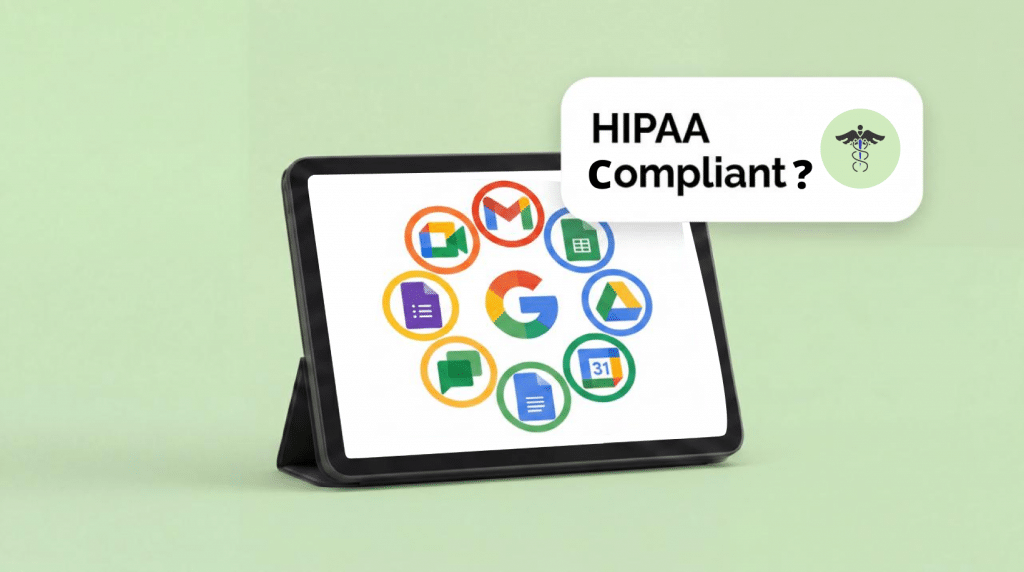
Google Workspace can be HIPAA Compliant, but it is not compliant out of the box. The free version is never compliant. You need a paid Workspace plan, a signed Business Associate Agreement (BAA) with Google, and specific admin configuration before any Google app can legally touch Protected Health Information (PHI).
Below we cover which Workspace apps are covered under the BAA, which ones are not, how to configure your account, and where the gaps still exist, especially around collecting patient information through online forms.
The short answer
Google offers a Business Associate Addendum (BAA) for paid Google Workspace plans. Once you accept the BAA through the Google Admin Console, certain Core Services are covered for use with PHI: Gmail, Google Drive, Google Docs, Google Sheets, Google Slides, Google Meet, Google Chat, Google Calendar, and Google Forms.
But signing the BAA is step one, not the finish line. Google’s default settings are not HIPAA Compliant. If your admin has not locked down sharing, recording, third party app access, and mobile device management, you have a signed agreement protecting services that are still leaking data.
Which Google Workspace apps are HIPAA Compliant?
Here is what is covered and what is not.
Covered under the Google Workspace BAA
Gmail is covered, but only through a paid Google Workspace account. Free @gmail.com accounts are not covered and cannot be used to send or receive PHI. If anyone on your staff forwards patient emails to a personal Gmail address, that is a HIPAA violation regardless of what else you have configured.
Google Drive, Docs, Sheets, and Slides are all covered Core Services. You can store and share documents containing PHI within your organization as long as you control sharing settings and external access. The BAA covers files stored in Drive, so Docs, Sheets, and Slides are protected as long as those files stay inside your Workspace environment.
Google Meet is covered and can be used for telehealth appointments. It supports encryption in transit and access controls like meeting locks and waiting rooms. You do need to configure Meet properly though: make it the default video platform, limit who can record meetings, disable recording to personal accounts, apply Data Loss Prevention (DLP) rules to recordings stored in Drive, and require host approval before external participants can join.
Google Calendar is a covered Core Service. Appointment titles, attendee names, and event details are protected under the BAA. Be cautious about what goes into event descriptions, though. If a patient’s diagnosis ends up in a calendar invite that syncs to a personal device without MDM, you have a problem.
Google Chat is covered under the BAA. You can use it for internal communication about patient cases, but you still need to control external sharing, disable history export to unauthorized users, and make sure chat data is subject to retention policies.
Is Google Forms HIPAA Compliant?
Google Forms is listed as part of Google Drive’s included functionality in the BAA, which technically makes it a covered service. In practice, though, Google Forms has real limitations when it comes to collecting PHI.
There is no field level encryption. There are no detailed audit logs for individual submissions. There is no e-signature support. And you cannot control who sees which specific responses. Responses land in Google Sheets (covered under the BAA), but the form submission process itself does not have the safeguards that healthcare form builders provide.
If you are collecting intake data, consent forms, or anything with patient names, dates of birth, insurance information, or medical history, Google Forms leaves gaps. You can use it under the BAA, but you are accepting risk that a purpose-built HIPAA-Compliant form builder would eliminate.
HIPAAtizer was built for exactly this. It encrypts form submissions at rest and in transit, keeps audit trails for every submission, supports e-signatures, and its BAA covers the full form lifecycle, not just the storage layer. You can embed forms on Squarespace, WordPress, Webflow, or Wix and keep PHI out of Google entirely, or pair HIPAAtizer with Google Workspace for everything else.
Not covered under the BAA
Google Voice is not covered under the Workspace BAA. This catches a lot of practices off guard. Even if you have a paid Workspace account with a signed BAA, Google Voice calls and voicemails are not protected. If your office uses Google Voice for patient calls, appointment scheduling that references diagnoses, or voicemails, you need a separate HIPAA Compliant phone solution.
Google Analytics is not covered. This matters because Google Analytics collects IP addresses, behavior data, and demographic information that can qualify as PHI when combined with healthcare context. If a patient visits a page about a specific condition on your website and Google Analytics is tracking that visit with identifiable data, you have a potential compliance issue. Either anonymize IP addresses aggressively or switch to a privacy focused analytics tool.
Google Translate is not covered. Do not paste patient records, clinical notes, or any document containing PHI into Google Translate. Google processes that input on its servers and may use it to improve translation models. If you need to translate clinical documents, use a HIPAA Compliant translation service.
Third party apps and Workspace Marketplace add-ons are not covered. Even if an add-on runs inside Gmail or Drive, the add-on itself sits outside the BAA. You need to evaluate each one independently.
How to make Google Workspace HIPAA compliant
If you are on a paid Google Workspace plan, here is the configuration checklist.
Accept the BAA in the Admin Console
Log in to the Google Admin Console at admin.google.com. Go to Account > Legal and Compliance. Find the HIPAA Business Associate Amendment, review the terms, and accept. This covers your entire organization. You cannot accept the BAA for only some users.
Restrict external sharing
By default, Drive and Docs let anyone with a link view files. Change this. Set default sharing to internal only. Require approval for external sharing. Turn off the option for users to publish files to the web.
Configure Google Meet for telehealth
Make Google Meet the default video tool. Disable recording for non-admin users, or restrict it to specific roles. Turn on waiting rooms so external participants cannot join until the host lets them in. Apply DLP rules to Drive so recorded meetings containing PHI get flagged.
Turn off unnecessary services
Workspace includes dozens of services, and many are not covered under the BAA. In the Admin Console, disable anything your team does not need. Google Voice, Google Groups (for external distribution), and any unvetted Marketplace apps should be off.
Enable Mobile Device Management (MDM)
If staff access Workspace from phones or tablets, require MDM enrollment. Turn on remote wipe, require screen locks, and block the ability to copy data from Workspace apps to personal apps on the same device.
Set up Data Loss Prevention (DLP)
Workspace supports DLP rules that scan for PHI in emails, documents, and chat messages. Create rules that flag or block content with Social Security numbers, medical record numbers, and other identifiers. DLP will not catch everything, but it catches accidental disclosures.
Configure retention and audit logging
Use Google Vault to set retention policies for email, chat, and Drive files. Turn on audit logging in the Admin Console to track who accessed, shared, or modified files. Retention policies are required under HIPAA. You need to be able to show who had access to PHI and when.
Train your team
None of this matters if someone on staff sends PHI from a personal Gmail account, shares a Google Doc with “anyone with the link,” or joins a telehealth call over public Wi-Fi without a VPN. Training is required under the HIPAA Security Rule, and your Workspace configuration only works when everyone on the team knows the rules.
Where Google Workspace falls short for healthcare
Google Workspace covers a lot of ground. The BAA is solid, the admin controls are capable, and the Core Services handle most daily office needs. But there are areas where it is not enough.
Patient facing forms
Google Forms was not designed for healthcare intake. It lacks e-signatures, cannot produce a per-submission audit trail, does not support conditional logic for branching medical questionnaires, and stores responses as a flat spreadsheet. If you collect intake forms, consent forms, or structured PHI through your website, you need a form tool built for healthcare.
Phone and voicemail
Google Voice is not covered. If your practice uses it for patient calls, you need a separate compliant phone system.
Website analytics
Google Analytics is not covered and creates PHI risk in healthcare contexts. Anonymize aggressively or use a different tool.
Third party integrations
The Marketplace has thousands of add-ons, and none are covered under Google’s BAA. Every integration needs its own compliance review and ideally its own BAA.
Using HIPAAtizer with Google Workspace
A common setup: keep Google Workspace for internal operations, add HIPAAtizer for anything that collects PHI from patients.
Google Workspace handles staff email (Gmail), appointment scheduling (Google Calendar), internal documents (Google Drive), and team meetings (Google Meet). All covered under the BAA.
HIPAAtizer handles the patient facing side: intake forms, consent forms, medical history questionnaires, insurance verification, payment authorization. Forms embed directly on your website. Submissions are encrypted and stored in HIPAAtizer under a separate BAA. If you use Google Calendar for scheduling, HIPAAtizer’s scheduling integration syncs appointments. Patients pick a time slot on the form, and it shows up in your calendar.
Google handles internal operations. HIPAAtizer handles the patient-facing data collection. No overlap, no gaps.
Frequently Asked Questions
No. Free Gmail accounts (anything @gmail.com) are not covered under any BAA with Google. You need a paid Google Workspace plan with a signed BAA.