Assigning Forms to Specific Locations
By default, all forms in HIPAAtizer are assigned to All Locations, meaning they are visible to all team members regardless of their assigned Location(s).
Want to restrict access to submissions based on user input?
To dynamically limit submission visibility based on how a user answers a form, use the Location-Based Submission Routing feature. This allows all team members to access the form itself, while submissions are routed and restricted based on defined conditions.
How to Assign a Form to a Specific Location
To limit who can see a form in the dashboard:
- Go to the My Forms dashboard.
- Find the form you want to update.
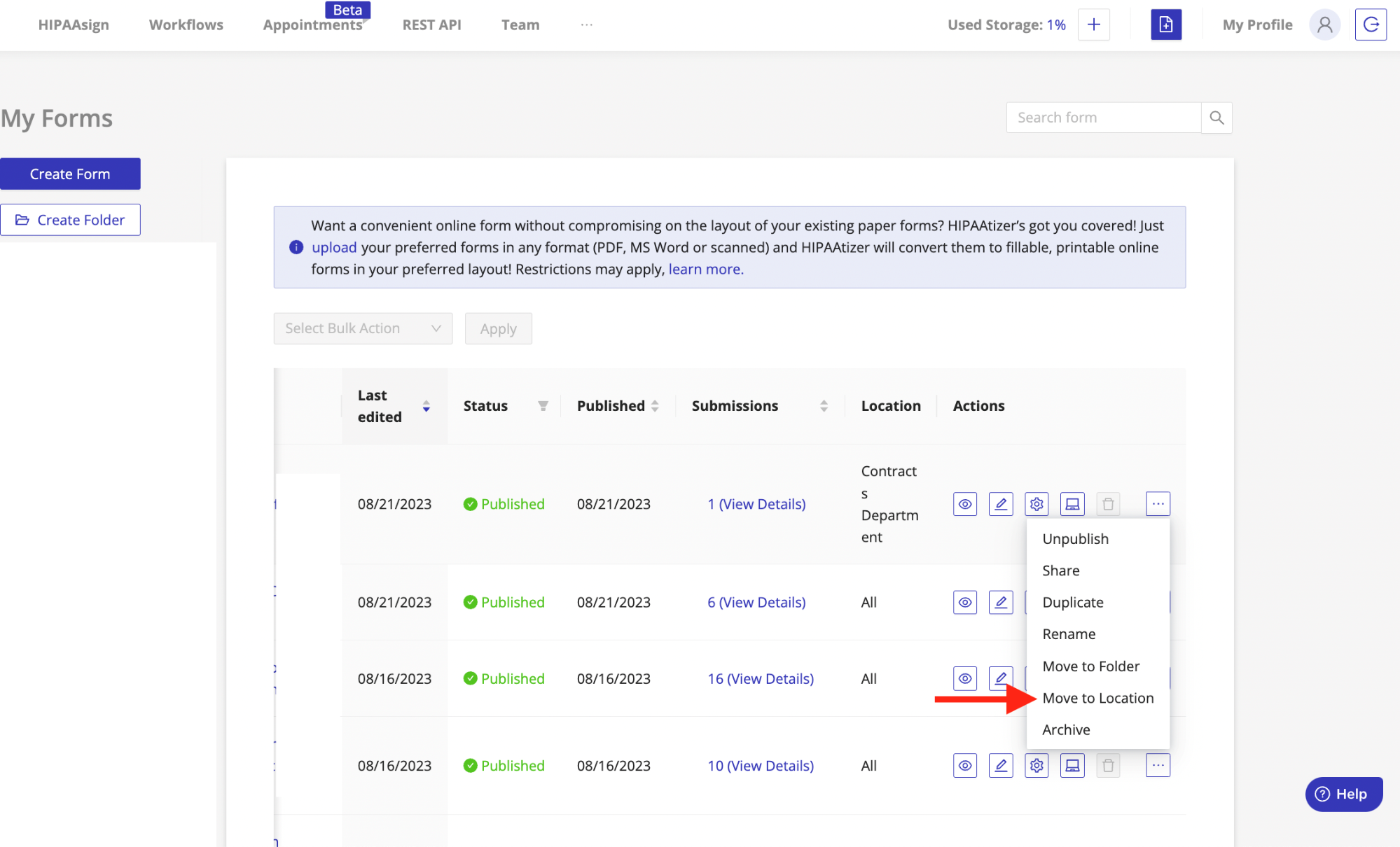
- Click the Actions menu (three dots on the right).
- Select Move to Location.
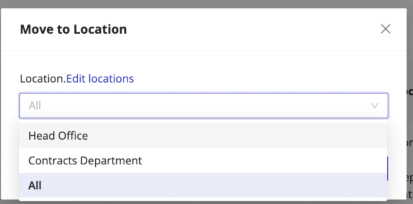
- In the popup, choose the desired Location.
- To restore visibility for all team members, select All.
Once a form is assigned to a specific Location:
- Only users with access to that Location will see the form in their dashboard.
- Submissions will also be visible only to those users.