
Short answer
A consent form is HIPAA Compliant when it collects and stores the patient’s information and signature through a secure digital form that encrypts data, sits behind access controls, logs the signature, and is backed by a signed Business Associate Agreement (BAA). Most consent forms are easy to digitize: for example, a one-page form with a single electronic signature the patient completes on their phone. When a visit needs several consents at once, you bundle them into one form packet with conditional logic, so the patient sees only the consents that apply and signs the whole set in one pass. You only need a multi-party signing tool like HIPAAsign for the harder cases: formal documents such as financial contracts, or when one person fills out the form and a different person has to sign it.
Every practice runs on consent. A physician needs consent to treat, a dentist needs consent to proceed, a pediatrician needs a parent’s authorization, a telehealth provider needs consent for a virtual visit, a med spa needs treatment and a photo consent. The wording differs, but the compliance question is always the same: once a patient (or their guardian) puts their name and health information on that form, you are handling Protected Health Information (PHI), and it falls under HIPAA. This guide covers what makes a digital consent form compliant, how to digitize the simple single-signer case, how to bundle several consents into one packet, and when you actually need a multi-party signing tool.
What makes a digital consent form HIPAA Compliant?
A consent form is HIPAA Compliant when the tool behind it protects PHI the way the HIPAA Privacy and Security Rules require. Four things have to be true:
- A signed BAA. The vendor storing or processing the form must sign a Business Associate Agreement. No BAA, no PHI, full stop.
- Encryption and access controls. Data encrypted in transit and at rest, visible only to authorized staff, ideally with unique logins and audit logs.
- A logged, valid signature. The signature must be captured electronically with a timestamp and an audit trail showing who signed what, and when.
- Secure storage. Completed forms land in an access-controlled dashboard or your practice software, never a plain-text email inbox or a shared drive.
A form is not compliant just because it is a PDF, sits on an SSL page, or comes from a familiar brand. This is why most website forms are not HIPAA Compliant, including the native forms on Squarespace, Wix, Webflow, and WordPress.
The easy case: one-page, single-signer consent
Most consent forms have exactly one signer, and these are simple to move online. A consent-to-treat, a telehealth consent, a HIPAA acknowledgment, or a standard treatment consent becomes a mobile-friendly form with a single electronic signature field at the end. The patient reads it, signs on their phone or tablet, and the signed, timestamped record is stored securely and routed to your dashboard or chart.
For this single-signer case, an in-form HIPAA-Compliant e-signature is all you need. The signature lives inside the form, so consent and the patient’s information are captured together in one submission. You can start from a ready-made template, for example the healthcare consent and authorization templates, customize the wording your medical director approved, and publish it on your existing website in an afternoon.
Several consents at once: use a form packet with conditional logic
Many visits need more than one consent. A new patient might sign a general consent to treat, a HIPAA acknowledgment, and a procedure-specific consent, all in the same sitting. This does not require a special signing tool. A form packet bundles multiple forms and consents into one guided flow, and conditional logic shows only the consents that actually apply, for example the specific procedure the patient selected, so nobody wades through pages that are irrelevant to them.
One person completes and signs the whole packet in a single pass, and each part is stored securely. This covers most multiple-consent situations, including a parent completing a set of consents on behalf of their child. As long as one person is signing, a packet with an in-form e-signature is all you need.
When different people must sign: use HIPAAsign
You only need a dedicated multi-participant signing workflow when the signatures have to come from different people, or when you are signing a formal document such as a financial contract or responsibility agreement. That is what HIPAAsign is built for. Instead of assuming one signer, you define the whole signing process:
- How many participants sign, and in what order (for example, one person fills out the form and another person signs it, or a guardian signs and a provider countersigns)
- Who completes and signs which fields, so each party only handles their own section
- Which fields are hidden from other participants, protecting sensitive information between signers
- A signature that is encrypted, tamper-proof, and logged with a timestamp for each participant
HIPAAsign also signs existing PDF documents, so formal contracts and agreements can be signed as they are, without rebuilding them. And because a form packet can include a HIPAAsign step, you can combine the two: collect the information in a packet, then route it for a separate, formal signature when one is required, which is exactly how a fill-by-one, sign-by-another consent works.
Which approach to use, at a glance
| APPROACH | BEST FOR | HOW IT WORKS |
|---|---|---|
| In-form e-signature | One consent, one signer | The patient signs inside the form; timestamped and stored securely |
| Form packet + conditional logic | Several consents in one visit, still one signer | A bundled flow shows only the relevant consents; one person completes and signs the whole set |
| HIPAAsign | Formal documents (financial contracts) or different people signing | Multiple participants sign in a set order; one can fill, another signs; works on existing PDFs |
Consent by practice type
The compliance baseline is the same everywhere, but the forms differ. Here is where each practice type usually starts, with a template to build from:

Physicians and primary care
Consent to treat, HIPAA authorization, and medical release. See solutions for healthcare professionals.

Pediatric practices
Parent or guardian consent, often several consents in one packet; add HIPAAsign only when a second person must sign. See pediatric forms.


Digitize your consent forms without changing their formats
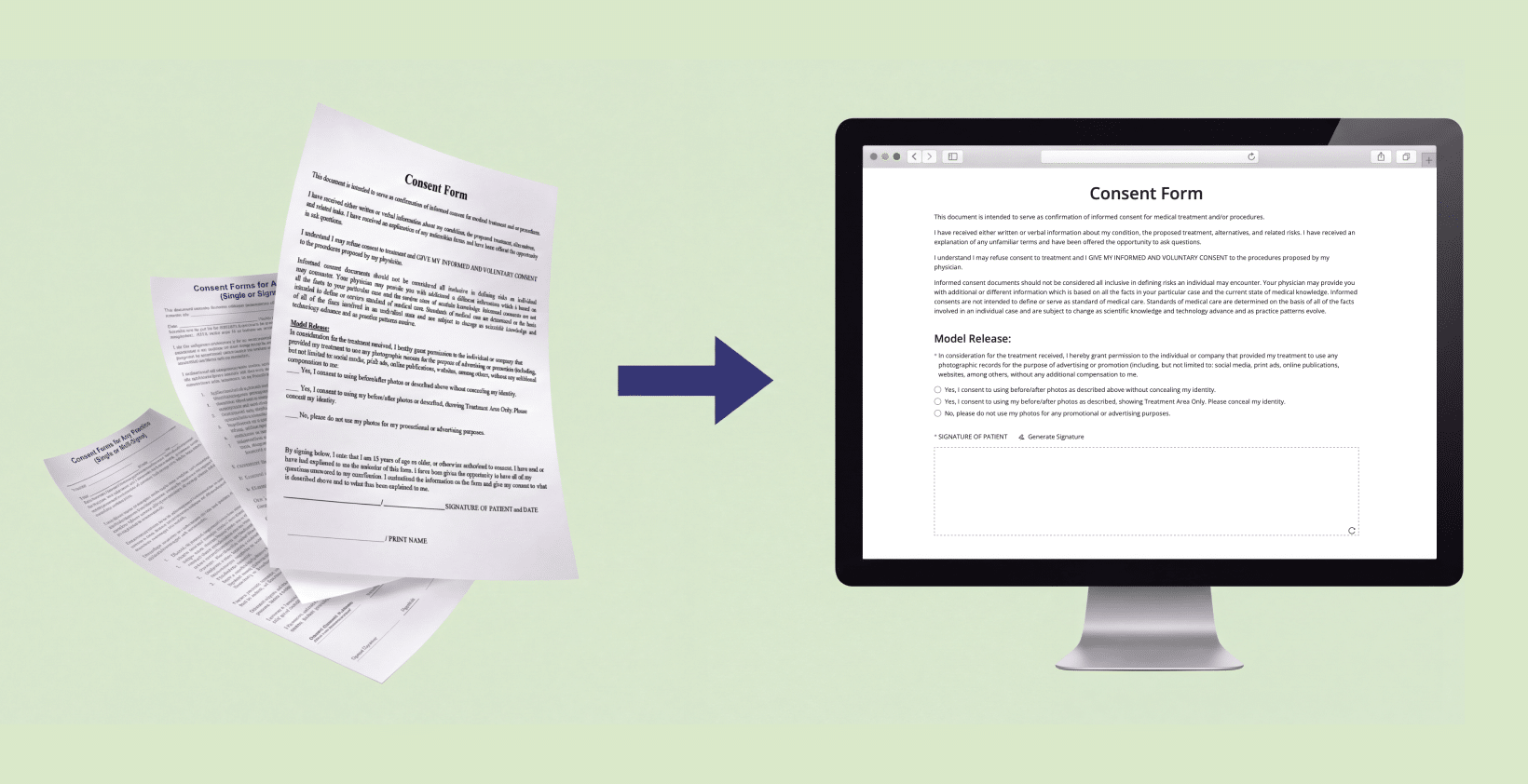
Start from HIPAAtizer’s healthcare consent templates, or upload the consent forms you already use and our AI form converter will convert them to HIPAA-Compliant online forms for free. A single consent gets an in-form e-signature; several consents become a form packet with conditional logic; and formal documents or separate signers use HIPAAsign, all embedded on the website you already have, with a signed BAA.
Consent digitization checklist
- Your form vendor has signed a BAA
- PHI is encrypted in transit and at rest, with access controls
- Every signature is timestamped and logged with an audit trail
- A single consent uses an in-form e-signature
- Several consents are bundled into a form packet with conditional logic
- Formal documents or separate-signer forms use HIPAAsign, with a defined signing order
- The clinical wording matches what your medical director approved
- Forms work on a phone and are embedded on your own website
- Submissions route to a secure dashboard or your practice software
Frequently Asked Questions
A HIPAA consent form is a document a patient (or their guardian) signs to authorize treatment or the use and disclosure of their health information. To be HIPAA Compliant when collected online, it must encrypt the patient’s PHI, store it behind access controls, log the signature, and be handled by a vendor that has signed a BAA.
This article is for general informational purposes and does not constitute legal or compliance advice. Consult a qualified professional about your specific HIPAA obligations and your state’s consent and guardianship requirements.
Still have questions? Contact us