
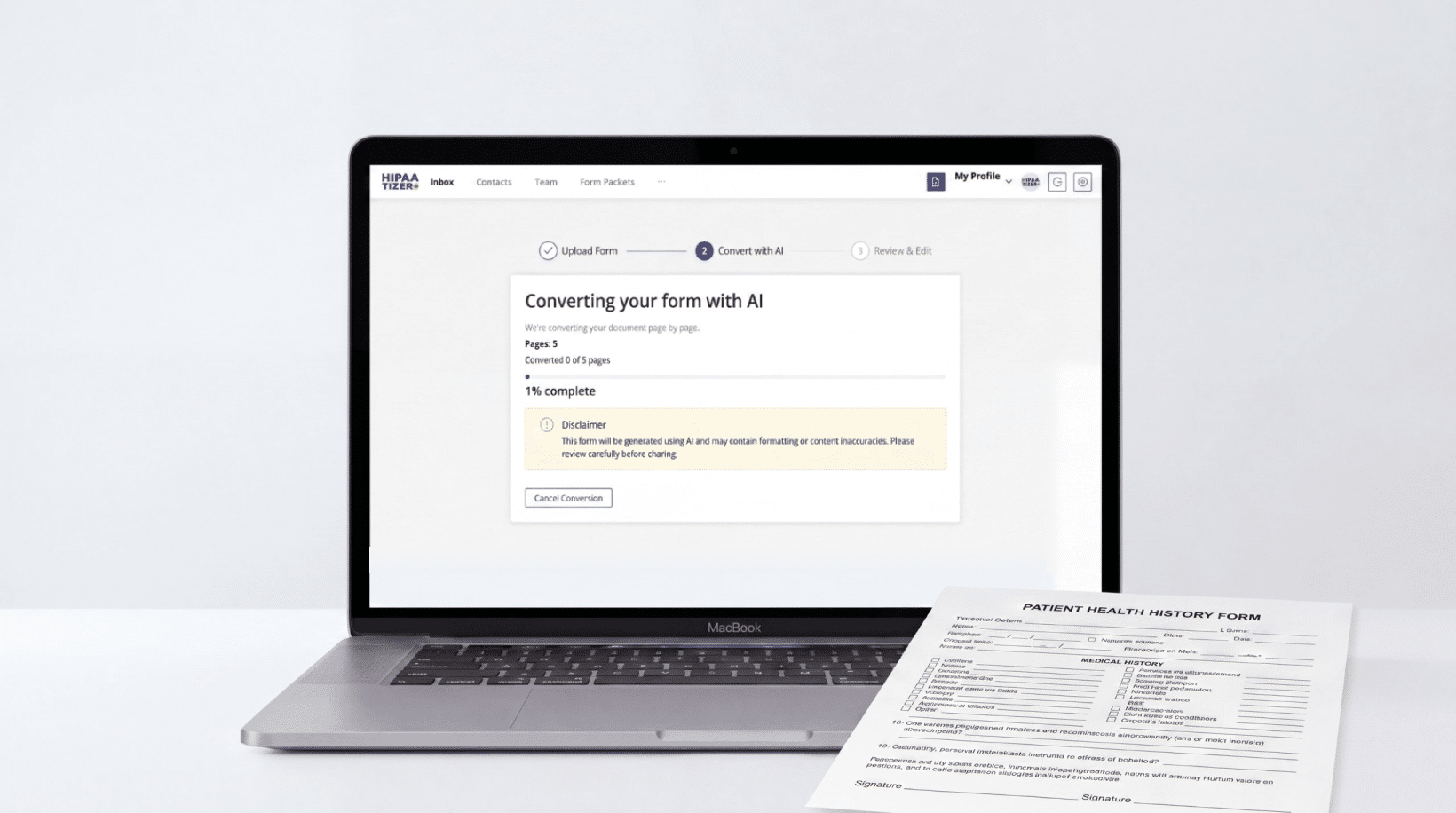
You’ve probably heard that AI can convert your PDF or Word form into an online form now. And if you’re in healthcare, the next question is obvious: can it do that and keep it HIPAA Compliant?
Yes. But there’s more to it than uploading a file and waiting. Here are 10 things worth knowing about HIPAA Form Conversion before you try it.
1. AI-Powered HIPAA Form Conversion is simpler than you think
You don’t need to be an engineer. You don’t need to know how to code.
Upload your existing form (PDF, Word doc, or even a scanned form), and the AI reads every field, label, and section. It builds an online version that mirrors your original. You review it, tweak what needs tweaking, and publish.
No dragging and dropping 47 fields one by one. No rebuilding from scratch.
2. It takes minutes, not hours
Converting a standard patient intake form by hand can take an hour or more, depending on how many fields you have. Conditional logic, consent sections, multi-page layouts make it worse.
AI conversion handles a typical intake form in under five minutes. You’ll spend more time reviewing the result than the AI spent building it.
What used to be an afternoon project is now a coffee break task.
3. It works with the forms you already have
This is the part that matters most. You already have forms your patients and staff know. A patient intake form your practitioner has used for years. A consent form your compliance officer approved. A health history questionnaire that’s been tweaked until it’s exactly right.
AI conversion preserves the structure, field order, labels, and overall feel of your original form. Patients still recognize it. Staff still know where things are. The difference is it’s on a screen instead of on paper.
If you want the full walkthrough on how to go from a PDF or paper form to a HIPAA-Compliant online version, we wrote a step-by-step guide here.
4. PDF, Word, and scanned forms all work
Most AI form converters accept PDFs and Word documents (.doc and .docx). Some, including HIPAAtizer, can also handle scanned forms, as long as the scan is clear and legible.
That PDF intake form your office manager emailed you three years ago? It works. The Word doc consent form saved on someone’s desktop? That works too.
You don’t need to dig up the “original editable version.” Even a printed form you scan at the office works, as long as the text is clearly readable. Whatever you have is usually enough.
5. The AI is good, but you still need to review the result
AI form conversion is fast and surprisingly accurate. It picks up field types, labels, required vs. optional fields, and section groupings. But it can make mistakes, and every converted form should be reviewed by a human before you publish it. Skipping this step risks inaccurate forms reaching your patients, which creates compliance exposure.
A few things worth checking after conversion:
Field types. Make sure date fields are date pickers, not free text boxes. Make sure dropdowns have the right options.
Required fields. If a field is genuinely required before a patient’s appointment, mark it. The AI might not always guess correctly which fields your practice considers mandatory.
Consent language. If your form has signature or consent sections, read them word for word against your original. This matters for compliance and legal reasons.
Conditional logic. If your form has fields that should only appear based on previous answers (“if yes, please describe”), check that the logic is set up correctly.
Treat the AI output as a draft, not a finished form. A five minute review after conversion saves you from compliance headaches later.
6. HIPAA Compliance comes from the platform, not the AI
A lot of people miss this one. The AI handles the conversion, turning your PDF into a working online form. But the HIPAA Compliance piece? That comes from the platform hosting and processing the form data.
What does HIPAA Compliance actually require for an online form?
Encrypted data transmission and storage. Patient submissions need to travel over an encrypted connection and be stored encrypted.
A signed Business Associate Agreement (BAA). Whoever hosts or processes the form data is handling Protected Health Information. They need to sign a BAA with you. No BAA, no compliance.
Access controls and audit logging. HIPAA requires that access to patient data is controlled and logged.
No unauthorized data sharing. Standard form tools often send data to analytics or marketing platforms. That’s a potential HIPAA violation.
When you’re evaluating an AI form converter, don’t just look at the AI. Look at what’s underneath it. Where does the data go? Who handles it? Is there a BAA?
7. It costs less than you’d expect
Manual form conversion, where someone rebuilds your form field by field in an online builder, can run anywhere from $50 to $200+ per form if you’re paying a developer. Complex multi-page forms with conditional logic cost more. That said, some services offer manual conversion for free. HIPAAtizer, for example, will convert your forms at no cost as part of the platform.
AI conversion is typically included in your form builder subscription or available as a low cost add-on. Some platforms offer your first conversion free so you can test it before committing.
When you factor in the time savings (minutes vs. hours), the cost comparison isn’t close.
8. Complex forms may need a human touch
AI conversion does a great job on straightforward forms. But the more complex the form, the more you’ll want to review carefully, or consider manual conversion. Watch for:
- Multi-page patient intake forms with 30+ fields across several sections.
- Health history questionnaires with long lists of conditions and checkboxes.
- Consent and authorization forms with specific legal language that needs to be preserved exactly.
Forms with conditional logic, where certain sections only appear based on previous answers. AI doesn’t always get these right, and wrong logic means patients see the wrong questions or skip required fields.
For forms like these, AI conversion is a solid starting point, but plan on a thorough review. If the form has heavy conditional logic or unusual layouts, manual conversion might be the better route.
9. You can still edit everything after conversion
AI conversion gives you a starting point, not a locked down final product. After the AI builds your online form, you can edit anything: add fields, remove fields, change labels, adjust the layout, add conditional logic, update colors to match your branding.
Most HIPAA-Compliant form builders that offer AI conversion also include a drag and drop editor for fine tuning. If the AI got 95% of the form right and you need to adjust the other 5%, that takes a few clicks.
10. Not every “AI form builder” is HIPAA Compliant
There are plenty of AI form builders on the market now. Most of them are built for general use: event RSVPs, customer feedback surveys, lead capture forms. They’re good at what they do, but they were not built with HIPAA in mind.
Using a general purpose AI form builder for healthcare forms is risky. Without encryption, a BAA, access controls, and proper data handling, you’re collecting Protected Health Information on a platform that isn’t set up to protect it.
Before you use any AI form conversion tool for healthcare forms, verify three things: the platform encrypts data in transit and at rest, the provider will sign a BAA, and the platform doesn’t share submitted data with third parties.
If any of those three are missing, it’s not HIPAA Compliant. No matter how good the AI is.
Why HIPAAtizer
HIPAAtizer is the only HIPAA-Compliant form builder with a built-in AI form converter.
The AI conversion and the compliance infrastructure live on the same platform. You’re not stitching together one tool for conversion and another for HIPAA Compliance. Upload your form, the AI converts it, and the result is already hosted in a HIPAA-Compliant environment with encryption, a BAA, access controls, and secure data handling.
Upload a PDF or Word document and get a working HIPAA-Compliant online form in minutes. Your first conversion is free. And if anything needs adjusting, there’s a drag and drop editor to fine tune the result before you publish.
No other platform in the HIPAA forms space does both. Competitors either have AI conversion without HIPAA Compliance, or HIPAA Compliance without AI conversion. HIPAAtizer does both.
You don’t need to start over
If you’ve been putting off converting your paper forms because it seemed like too much work, that’s not the case anymore. AI-powered HIPAA form conversion works, and it takes minutes.
Upload your form. Let the AI do the work. Review it, publish it, and get back to your patients.
Still have questions? Contact us