

Re-Inviting Users
If a user misses their invitation or does not respond to it, follow these steps below to re-invite the user:
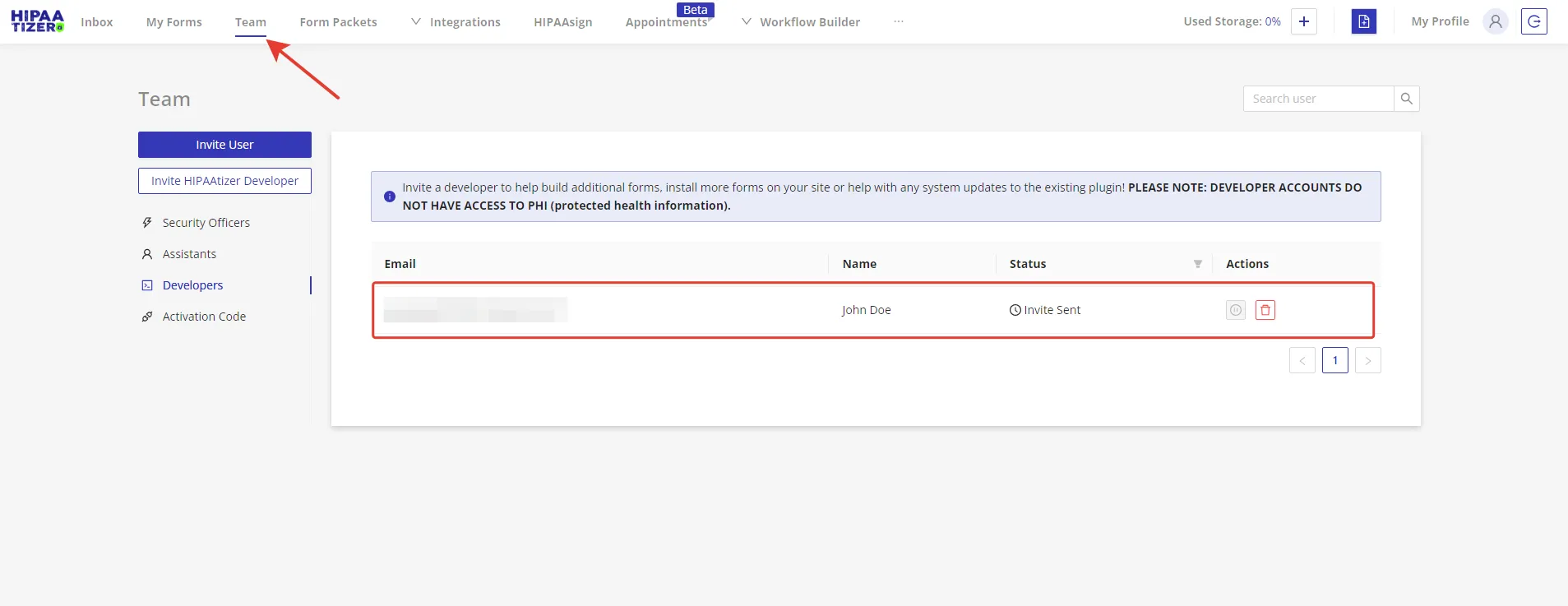
Navigate to the "Team" Menu
Select the "Team" tab from the top of the HIPAAtizer dashboard. From this page, locate the user you want to re-invite. Invitees who have not responded have their status set as "Invite Sent". (If someone has accepted the invitation, there is a green check mark and the account status is marked "Active".)
Resend the Invitation
Find the user in the list and look for the "Invite Sent" status. Click on the "Resend" button located under this status.
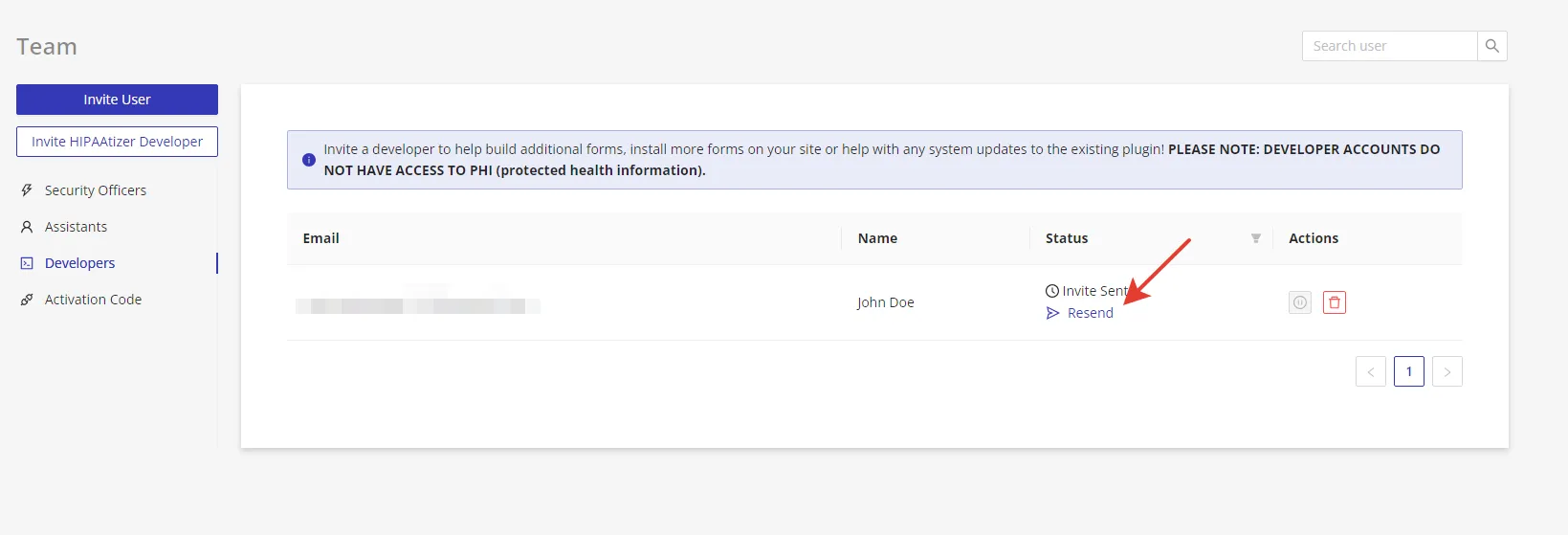
Once you've clicked on "Resend", you're all set! A new invitation message has been successfully sent to the user's email address. Please contact the invitee to make sure that they've received the message.