How to Send a Secure Email to a Patient
HIPAAtizer's Secure Email allows you to exchange emails and documents containing Protected Health Information (PHI) with your patients and clients. Follow these instructions to learn how to use Secure Email.
Sending a Secure Email
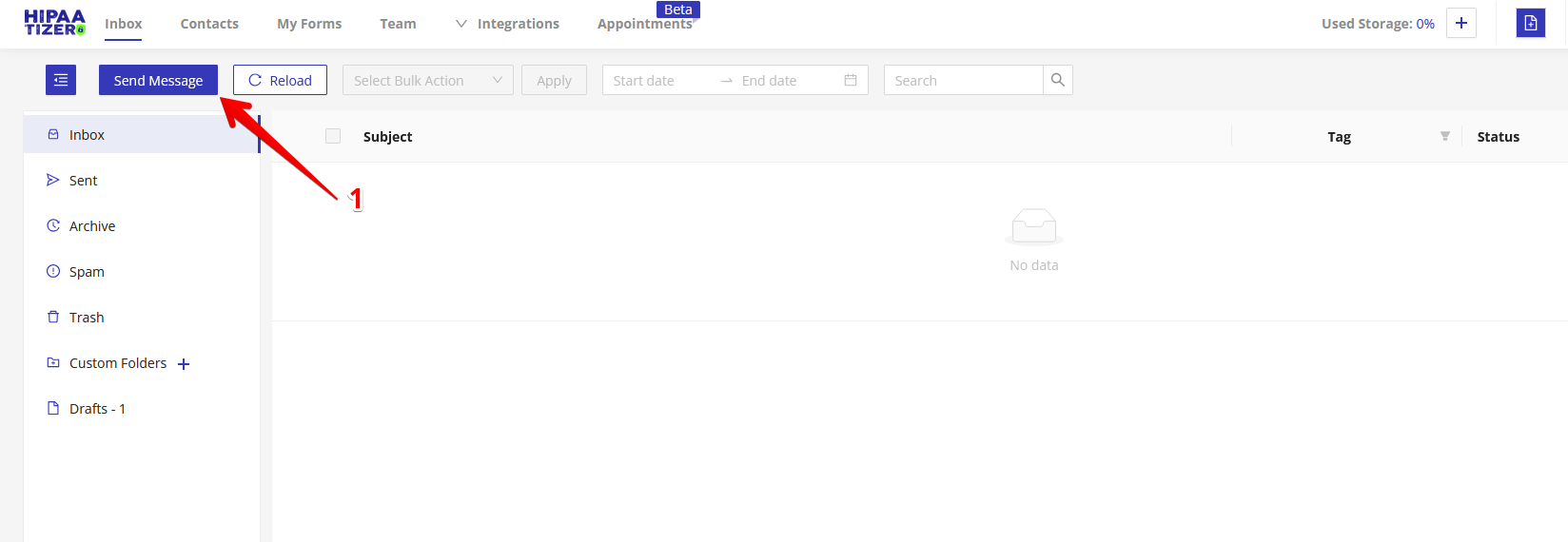
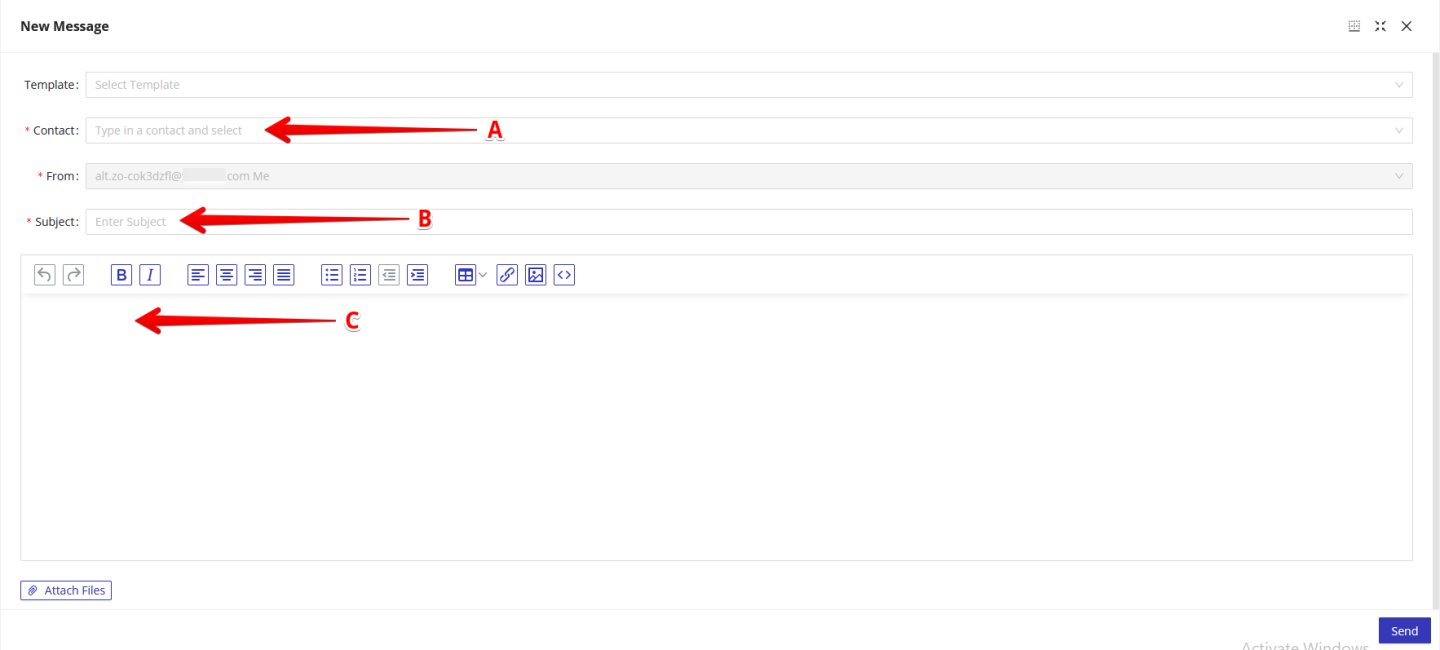
Click on the "Inbox" tab, then find the "Send Message" button in the top left corner. Insert the corresponding contact information (a), a subject in the subject line (b), and then fill the body with the contents of the email (c).
Attaching a File
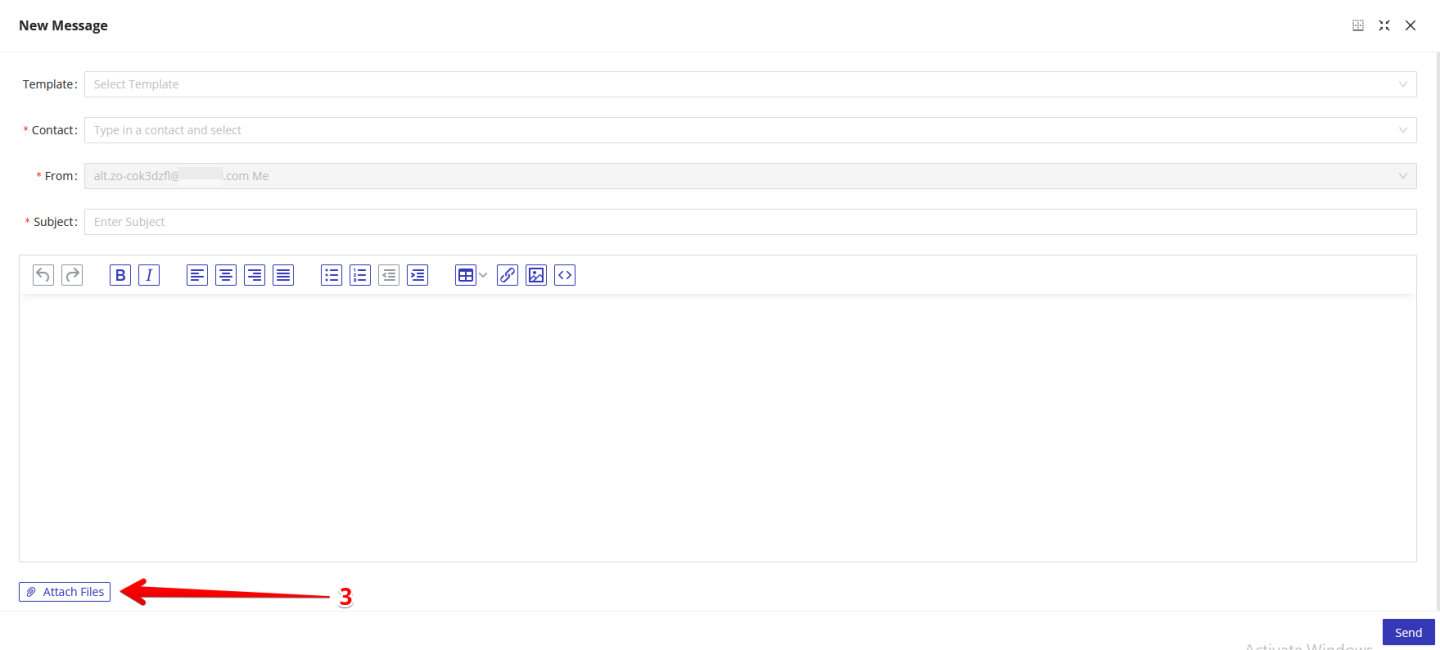
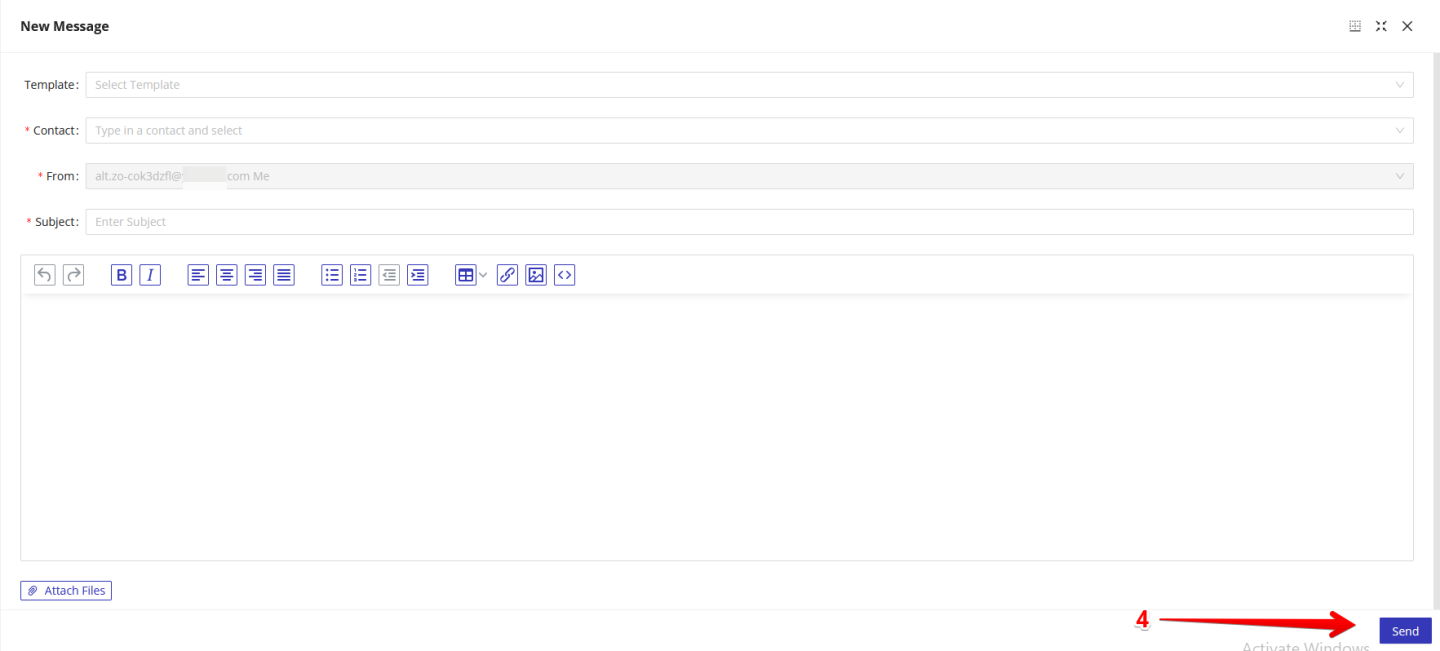
To attach a file to the email, click the "Attach File" button at the bottom left of the window, and then select the file you would like to attach. When the contact information, subject line and body of the email are all filled, click the 'Send' button in the bottom right of the email to send your email to your patient, client or another health professional.